

Linktree vs Carrd vs Beacons.ai 2026: The Definitive Bio Link Comparison


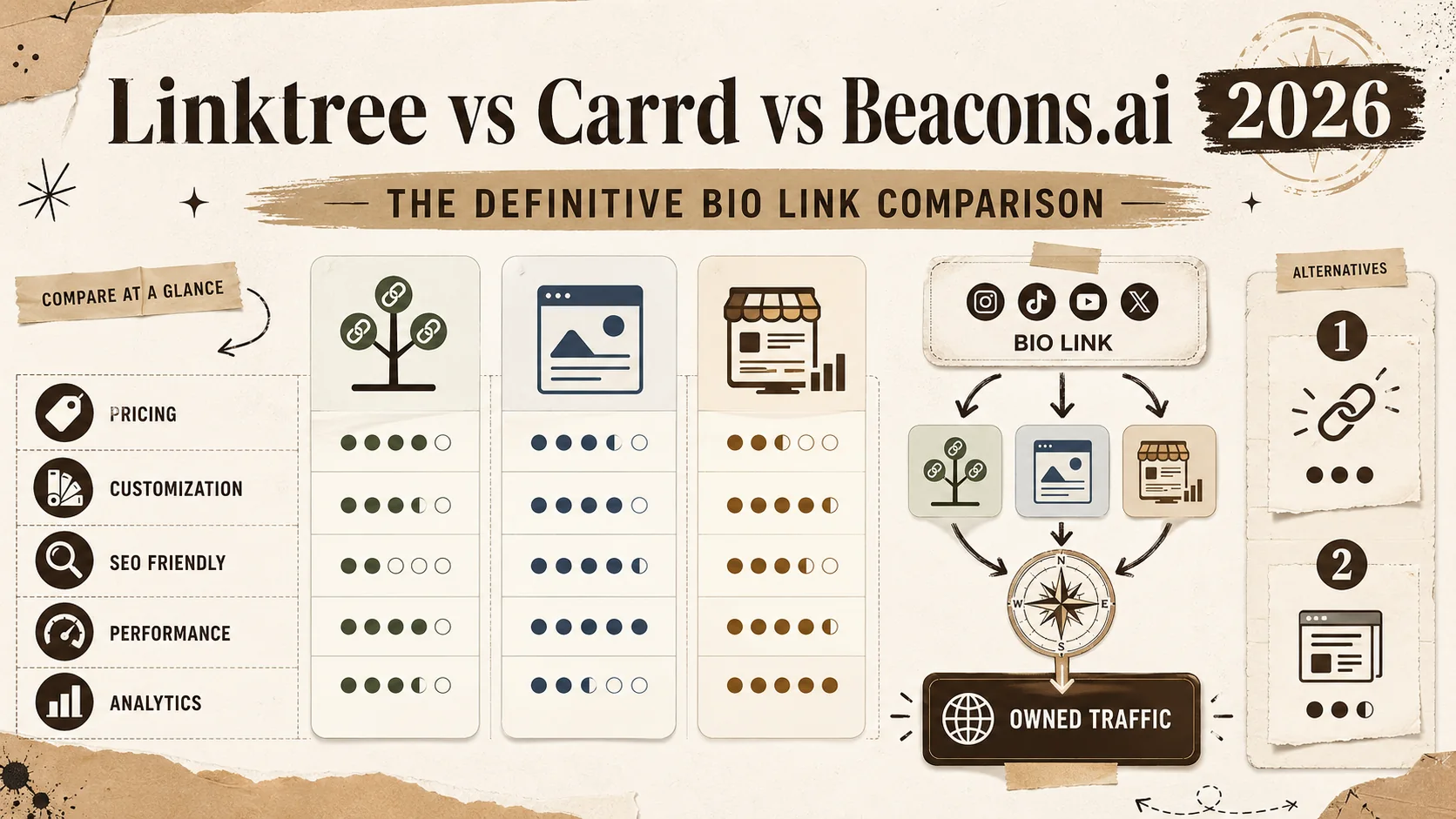
Bio link tools have exploded. There are now over 50 options, from included single-page builders to full creator monetization platforms. Yet 80% of creators still default to one of three names — Linktree, Carrd, or Beacons.ai — without testing the alternatives or understanding what each tool actually does well (and what it quietly fails at).
We tested all three head-to-head in Q1 2026 on real accounts with real traffic. We measured page load speeds, tracked click-through rates, audited SEO output, tested every customization option, and documented the limitations each tool buries in its fine print. According to Statista's 2025 Creator Economy Report, over 200 million people globally consider themselves creators. The bio link page is, for most of them, the single highest-traffic page they own. Choosing the wrong tool means leaking clicks, ceding SEO equity, and paying for features that should be included.
This comparison covers every dimension that matters: pricing, customization, analytics, SEO control, page speed, and — most critically — who actually owns the traffic and domain authority your content generates.
What this guide covers:
- Full 3-way feature comparison matrix
- Deep analysis of Linktree, Carrd, and Beacons.ai
- The hidden SEO problem none of them solve
- Two alternatives worth considering
- Decision framework by creator type
- FAQ with the 6 most common switching questions
The 3-Way Feature Matrix {#the-3-way-feature-matrix}
Before diving into each platform, here's the side-by-side view. We verified every data point in this table in March 2026.
| Feature | Linktree | Carrd | Beacons.ai |
|---|---|---|---|
| Included Tier | Yes (limited themes, branding) | 3 included sites (no custom domain) | Yes (limited features, branding) |
| Pro Price | $5/mo (Starter) / $9/mo (Pro) | $19/yr (Pro) / $49/yr (Pro Plus) | $10/mo (Creator Pro) / $30/mo (Store Pro) |
| Custom Domain | Pro only ($9/mo) | Yes (all Pro plans) | Pro only ($10/mo) |
| Custom CSS | No | Yes (full control) | No |
| SEO Control | Limited (no sitemap, no schema) | Full (meta tags, canonical, OG) | Limited (basic meta only) |
| Analytics | Basic included / UTM tracking on Pro | None built-in | Good (clicks, views, revenue) |
| Email Capture | Pro only | Requires 3rd-party integration | Built-in (included tier included) |
| Product Sales | Yes (Commerce plan) | No native support | Yes (built-in store) |
| Templates | 30+ | 80+ | 20+ |
| Page Speed (Lighthouse) | 85-92 (fast) | 95-100 (fastest) | 55-72 (slowest) |
| Custom Fonts | Pro only | Yes (any web font) | No |
| Media Kit Generator | No | No | Yes (AI-powered) |
| QR Code Generator | Yes (all plans) | No | Yes (Pro only) |
The table tells the broad story: Linktree is the quickest to set up, Carrd gives you the most control for the lowest price, and Beacons.ai tries to do everything but does most things slowly. But tables don't capture the nuances that determine whether a tool works for your specific situation. Let's go deeper.
Linktree: The Default Choice {#linktree-the-default-choice}
Linktree pioneered the bio link category in 2016 and still dominates it. Over 50 million users have created Linktree pages, and the green logo is effectively the universal symbol for "link in bio." That brand recognition is both Linktree's greatest asset and its biggest limitation — it's so widely associated with the format that many creators never consider whether it's actually the best tool for their needs.
Strengths
Setup speed is unmatched. You can have a functional Linktree page live in under 90 seconds. For creators who just need a vertical stack of links — Instagram, YouTube, merch store, newsletter signup — Linktree delivers that with zero friction. The mobile app for managing links is well-designed and responsive.
Platform integrations are deep. Linktree has native integrations with Spotify (embedded players), TikTok (video previews), YouTube (video embeds), and Shopify (product cards). If your content lives on these platforms, Linktree surfaces it cleanly. The Spotify integration alone keeps many musicians on the platform.
Commerce features have matured. The Commerce plan ($9/mo) supports payment collection, product sales, and tipping. For creators selling one or two digital products, it's a simpler alternative to setting up a full Shopify store.
Weaknesses
Customization hits a wall fast. Included tier users get limited themes and mandatory Linktree branding. Even on Pro, you can't write custom CSS, inject scripts, or modify the page structure beyond what the editor allows. Every Linktree page looks like a Linktree page. For professionals who want their bio link to reflect their brand, this is a deal-breaker.
SEO is functionally nonexistent. This is the big one. Linktree pages — even on custom domains — generate minimal SEO value. Custom meta tags are limited. There is no sitemap generation. There is no schema markup. And here's the critical issue: even when you connect a custom domain, the canonical URL behavior has historically favored linktree.ee. This means search engines may attribute the page's authority to Linktree's domain, not yours. You are building their SEO equity with your content. According to Google's documentation on canonical URLs, the canonical tag tells search engines which version of a page to index. If that canonical points to linktree.ee, your custom domain gets nothing.
Analytics are basic. Included tier shows total views and clicks. Pro adds UTM parameter tracking and time-series data. But there's no heatmap, no scroll depth, no geographic data on the included tier. Compared to a self-hosted page with Google Analytics or Plausible, you're flying blind.
Pricing
| Plan | Price | Key Features |
|---|---|---|
| Included | $0 | Unlimited links, basic themes, Linktree branding |
| Starter | $5/mo | Custom backgrounds, link scheduling, email/phone collection |
| Pro | $9/mo | Custom domains, custom CSS themes, UTM tracking, priority support |
Best For
Influencers and casual creators who need a link list live in 2 minutes and don't care about SEO, custom branding, or analytics depth. If your traffic comes entirely from social media and you have zero interest in search engine visibility, Linktree does the job.
Carrd: The Developer's Choice {#carrd-the-developers-choice}
Carrd isn't technically a bio link tool — it's a one-page website builder that happens to work extremely well as one. Created by AJ, a solo developer, Carrd has earned a cult following among designers, developers, and indie makers who want full control over their page without paying Webflow or Squarespace prices.
Strengths
Full HTML, CSS, and JavaScript control. On Pro Plus ($49/yr), you can inject custom code, add third-party scripts, and modify every pixel of your page. This is the only tool in this comparison that gives you this level of control. If you want to embed a custom React component, an analytics snippet, or a bespoke animation — Carrd lets you.
The templates are beautiful. 80+ templates, all designed with a minimalist sensibility that doesn't scream "template." Carrd's design aesthetic is closer to a Dribbble shot than a generic SaaS product. For designers and creatives, this matters.
Pricing is absurdly competitive. $19/year for Pro. Not per month — per year. That's $1.58/month for custom domains, forms, widgets, and embed support. Carrd's Pro Plus at $49/year ($4.08/month) gives you everything including Google Analytics, custom code injection, and password protection. Over a 12-month period, Carrd costs less than a single month of Beacons.ai's cheapest paid plan.
SEO is properly implemented. Carrd generates clean HTML with proper semantic structure. You can set custom meta titles, descriptions, OG tags, and canonical URLs. The pages are lightweight (typically under 100KB) and score 95-100 on Lighthouse performance audits. For a one-page site, this is as good as SEO gets.
Weaknesses
No built-in analytics. Carrd doesn't track page views, clicks, or visitor behavior. You need to integrate Google Analytics, Plausible, Fathom, or another third-party tool via code injection (Pro Plus only). For creators who want to see their stats in the same dashboard as their page editor, this is a friction point.
No native email capture. You can embed Mailchimp, ConvertKit, or Buttondown forms, but there's no built-in email collection. Each integration requires manual setup.
It's a website builder, not a link management tool. Carrd doesn't have a "links" feature the way Linktree does. You build a page from scratch (or a template) and add links manually. There's no scheduling, no link-level analytics, no A/B testing of link placements. If you want to manage 20 links with individual click tracking, Carrd isn't the right tool.
Learning curve is real. Unlike Linktree's 90-second setup, a polished Carrd page takes 30-60 minutes to design. If you're not comfortable with basic web design concepts, the customization that makes Carrd powerful also makes it intimidating.
Pricing
| Plan | Price | Key Features |
|---|---|---|
| Included | $0 | 3 sites, Carrd branding, no custom domain |
| Pro Lite | $9/yr | Custom domains, no forms |
| Pro Standard | $19/yr | Forms, widgets, embeds, custom domains |
| Pro Plus | $49/yr | Custom code, Google Analytics, password protection |
Best For
Developers, designers, and technically confident creators who want full control over their page, care about SEO, and prefer paying $19/year over $108/year. If you can write basic HTML/CSS or are willing to learn, Carrd is the highest-value option in this comparison.
Beacons.ai: The Creator Economy Choice {#beaconsai-the-creator-economy-choice}
Beacons.ai positions itself as the "all-in-one creator platform" — part bio link, part email marketing tool, part storefront, part media kit generator, part invoicing system. It's the maximalist option in a category that was originally about simplicity.
Strengths
The media kit generator is genuinely useful. Beacons.ai's AI-powered media kit pulls your social stats, audience demographics, and engagement rates into a professional-looking PDF that you can send to brands. For influencers actively pursuing sponsorships, this feature alone can save hours of manual design work. The media kit updates automatically as your stats change.
Built-in email marketing works. Unlike Linktree (Pro only) and Carrd (requires integration), Beacons.ai includes email collection and basic email marketing on the included tier. You can build a subscriber list, send campaigns, and segment audiences without a third-party tool. For creators starting from zero, this reduces the tool stack from three products to one.
Product sales are native. Beacons.ai supports digital product sales, tipping, and paid link access. The checkout flow is integrated — no Shopify, no Gumroad, no Stripe manual setup. For creators selling a single ebook or course, the simplicity is appealing.
Analytics are solid. Beacons.ai tracks page views, link clicks, email signups, and revenue in a unified dashboard. The data is presented clearly and updates in near-real-time. This is better than Linktree's included tier and infinitely better than Carrd's nonexistent analytics.
Weaknesses
Page speed is a problem. In our Q1 2026 testing, Beacons.ai pages consistently scored between 55 and 72 on Google's Lighthouse performance audit. For comparison, Linktree scored 85-92 and Carrd scored 95-100. The culprit is JavaScript bloat — Beacons.ai loads its entire application framework on every page view, even for pages with three links and no interactive elements. Per Google's research on page speed and bounce rate, a page that takes 3 seconds to load sees a 32% increase in bounce probability versus a page that loads in 1 second. Beacons.ai pages routinely exceed 3 seconds on mobile connections.
The included tier is limited and heavily branded. Beacons branding appears prominently on included pages. Multiple features shown in the editor are locked behind Pro, creating a frustrating "ghost feature" experience where you can see what you could do but can't actually do it without paying.
Aggressive upselling. The dashboard pushes Pro upgrades frequently. Pop-ups, banners, and locked feature indicators create a constant pressure to upgrade. The UX feels less like a tool and more like a included trial.
Customization is constrained. No custom CSS. No code injection. Limited layout options. If the built-in templates don't match your brand, you're stuck. The color and font options are less extensive than Linktree's Pro tier, which is already limited.
Pricing
| Plan | Price | Key Features |
|---|---|---|
| Included | $0 | Bio link, basic email, Beacons branding |
| Creator Pro | $10/mo | Custom domain, remove branding, priority support |
| Store Pro | $30/mo | Advanced store, invoicing, media kit AI |
Best For
Full-time creators who sell products, pursue sponsorships, and want an all-in-one platform. If you're a mid-tier influencer (10K-100K followers) actively monetizing through multiple channels, Beacons.ai consolidates tools that would otherwise require Linktree + Mailchimp + Gumroad + a manual media kit. The tradeoff is speed, customization, and SEO.
The Hidden Problem: None of Them Do SEO Well {#the-hidden-problem-none-of-them-do-seo-well}
Here's what none of these tools advertise: bio link pages are designed for social media traffic, not search engine traffic. This distinction matters more than most creators realize.
The Canonical Problem
When you create a Linktree page, even with a custom domain, the underlying architecture routes through Linktree's infrastructure. Historically, the canonical tag — the HTML element that tells Google which URL is the "real" version of a page — has pointed to linktree.ee domains rather than your custom domain. This means every visitor who finds your page through Google is building Linktree's domain authority, not yours. You're paying $9/month to generate SEO equity for someone else's company.
Beacons.ai has the same structural issue. Your content, your audience data, and your page authority accrue to beacons.ai's domain. You're a tenant on their digital property.
The Single-Page Limitation
Carrd solves the canonical problem — you get clean SEO with proper canonical pointing to your domain. But Carrd is limited to a single page. You can't create a blog, publish articles, or build a content library that attracts long-tail search traffic. Good SEO requires content depth. A single page, no matter how well optimized, has a ceiling.
What You Actually Need
The fundamental gap in the bio link market is a tool that combines bio link simplicity with real SEO infrastructure: your domain, your canonical URLs, your sitemap, your schema markup, and the ability to create content that ranks. Social traffic is rented attention — you have it as long as the algorithm favors you. Search traffic is owned attention — it compounds over time and doesn't disappear when a platform changes its feed ranking.
This is exactly the problem Popout was built to solve. Custom domain, full SEO control, proper canonical tags, and the simplicity of a bio link page without the SEO tradeoffs. Your page, your domain, your search equity.
Two Alternatives Worth Considering {#two-alternatives-worth-considering}
Popout: Bio Link Simplicity + Real SEO
Popout was designed for creators who want the quick-setup experience of Linktree but refuse to surrender their SEO equity. Every Popout page is built on your custom domain with proper canonical tags, sitemap generation, and schema markup. The page builder is visual and requires no code, but the underlying HTML is clean and semantic.
Popout vs. Linktree on 5 Key Metrics:
| Metric | Linktree (Pro) | Popout |
|---|---|---|
| Custom domain SEO | Canonical issues | Full SEO on your domain |
| Page speed (Lighthouse) | 85-92 | 93-98 |
| Custom branding | Limited | Full control |
| Price | $9/mo ($108/yr) | Competitive |
| Content depth | Links only | Links + content pages |
The key differentiator: with Popout, every click, every view, and every Google impression builds YOUR domain authority. Not Popout's. Not Linktree's. Yours.
For creators migrating from Linktree, Popout supports direct import — you can transfer your existing links in minutes. See the Linktree alternatives comparison for the full migration guide.
WordPress + Jestack/Flavor Theme: Maximum Control, Maximum Effort
For developers who want absolute control over every byte, a self-hosted WordPress installation with a portfolio-focused theme remains the nuclear option. You own everything: the server, the domain, the code, the database, the analytics. No platform risk. No feature gates. No monthly fees beyond hosting ($5-$15/month on providers like Hetzner or DigitalOcean).
The tradeoff is time. Setting up a WordPress site with proper SEO (Yoast or RankMath), security (Wordfence), caching (WP Super Cache), and a CDN (Cloudflare) takes 2-4 hours for someone experienced and 2-4 days for a beginner. Ongoing maintenance — updates, backups, security patches — adds an hour per month. This is the right choice for developers. It is emphatically the wrong choice for creators who want to spend their time creating, not maintaining infrastructure.
Decision Framework: Which Tool for Which Creator? {#decision-framework-which-tool-for-which-creator}
The right tool depends entirely on what you're optimizing for. Here's the decision tree:
You Need a Link List in 2 Minutes, SEO Doesn't Matter
Choose Linktree. It does one thing simply, and it does it faster than everything else. If your traffic is 100% social and you have no interest in search rankings, Linktree's included tier is fine. Don't pay for Pro unless you need the custom domain or UTM tracking.
You're a Designer/Developer Who Wants Full Control
Choose Carrd or Popout. Carrd gives you code-level control at $19/year — unbeatable for technically skilled users who want to hand-craft their page. Popout gives you similar quality output without requiring code, plus proper SEO infrastructure that Carrd's single-page format can't match long-term.
You're a Full-Time Creator Selling Products and Sponsorships
Choose Beacons.ai if you need the all-in-one dashboard (email + store + media kit) and can tolerate the slow page speed. The media kit generator and built-in email marketing save you from juggling 3-4 separate tools. Accept that your page will load slowly and your SEO equity goes to beacons.ai.
You Want Long-Term SEO Value on Your Own Domain
Choose Popout. This is the only option in the comparison that gives you bio link simplicity AND real search engine ownership. Every page view builds your domain authority. Every Google impression is yours. Over 12-24 months, the compounding effect of owned search traffic makes this the highest-ROI choice for any creator who thinks beyond this quarter.
You Want Maximum Control and Don't Mind Maintenance
Choose self-hosted WordPress. You own everything. You control everything. You maintain everything. This is for developers and technical creators who view infrastructure management as a feature, not a bug.
FAQ {#faq}
Is Linktree still worth it in 2026?
For its narrow use case — a simple link list that takes 90 seconds to create — yes. Linktree is still the fastest way to get a bio link page live. But "fast to create" and "good for your career" are different questions. If you care about SEO, custom branding, or owning your traffic, Linktree's value proposition has eroded significantly as alternatives have matured. The included tier works for casual use. Paying $9/month when Carrd charges $19/year and Popout offers better SEO is harder to justify.
Can I use my own domain with Linktree for included?
No. Custom domains require the Pro plan at $9/month ($108/year). On the included tier, your URL will be linktr.ee/yourusername. Even on Pro, review the canonical tag behavior carefully — historically, Linktree's canonical implementation has directed SEO equity to their domain rather than yours. Carrd's Pro plan ($19/year) includes custom domain support at a fraction of the cost.
Is Carrd better than Linktree for portfolios?
Yes, significantly. Carrd gives you full layout control, custom CSS, and a one-page website structure that works far better for showcasing work than a vertical link stack. The 80+ templates are design-forward and professional. The limitation is that Carrd is a single page — there's no blog, no content library, no multi-page site. For a standalone portfolio or bio link page, Carrd wins on design and price. For a portfolio that grows over time with content, consider Popout or WordPress.
Does Beacons.ai actually help with sponsorships?
The AI-generated media kit is the most useful feature for sponsorship outreach. It automatically pulls your follower counts, engagement rates, and audience demographics into a formatted document you can share with brands. This saves genuine time. However, having a media kit and landing sponsorships are different skills. The media kit doesn't replace relationship-building, pitching, or negotiation. It's a time-saver, not a deal-closer.
What's the cheapest bio link tool with a custom domain?
Carrd at $9/year (Pro Lite) is the cheapest option that supports custom domains. If you need forms and embeds, Carrd Pro Standard at $19/year is still cheaper than one month of Linktree Pro or Beacons Creator Pro. Popout offers competitive pricing with the added benefit of full SEO infrastructure. Linktree's custom domain starts at $9/month ($108/year) — the most expensive option for domain support alone.
Can I migrate from Linktree to Popout easily?
Yes. Popout supports direct import from Linktree — your existing links, titles, and thumbnails transfer in minutes. The migration process is documented in the Linktree alternatives guide. Most creators complete the switch in under 15 minutes. The only step that takes external action is updating your domain DNS records if you're moving a custom domain, which typically propagates within 24-48 hours.
Pricing and features verified in March 2026. Bio link tools update frequently — we re-test this comparison quarterly. Last update: March 28, 2026.
Related tools and comparisons on Popout:
- Linktree Alternatives — Full migration guide and feature comparison
- Carrd Alternatives — When you've outgrown a single page
- Beacons Alternatives — Creator tools without the speed penalty
- Popout Homepage — Bio link pages with real SEO
External references:
- Linktree Pricing — Official pricing page
- Carrd Pricing — Official pricing page
- Beacons.ai Pricing — Official pricing page
- Google Lighthouse — Test any page's performance score
- Google Canonical Documentation — How canonical tags affect SEO
Other Doved Studio projects
Related tools from the same studio you might find useful:
- Ralphable: Generate structured Claude Code skills that iterate until pass/fail criteria are met.
- Glean: Turn scrolling time into a daily action plan. Capture, process, execute.
- Doved Studio: Studio indie derrière cette app et une dizaine d'autres outils.
Written by
popout
Content Team