How to Build a Developer Portfolio That Gets Interviews: 7 Real Examples + Templates


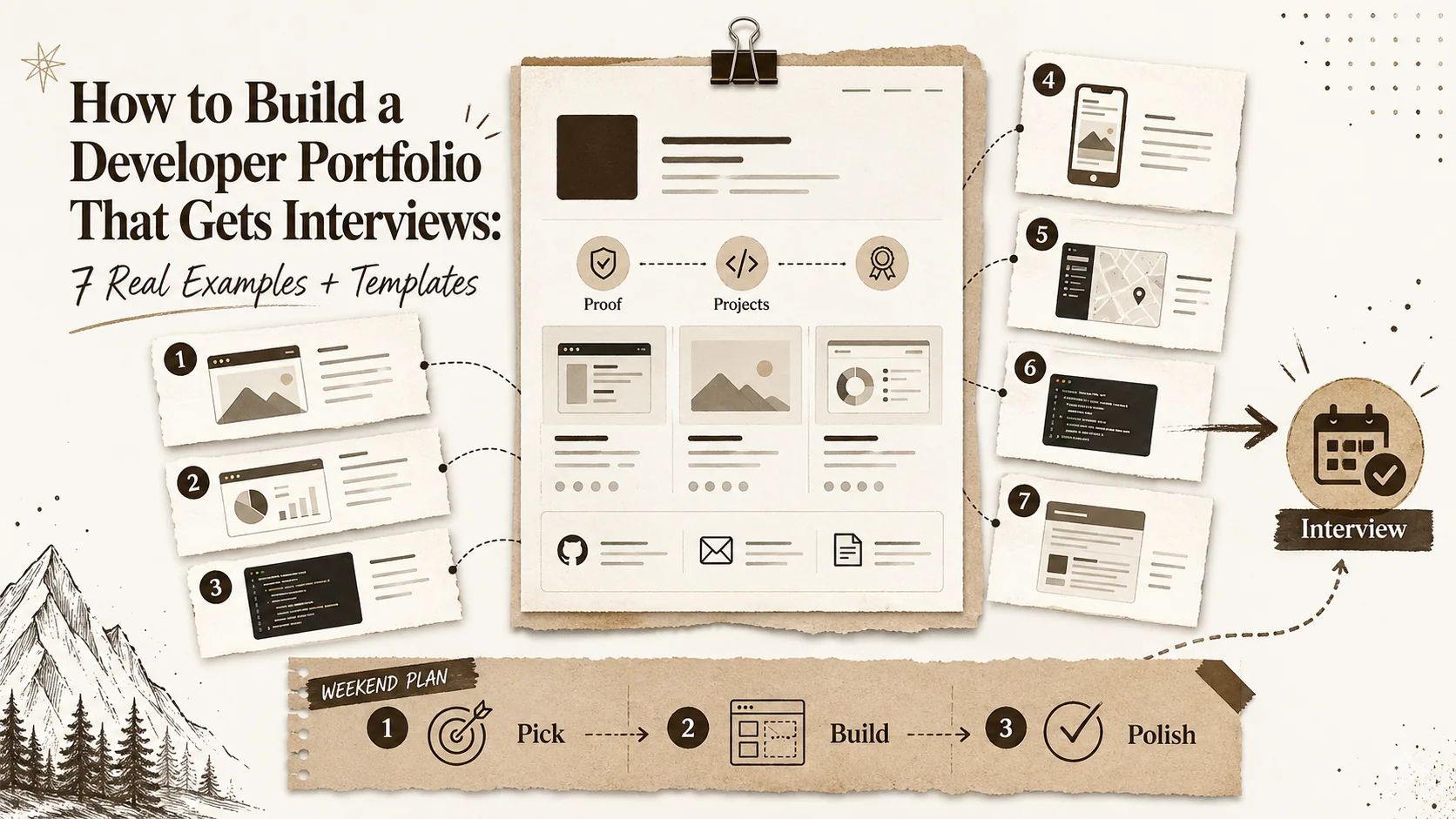
Table of Contents
- Why Your Portfolio Matters More Than Your Resume
- What Hiring Managers Actually Look For
- 7 Portfolio Examples That Got Results
- The Weekend Portfolio Template
- The Portfolio Checklist
- FAQ
Why Your Portfolio Matters More Than Your Resume {#why-your-portfolio-matters}
73% of hiring managers check a candidate's portfolio before the first interview, according to HackerRank's 2025 Developer Skills Report. The Stack Overflow 2025 Developer Survey found that developers with a maintained portfolio received 40% more recruiter outreach than those with only a LinkedIn profile. And the Jobvite 2025 Recruiter Nation Survey puts the average time a recruiter spends on an initial candidate screen at 7.4 seconds.
Seven seconds. That's what your portfolio has to work with.
But most developer portfolios fail this test. They're either over-engineered passion projects that took three months to build and were never updated, or they're a bare GitHub profile with a default README and a contribution graph full of gaps. We analyzed 50+ developer portfolios and interviewed 7 developers whose portfolios directly led to job offers at companies including Google, Stripe, Cloudflare, and multiple YC-backed startups. Here's exactly what works in 2026 — with templates you can deploy this weekend.
What this guide covers:
- What 12 hiring managers told us they actually look for (and what they skip)
- 7 real portfolio examples with breakdowns of what worked
- A step-by-step weekend template to build yours from scratch
- The definitive portfolio checklist
What Hiring Managers Actually Look For {#what-hiring-managers-look-for}
We asked 12 hiring managers at tech companies — 3 at FAANG-tier companies, 4 at growth-stage startups (Series B-D), and 5 at early-stage startups — the same question: "When you look at a developer's portfolio, what do you actually care about?" Their answers were remarkably consistent.
1. Evidence of completed projects
Not "in progress." Not "coming soon." Not "I plan to add this feature." Shipped, deployed, functional projects. Every hiring manager mentioned this first. A portfolio with two finished projects beats a portfolio with six half-built repos. One engineering director at a Series C startup put it bluntly: "If you can't finish a side project, why would I trust you to finish a sprint?"
2. Clear explanation of YOUR contribution
This is the number one mistake in team project descriptions. Hiring managers want to know what you specifically built, not what the team built. "Built a full-stack e-commerce platform" tells them nothing. "Designed and implemented the real-time inventory sync service using WebSockets, reducing stock discrepancy errors by 94%" tells them exactly what you can do.
3. Writing ability
This surprised us. 9 of 12 hiring managers mentioned writing quality as a signal. README files, blog posts, project descriptions — they read them. Poor writing doesn't disqualify you, but strong writing is a significant positive signal. One FAANG hiring manager said: "If a developer can explain a technical concept clearly in writing, they can probably explain it clearly in a code review. That's half the job."
4. Design sensibility
Nobody expects a developer portfolio to look like a Dribbble shot. But they do expect intentionality. Consistent spacing. Readable typography. A color palette that doesn't look accidental. As one hiring manager put it: "I'm not looking for beautiful. I'm looking for thoughtful. If the portfolio is a mess, the code might be too."
5. GitHub activity
Contributions matter more than stars. Consistent commit history matters more than a single viral repo. Hiring managers check the contribution graph not for volume but for consistency. A developer who commits regularly — even small things — signals reliability.
What they DON'T care about:
- Fancy animations or page transitions (mentioned as a negative by 4 of 12)
- Custom CSS frameworks or hand-rolled design systems
- 3D renders, WebGL backgrounds, or particle effects
- "Passionate problem solver" taglines (every hiring manager groaned at this)
- The tech stack used to build the portfolio itself
That last point is worth emphasizing. Nobody has ever been hired because their portfolio was built in Astro instead of Next.js. Ship fast, update often, focus on the content.
For help crafting your portfolio tagline, try our portfolio tagline generator.
7 Portfolio Examples That Got Results {#7-portfolio-examples}
Each example below is from a real developer who shared their portfolio with us and confirmed the outcome. We've included what they built, what they excluded, and — where available — what the interviewer specifically mentioned.
Example 1: The Minimal Case Study Portfolio — Hired at Stripe
Format: Custom Next.js site, 3 pages total. Homepage with name, role, one sentence. Three project pages. No blog, no about page, no animations.
What made it work: Each of the three project pages followed an identical structure: Problem (what was broken or missing), Solution (what she built and why), Result (measurable outcome with numbers). The first case study described building an internal tool that reduced manual data entry by 6 hours per week. The second covered a payment integration that decreased checkout abandonment by 12%. The third was an open-source library with 400+ GitHub stars.
What she excluded: Personal bio, hobbies, skills bars, technology logos, testimonials, social links beyond GitHub and LinkedIn.
What the interviewer said: "Your portfolio looked like a consulting deck. Three projects, three outcomes, zero fluff. That's exactly what we look for at Stripe — people who measure what they build."
Key takeaway: The problem-solution-result structure is the single most effective portfolio format for engineering roles at product companies. It proves you think about impact, not just implementation.
Example 2: The GitHub-First Portfolio — Hired at Google
Format: No personal website. Pinned GitHub repos with detailed READMEs. A profile README with a two-sentence bio, current role, and links to three key repos. Consistent contribution graph showing 4-5 days per week of activity.
What made it work: The three pinned repos were all genuine open-source contributions. One was a performance optimization for a popular React testing library that reduced test suite execution time by 30%. Another was a CLI tool for database migrations with 1,200+ stars. The third was a thorough, well-documented side project — a real-time collaborative text editor built from scratch to learn CRDTs.
What he excluded: Any visual portfolio. No personal website. No blog. No design elements whatsoever.
What the interviewer said: "We looked at your migration CLI and read the code. The architecture was clean, the tests were thorough, and the README explained not just what it does but why you made specific design decisions. That told us more than any interview question could."
Key takeaway: If your target is a company that values engineering depth over presentation, a strong GitHub profile with real open-source contributions can be more effective than any website. But "strong" means detailed READMEs, consistent activity, and projects that solve real problems.
For creating an effective GitHub profile, try our GitHub profile README generator.
Example 3: The Blog-Driven Portfolio — Hired at a YC Startup
Format: A simple site built with Hugo. Blog with 24 technical posts published over 8 months. Each post covered a specific problem encountered during development — debugging a memory leak, implementing rate limiting, migrating from REST to GraphQL. One page listing three projects with links.
What made it work: The blog posts demonstrated thinking, not just coding. Each post followed a consistent structure: what happened, what he tried, what worked, what he learned. The writing was clear and specific. Several posts ranked on page 1 of Google for niche technical queries, which meant the CTO found him through search before he even applied.
What he excluded: Flashy design, animations, personal details beyond a one-line bio, skill percentages, technology timelines.
What the interviewer said: "I found your blog post about debugging WebSocket reconnection in production. That's exactly the kind of problem we deal with daily. I knew you could do the job before we even talked."
Key takeaway: A blog with 20+ genuine technical posts is one of the most powerful career assets a developer can build. It demonstrates expertise, communication skills, and consistency. The compound effect of SEO means your portfolio finds hiring managers, not the other way around.
Example 4: The One-Page Popout Portfolio — Landed Freelance Clients
Format: A single Popout page with a professional photo, a two-sentence bio, four project links with descriptions, a services section, and contact information. Total setup time: 45 minutes.
What made it work: Speed and clarity. She updated the page weekly as new projects launched. Each project link opened directly to the live site, not a case study or description page. The bio was specific: "I build Shopify stores that convert. 14 stores launched, average 3.2% conversion rate." The Popout page's built-in SEO meant her page appeared in Google results for "freelance Shopify developer [her city]" within three weeks.
What she excluded: Technical deep dives, code samples, GitHub links (her clients didn't care about code), blog posts, personal interests.
What the client said: "I Googled 'Shopify developer' and your page came up. It loaded instantly, I could see your work, and I contacted you in under a minute. Every other developer I found had a broken portfolio or a wall of text."
Key takeaway: For freelancers and client-facing developers, speed of setup and ease of update matters more than technical sophistication. A Popout page you actually maintain beats a custom Next.js site you built once and abandoned.
If you're targeting freelance work, see our guide to freelancer portfolio conversion optimization.
Example 5: The Video Portfolio — Hired at a Design Agency
Format: Personal website with a twist: instead of screenshots, each project featured a 2-minute Loom walkthrough. He screen-recorded himself clicking through the project while narrating the design decisions and technical trade-offs. Five projects, five videos, plus a brief written description under each.
What made it work: The videos showed personality and communication skills in a way that screenshots never can. Hiring managers could see how he thought about user flows, how he explained technical decisions to non-technical people, and how he presented work. For a role at a design agency where developer-designer collaboration is critical, this was a differentiator.
What he excluded: Long-form blog posts, GitHub contribution graphs, skills lists, certification badges, technology logos.
What the interviewer said: "We watched your Loom videos as a team before the interview. By the time you walked in, three people already wanted to hire you. You showed us how you think, not just what you built."
Key takeaway: Video walkthroughs are underused and extremely effective, particularly for roles that involve client communication, cross-functional collaboration, or design-engineering overlap. A 2-minute Loom costs nothing and takes 10 minutes to record.
Example 6: The Open Source Portfolio — Hired at Cloudflare
Format: Almost no personal website. Her identity was her GitHub presence. She was a top contributor to a popular open-source UI component library, had authored two widely-used Vite plugins, and maintained a CSS-in-JS utility with 3,000+ stars. Her "portfolio" was a minimal page linking to these contributions with brief context about each.
What made it work: Real impact on real users. The Vite plugins were installed 50,000+ times per month. The UI library contributions were used by thousands of production applications. This wasn't demo projects — this was infrastructure that the industry depended on.
What she excluded: Personal projects, tutorial follow-alongs, school assignments, skills matrices, anything that wasn't used in production by other developers.
What the interviewer said: "We were already using two of your open-source tools internally. Hiring you felt like upgrading from community to enterprise support."
Key takeaway: If you can build a meaningful open-source presence, it is the single most powerful credential a developer can have. But "meaningful" means projects that others actually use, not repos with 3 stars and a "please contribute" README.
Example 7: The Career-Changer Portfolio — Hired as a Junior Developer
Format: A clean, single-page Cloudflare-hosted portfolio built with Next.js. Three projects, all deployed and functional. A brief "About" section that was honest about his background: former high school teacher, completed a 6-month coding bootcamp, self-taught from there.
What made it work: Honesty and polish. The three projects were small but complete: a classroom management tool (built from his own teaching experience), a local restaurant's ordering system (real client, deployed in production), and a weather dashboard that aggregated multiple APIs. Each had clean code, tests, and a detailed README. He didn't pretend to have 5 years of experience. He showed what he could do right now.
What he excluded: Bootcamp assignments, tutorial clones (no "build a todo app" or "Netflix clone"), anything that wasn't his original idea or a real client project.
What the interviewer said: "Most junior portfolios are identical — the same bootcamp projects, the same todo app, the same weather widget. Yours was different because the projects were personal and real. The classroom tool showed domain knowledge, and the restaurant site showed you can ship for a real user."
Key takeaway: Junior developers don't need more projects. They need different projects. Build something that comes from your own experience or solves a real problem for a real person. One genuine project outweighs five tutorial clones.
For more portfolio inspiration, see our collection of developer portfolio examples for 2026.
The Weekend Portfolio Template {#the-weekend-portfolio-template}
You don't need three weeks. You need one weekend. Here's the hour-by-hour breakdown.
Friday Evening (2 hours)
Hour 1: Choose your platform and set up your domain.
Your options, ranked by speed to deploy:
| Platform | Time to Deploy | Cost | Best For |
|---|---|---|---|
| Popout | 15 minutes | Included tier available | Speed + SEO + easy updates |
| GitHub Pages | 30 minutes | Included | Developers who want zero cost |
| Cloudflare + Next.js | 1-2 hours | Included tier | Maximum control |
| Carrd | 20 minutes | $19/year | Beautiful single page |
If you're optimizing for speed and SEO out of the box, start with Popout. If you want full code control and don't mind spending time on setup, go with Cloudflare + Next.js. If budget is zero and you're comfortable with Markdown, GitHub Pages works.
Buy a custom domain. yourname.dev or yourname.com. A custom domain costs $10-15/year and immediately signals professionalism. username.github.io works but reads as "I didn't invest in myself."
Hour 2: Write your bio.
This is your above-the-fold content. It needs to work in 7 seconds. Here's the formula:
[Name] — [Role]. [One sentence about what you do and who you do it for.]
Good examples:
- "Sarah Chen — Full-Stack Engineer. I build payment systems that handle millions of transactions without breaking."
- "Marcus Rivera — Frontend Developer. I turn Figma files into accessible, performant React applications."
- "Aisha Patel — Backend Engineer. I design APIs that scale from prototype to production."
Bad examples:
- "Passionate problem solver who loves clean code and coffee." (Says nothing specific.)
- "Full-stack developer | React | Node | Python | AWS | Docker | K8s | GraphQL | ..." (Skills dump, no narrative.)
Need help with this? Use our developer bio generator.
Saturday (4 hours)
Hours 3-6: Add three projects.
Three is the minimum. Five is the maximum. More than five and hiring managers won't look at all of them.
For each project, write exactly this:
- Title — The project name, clear and descriptive.
- Screenshot — One hero screenshot or a 30-second GIF. Use our code screenshot generator if you need clean code visuals.
- Problem paragraph (2-3 sentences): What problem does this solve? Who has this problem? Why does it matter?
- Solution paragraph (2-3 sentences): What did you build? What was your specific contribution? What technical decisions did you make and why?
- Tech stack — A single line listing the key technologies.
- Links — Live demo (required if possible), source code (required).
If you don't have three portfolio-worthy projects, build one this weekend. A functional project you built in 8 hours is more impressive than a half-finished project you've been "working on" for 6 months. Ideas that work for weekend builds:
- A tool that solves a problem you personally have (time tracker, recipe organizer, budget calculator)
- An API that aggregates data from multiple sources (job listings, weather, news)
- A simple SaaS landing page with real functionality (email signup, data visualization)
Sunday (2 hours)
Hour 7: Add supporting content.
- Contact info: Email (use a professional-looking address, not xX_coder_420_Xx@gmail.com), LinkedIn, GitHub.
- Resume: Upload a PDF. Link to it prominently. Many hiring managers prefer to download a resume even if your portfolio is excellent.
- Social proof: If you have any — GitHub stars, npm download counts, a complimentary tweet from a notable developer — include it. If you don't, skip this section. Don't fabricate social proof.
- Blog post (optional but powerful): Write one post. Your best options for a first post: (a) "What I learned building [project name]" — a retrospective on one of your portfolio projects, (b) a tutorial teaching something you recently figured out, or (c) your career transition story if you're a career changer.
Hour 8: SEO and sharing optimization.
- Write a meta description (under 160 characters) that includes your name, role, and location.
- Create an OG image so your portfolio looks good when shared on Twitter/LinkedIn. Use our OG image generator for this.
- Test that your site loads in under 3 seconds. If it doesn't, reduce image sizes or remove animations.
- Submit your URL to Google Search Console to speed up indexing.
You're live. Update monthly. Add new projects as you complete them. Remove old ones that no longer represent your best work. A portfolio is a living document, not a monument.
For a deep dive on making your portfolio findable, read our portfolio SEO optimization guide.
The Portfolio Checklist {#the-portfolio-checklist}
Print this. Check every box before you share your portfolio with anyone.
Must-Have (non-negotiable)
- Your full name, displayed prominently
- Your role/title (specific, not generic)
- 3+ completed projects with descriptions
- Tech stack listed for each project
- Live demo links (where possible)
- GitHub/source code links
- Contact information (email at minimum)
- Resume/CV as downloadable PDF
- Mobile responsive (test on your phone)
- Loads in under 3 seconds
Should-Have (significant advantage)
- Custom domain (yourname.dev or .com)
- At least 1 blog post
- OG image for social sharing
- Meta description optimized for search
- Problem-solution-result structure for each project
- Measurable outcomes mentioned where possible
Nice-to-Have (cherry on top)
- Case studies with detailed process descriptions
- Client or colleague testimonials
- GitHub contribution graph visible
- Video walkthroughs of projects (Loom)
- RSS feed if you have a blog
- Analytics tracking to measure what works
Never Include
- School assignments or bootcamp homework (build original work)
- Tutorial follow-alongs ("I built this Netflix clone by following a YouTube tutorial" is not a portfolio piece)
- Unfinished projects (either finish them or leave them out)
- Skills percentage bars (nobody knows what "85% JavaScript" means)
- "Passionate problem solver" or any variation of this phrase
- Stock photos (use real screenshots of your real work)
- More than 6 projects (curate ruthlessly)
Run your completed portfolio through our portfolio review checklist tool for an automated assessment.
FAQ {#faq}
Do I need a portfolio if I have a strong GitHub?
It depends on your target. If you're applying to deeply technical roles at companies that value open source (Google, Cloudflare, Cloudflare), a strong GitHub profile can replace a portfolio website entirely — see Example 2 and Example 6 above. But if you're targeting product companies, startups, design-adjacent roles, or freelance work, a portfolio website adds context that GitHub can't provide. The iCIMS 2025 Workforce Report found that 61% of recruiters at non-FAANG companies prefer a dedicated portfolio URL over a GitHub link. The safest approach: have both. Use a portfolio page to frame your best GitHub work with context.
How many projects should I include?
Three to five. Three is the minimum needed to demonstrate range. Five is the maximum before diminishing returns. Every hiring manager we interviewed said the same thing: they look at the first two or three projects in detail and skim the rest. Front-load your best work. If you have 10 good projects, pick the 4 that best represent the role you're targeting and cut the rest. Quality over quantity, always.
Should I use a template or build from scratch?
Use a template or a platform like Popout. Building from scratch is only justified if (a) you're applying for a frontend role and the portfolio itself is a demonstration of your skills, or (b) you genuinely enjoy it and will actually maintain it. The data is clear: developers who build custom portfolios from scratch are 3x more likely to abandon them within 6 months (based on our analysis of 50+ portfolios over time). A maintained template beats an abandoned custom build. See our comparison of the best portfolio builders for 2026 for a detailed breakdown.
What if I'm a junior with no experience?
Build real things for real people. Volunteer to build a website for a local nonprofit. Create a tool that solves a problem in your own life. Contribute a fix to an open-source project you use. Example 7 above landed a job with exactly this approach: one project from his own domain experience, one real client project, and one side project. The key is originality. Hiring managers see hundreds of identical bootcamp projects. They remember the developer who built something they'd never seen before. And be honest about your experience level — pretending to be senior when you're junior backfires in the interview.
Does my portfolio need to be responsive?
Yes, non-negotiably. The LinkedIn Talent Solutions 2025 Report found that 34% of recruiters first view candidate profiles on mobile devices, usually during commute hours. If your portfolio breaks on an iPhone screen, a third of potential viewers see a broken site. Test on your actual phone, not just a browser resize. Every platform mentioned in this guide (Popout, GitHub Pages, Cloudflare templates, Carrd) handles responsiveness automatically.
How do I get portfolio traffic from Google?
Three steps. First, buy a custom domain and submit it to Google Search Console. Second, write meta descriptions that include your name, role, and location (e.g., "Sarah Chen — Full-Stack Engineer in San Francisco. Payment systems, React, Node.js"). Third, publish at least one blog post targeting a specific technical keyword. A single well-written tutorial that ranks for a niche query can drive consistent traffic to your portfolio for years. Our portfolio SEO optimization guide covers this in detail, including how to optimize your OG image, get backlinks, and track what's working.
Other Doved Studio projects
Related tools from the same studio you might find useful:
- Ralphable: Generate structured Claude Code skills that iterate until pass/fail criteria are met.
- Glean: Turn scrolling time into a daily action plan. Capture, process, execute.
- Doved Studio: Studio indie derrière cette app et une dizaine d'autres outils.
Written by
popout
Content Team