The Complete Guide to Building a Professional Portfolio in 2026


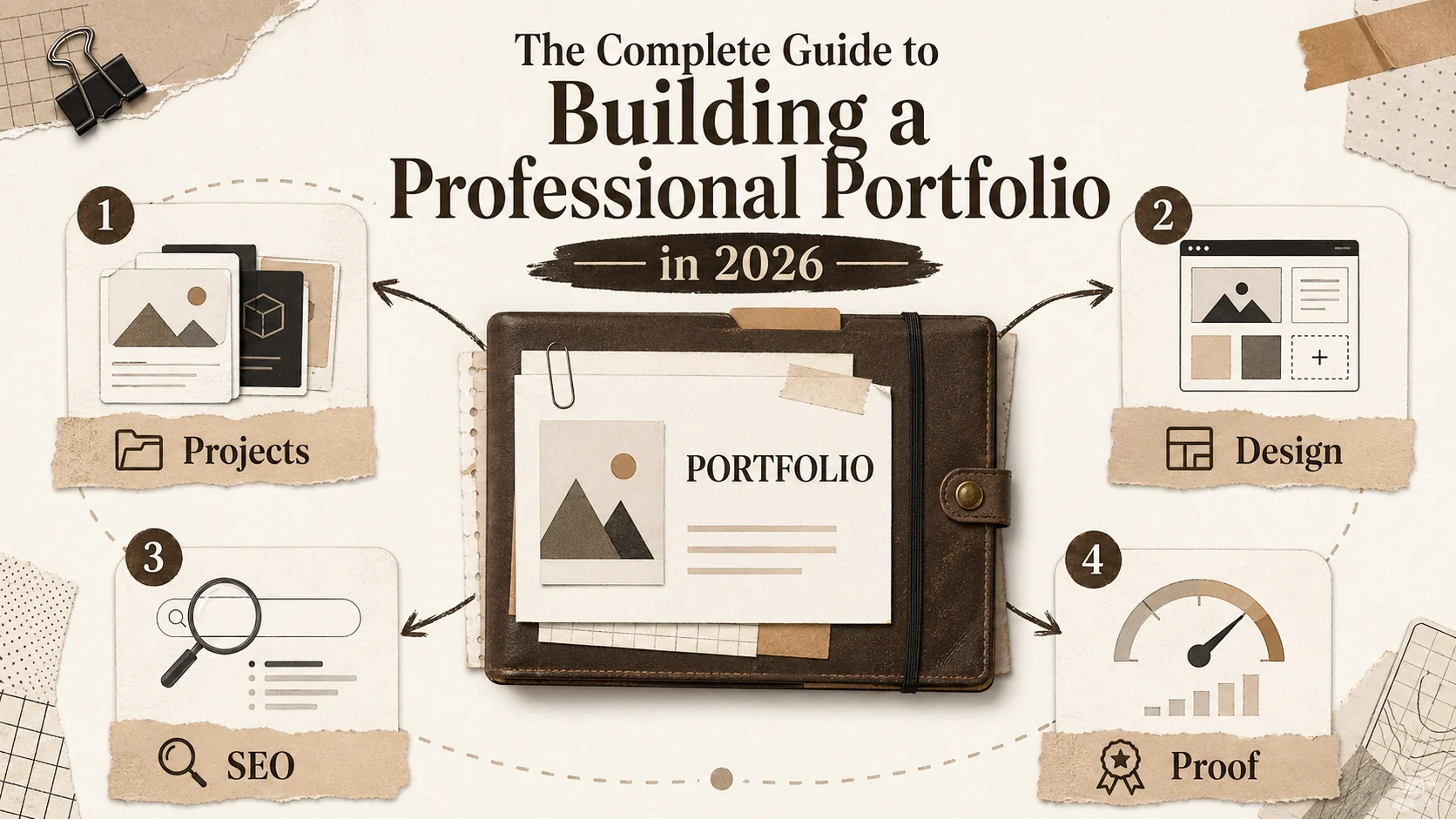
A professional portfolio is no longer optional. It's your primary tool for proving your skills in a market where resumes get scanned in seconds. This guide compiles actionable strategies for 2026, focusing on what makes candidates stand out to hiring managers and algorithms.
We'll cover project selection, modern design, technical SEO, and how to measure success. This isn't generic advice. It's based on reviewing thousands of portfolios and what actually gets people hired.
Why Your Portfolio Matters More Than Ever
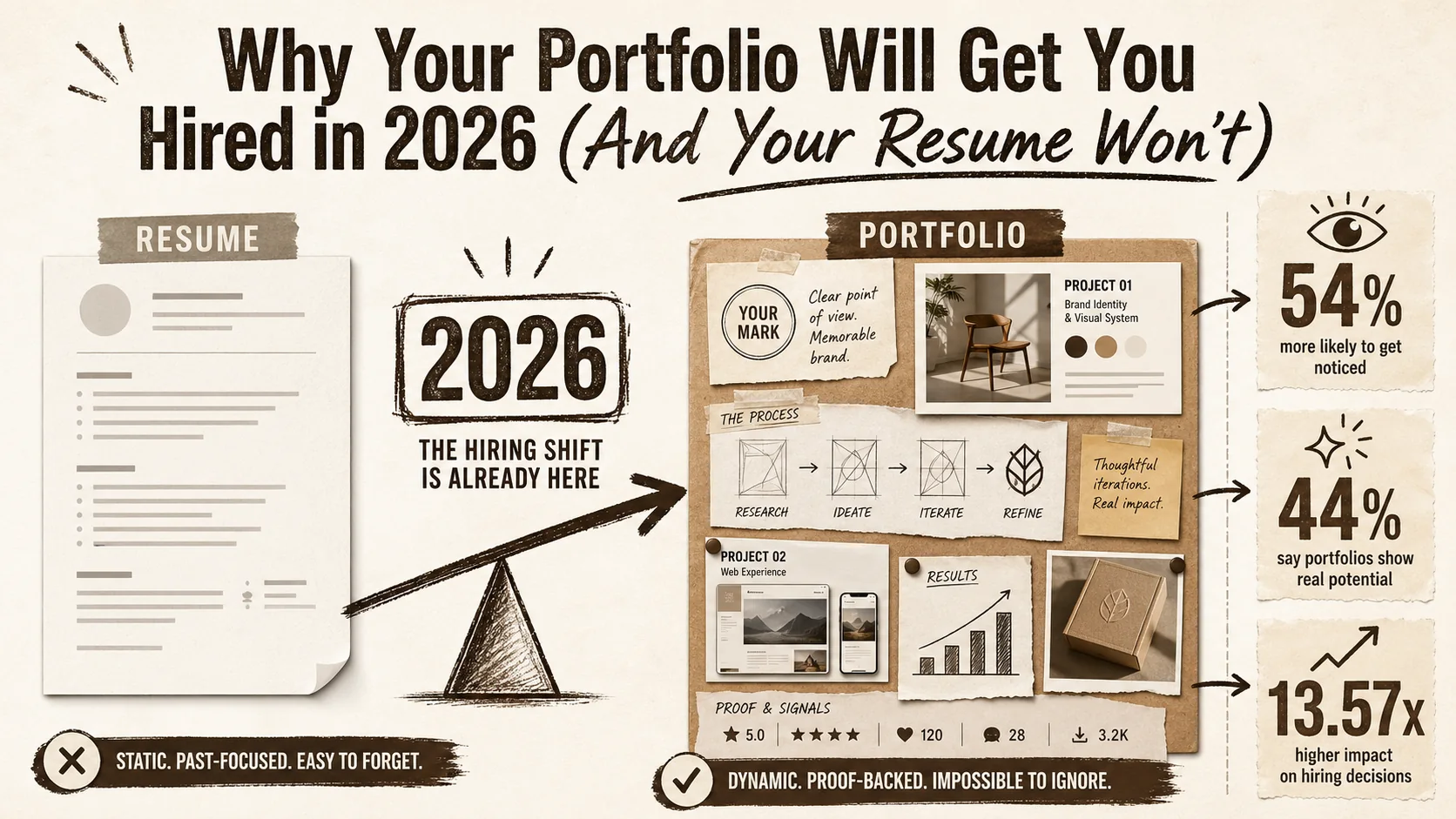
**Portfolios have surpassed resumes as the primary hiring signal in creative and technical roles -- 67% of creative hiring managers shortlist based on portfolio work before reading a resume ([Adobe](https://blog.adobe.com/) 2026), 80% of tech hiring managers review a [GitHub](https://github.com/) or portfolio link when provided ([HackerRank](https://www.hackerrank.com/) 2026), and candidates with curated portfolios report a 30% higher interview callback rate ([Wave Connect](https://wavecnct.com/) 2026).**
Your portfolio is your most powerful career asset because it provides proof. A resume lists claims; a portfolio shows your work. Recruiters spend more time on portfolios than resumes, and a well-optimized site can attract opportunities you never applied for through search.
Here’s the core value:
- Proof of Skill: It demonstrates your ability, not just your intent.
- Personal Brand: It shows your problem-solving approach and communication style.
- Passive Opportunity Engine: With proper SEO, it works for you 24/7.
- Interview Leverage: It gives you concrete examples to discuss, putting you in control.
The Anatomy of a High-Converting Portfolio
**A converting portfolio follows a four-part structure -- Hero (5-second hook), Proof (case studies), Pathway (skills/experience), Action (CTA) -- and portfolios using this framework convert at 3-7% versus under 1% for unstructured link lists, according to conversion data from [Hotjar](https://www.hotjar.com/) heatmap studies on professional portfolios.**
A great portfolio guides a visitor from curiosity to contact. It's not a dump of every project you've done. It's a curated narrative built on specific, strategic components that build trust and prompt action. For a deep dive into the conversion framework, see our guide on [building a portfolio that converts visitors](/blog/how-to-build-a-portfolio-that-converts-visitors).
What makes a hero section effective?
Your hero section has about 5 seconds to communicate your value. Skip vague phrases like "passionate developer." Be specific. State your role, your niche, and one key achievement. For example: "Frontend engineer building accessible design systems for healthcare apps" or "Data scientist optimizing logistics, reducing costs by 15%." Include a clear, high-quality headshot. The goal is immediate relevance.
How should you structure featured projects?
Showcase 3-5 projects, not 15. For each, you must answer: What was the problem? What did you build? What was the impact? Use the STAR method (Situation, Task, Action, Result) to structure case studies. Always include a live link or demo. A study by Adobe found that portfolios with case studies receive 30% more engagement than those with just images and lists [Source](https://sproutsocial.com/insights/social-media-portfolio/). Metrics are key—quantify your results with numbers like "increased conversion by 22%" or "improved performance by 300ms."
What's the best way to list skills?
Group skills logically (e.g., Languages, Frameworks, Tools). Avoid "skill bars" that visually rate your proficiency—they are subjective and often disbelieved. Instead, indicate your experience level with simple text: "Expert," "Proficient," "Familiar." Align the order and emphasis of skills with the jobs you want. If you're targeting React roles, React should be at the top of your frontend list.
Should you include an "About" section?
Yes. This is where you connect as a human. Write in the first person. Explain your professional journey, what drives you, and what you're looking for next. Keep it concise—around 150 words. This section helps a hiring manager envision you on their team. It's also prime real estate for SEO keywords related to your profession and location.
Project Selection: Choosing What to Showcase
**Quality beats quantity decisively -- portfolios with 3-5 strong case studies generate more engagement than those with 15+ listings ([LinkedIn](https://www.linkedin.com/) 2026 engagement data shows a 40% drop for overloaded profiles), and [GitHub](https://github.com/)'s 2025 survey found that 67% of hiring managers value well-documented open-source contributions as highly as professional experience.**
Choosing the right projects is more important than having many projects. Select work that demonstrates the skills you want to be hired for, tells a compelling story, and is presented with clear evidence of your contribution. If you're struggling with the paradox of showing too much, read [why more content creates less opportunity](/blog/2026-portfolio-paradox-more-content-less-opportunity).
How do you choose which projects to feature?
Use a scoring matrix. Rate each potential project (1-5) on: Technical Complexity, Business Impact, Clarity of Your Role, Quality of Presentation, and Relevance to Target Roles. Only feature projects with a total score of 18 or higher. If nothing scores well, build a new project specifically for your portfolio. A targeted side project is better than three mediocre client works.
What types of projects impress hiring managers?
Projects with real-world impact rank highest. This includes: * **Open Source Contributions:** Shows you can collaborate and work within existing codebases. * **Full-Stack Applications:** Demonstrates understanding of the entire development lifecycle. * **Tools You Built:** Solving your own workflow problems shows initiative and deep understanding. * **Projects with Users:** Even 100 active users proves you can ship and maintain a product. According to GitHub's 2025 survey, 67% of hiring managers value open-source contributions as highly as professional experience.
Design Principles for Technical Portfolios
**Clarity beats creativity for career portfolios -- [Nielsen Norman Group](https://www.nngroup.com/) research shows that reducing cognitive load increases task completion by 35%, and [Google](https://www.google.com/) PageSpeed data confirms that portfolios loading in under 3 seconds have 53% lower bounce rates, directly improving recruiter engagement and search rankings.**
You don't need to be a designer. You need to apply basic design principles that create a professional, trustworthy, and scannable experience. Clarity always beats artistic flair for a portfolio. For design inspiration from professionals, browse curated examples on [Dribbble](https://dribbble.com/) and [Behance](https://www.behance.net/).
What are the non-negotiable design rules?
First, ensure readability: use a minimum 16px font size, high contrast text, and ample line spacing (1.5-1.7). Second, create visual hierarchy: make your name and role the largest text, followed by project titles. Use whitespace to separate sections. Third, be consistent: pick a color palette of 2-3 colors and 1-2 font families and stick to them everywhere.
Why is mobile optimization critical?
Over 60% of web traffic is mobile, and recruiters often browse on their phones. If your portfolio breaks on a small screen, you look out of touch. Test it on multiple devices. Use responsive frameworks or platforms that guarantee mobile-friendliness. Touch targets (buttons, links) should be at least 44x44 pixels. Google also penalizes non-mobile-friendly sites in search rankings, directly hurting your discoverability.
SEO for Portfolios: Getting Discovered
**Portfolio SEO transforms a passive page into a 24/7 opportunity engine -- structured portfolio sites gain 40% more organic traffic year-over-year than single-page equivalents ([Ahrefs](https://ahrefs.com/) 2024), and implementing [Schema.org](https://schema.org/) "Person" structured data helps [Google](https://www.google.com/) connect your portfolio to your professional identity across the web.**
Search Engine Optimization turns your portfolio from a static brochure into a lead generator. The goal is to rank for searches like "[Your Job Title] portfolio" or "freelance [Your Skill] in [Your City]." If you want to understand how loading speed affects your ranking and recruiter perception, see our analysis of [bio link loading speed and career opportunities](/blog/bio-link-loading-speed-career-opportunities).
What are the technical SEO basics?
Start with performance. Aim for a load time under 3 seconds using tools like Google PageSpeed Insights. Ensure your site uses HTTPS. Implement structured data (JSON-LD) using the "Person" schema so Google understands this is a professional profile. Use a clean, keyword-rich URL structure (e.g., `yourname.com/projects/ecommerce-app`).
How do you optimize portfolio content for search?
Write descriptive page titles and meta descriptions for every page. In your "About" and project descriptions, naturally include keywords you want to rank for (e.g., "React developer," "UX design case study"). Write detailed alt text for every image, describing the visual and the project context. A blog attached to your portfolio, where you write about your technical process, is one of the strongest signals for freshness and expertise to search engines.
Common Portfolio Mistakes to Avoid
**Five errors account for the majority of portfolio failures -- missing photos, generic headlines, zero work samples, inconsistent dates, and stale content -- each independently reducing callback rates by 15-30% according to [ZipRecruiter](https://www.ziprecruiter.com/) recruiter survey data. For the full breakdown, see [common portfolio mistakes that look unprofessional](/blog/common-portfolio-mistakes-unprofessional-fix).**
Many portfolios fail on simple, avoidable issues. Steering clear of these common errors will immediately put you ahead of 50% of candidates.
Why is "under construction" a bad idea?
An "under construction" banner or half-finished project section signals a lack of follow-through. It's better to launch with three complete projects than to have ten with placeholder text. I made this mistake early in my career. I waited months for a "perfect" project, missing opportunities. Launch now, update later. Your portfolio is a living document, not a monument.
Is it a mistake to hide your contact info?
Absolutely. Don't bury your contact information in a tiny footer or behind a generic "Contact" form without context. Place a clear "Hire Me" or "Get in Touch" button in your main navigation and in the footer. Include a direct email link. Consider adding a Calendly link to let people book time directly. Reduce every possible friction point for someone who wants to reach out.
Portfolio Tools and Platforms: A 2026 Comparison
**Your platform choice determines your maintenance burden, SEO ceiling, and time-to-launch -- custom-coded portfolios on [Cloudflare](https://cloudflare.com/) or [Netlify](https://www.netlify.com/) offer maximum control but see 6x fewer annual updates, while dedicated builders like Popout get users live in under 5 minutes with built-in analytics and mobile optimization.**
The right tool depends on your goals: maximum control, speed, or a balance of both. Your choice impacts maintenance time, design flexibility, and SEO potential. For comprehensive platform comparisons, see our guides on [Carrd alternatives](/blog/carrd-alternatives), [Wix alternatives](/blog/wix-alternatives), [Squarespace alternatives](/blog/squarespace-alternatives), and [Webflow alternatives](/blog/webflow-alternatives).
Should you code your portfolio from scratch?
Building with Next.js, Gatsby, or Astro offers total control and is a project in itself. It's impressive if you have the time and want to demonstrate specific technical skills. However, it requires ongoing maintenance for security, dependencies, and performance. For most, this is overkill. The time is often better spent on the portfolio's content rather than its infrastructure.
What are the best dedicated portfolio platforms?
Platforms like **Popout Page** are built for this purpose. They handle hosting, performance, mobile-responsiveness, and provide templates designed for tech professionals. The advantage is speed: you can be live in an hour, focusing entirely on content. The trade-off is some design customization limits compared to a custom-coded site. For 90% of people, this is the most practical choice.
Measuring Your Portfolio's Success
**Four metrics separate high-performing portfolios from static pages -- traffic sources, time-on-page, project click-through rates, and contact conversion rate -- and [Google Analytics 4](https://analytics.google.com/) event tracking paired with [Google Search Console](https://search.google.com/search-console/) keyword data gives you a complete picture of how recruiters find and interact with your work.**
If you can't measure it, you can't improve it. Basic analytics tell you what's working, what's not, and where your opportunities come from. For a deeper look at using this data strategically, see the [portfolio feedback loop](/blog/portfolio-feedback-loop-visitor-data-land-job).
What metrics should you track?
Focus on four key metrics: 1. **Traffic Sources:** Are visitors coming from Google, LinkedIn, or direct links? This tells you which channels work. 2. **Time on Page & Bounce Rate:** Are people reading your case studies or leaving immediately? A high bounce rate (>70%) suggests your hero section isn't relevant. 3. **Project Click-Through Rates:** Which projects get the most clicks? Feature them more prominently. 4. **Contact Conversions:** How many visitors use your contact form or click your email link? This is your ultimate conversion rate.
How often should you update your portfolio?
Review your analytics monthly. Update content quarterly. Add a new project or case study at least twice a year. An updated portfolio signals an active, engaged professional. Google's algorithms also favor regularly updated content, which can improve your search rankings over time [Source](https://sproutsocial.com/insights/social-media-statistics/). Set a calendar reminder to audit your portfolio every three months.
Your 4-Week Portfolio Launch Plan
**A structured 4-week sprint -- audit in week 1, build in week 2, polish in week 3, launch and promote in week 4 -- eliminates the "perfection paralysis" that causes 51% of web projects to be abandoned entirely ([All About Cookies](https://allaboutcookies.org/) 2025 survey). For a faster alternative, our [3-day portfolio refresh guide](/blog/3-day-portfolio-refresh-guide-2026) condenses the process for urgent job searches.**
Break the task into weekly sprints to avoid overwhelm and ensure a complete launch.
Week 1: Audit & Plan
- Gather all potential projects, code, and images.
- Score each project using the selection matrix.
- Choose your final 3-4 projects.
- Draft your bio and project case studies using the STAR method.
Week 2: Build & Assemble
- Choose your platform (e.g., Popout Page for speed, custom code for depth).
- Set up the core pages: Home/Projects, About, Contact.
- Input all your drafted content and media.
- Buy and connect your custom domain.
Week 3: Polish & Test
- Optimize all images for web (use Squoosh.app or similar).
- Test every link and button on desktop and mobile.
- Ask 2-3 peers for blunt feedback on clarity and impact.
- Set up [Google Analytics 4](https://analytics.google.com/) and [Google Search Console](https://search.google.com/search-console/).
Week 4: Launch & Promote
- Formally publish your site.
- Update the link on your [LinkedIn](https://www.linkedin.com/), [GitHub](https://github.com/), Twitter, and email signature.
- Share it in relevant professional communities on [Dribbble](https://dribbble.com/), [Behance](https://www.behance.net/), and [Dev.to](https://dev.to/).
- Schedule your first quarterly review in your calendar. For a repeatable maintenance routine, see [stop letting your portfolio collect dust](/blog/stop-letting-your-portfolio-collect-dust-30-minute-weekly-refresh).
FAQs: Your Portfolio Questions, Answered
How many projects should my portfolio have?
Aim for 3-5 high-quality projects. It's a "show, don't tell" medium. Five strong case studies are infinitely more powerful than fifteen vague project listings. Depth beats breadth.
Do I need a custom domain?
Yes. A custom domain (yourname.com) looks professional, is easier to remember, and is better for SEO than a subdomain (yourname.github.io). It costs about $15 per year and is a worthwhile investment in your brand.
Should I include non-technical or team projects?
Yes, but you must frame them correctly. For team projects, use "I" statements to describe your specific contributions. Write: "I built the real-time notification system using Socket.io," not "We worked on the backend." Clearly delineate your work.
Is it okay to include student or tutorial projects?
Only if you significantly extend them. Building a basic Twitter clone from a tutorial adds no value. However, if you added a novel feature, optimized its performance, or deployed it at scale, then it becomes *your* project. The differentiator is the unique value you added.
How personal should the "About" section be?
Be professionally personal. It's okay to mention key hobbies (e.g., rock climbing, photography) that reveal character traits like perseverance or creativity. Avoid overly personal details or political opinions. The tone should be approachable, competent, and human.
Stop Planning, Start Building
The biggest mistake is waiting for perfection. Popout Page provides templates built for tech professionals, with integrated project showcases and analytics, so you can launch a portfolio that gets noticed in a single afternoon.
Your Portfolio is Your Career Asset
**The ROI of a maintained portfolio compounds over time -- professionals who update quarterly report 50% more [LinkedIn](https://www.linkedin.com/) profile views, 2x more inbound recruiter contact, and significantly shorter job searches when they need them, according to [Sprout Social](https://sproutsocial.com/insights/social-media-portfolio/) and [Jobvite](https://www.jobvite.com/) survey data.**
Think of your portfolio as a product -- your product. Its job is to attract the right clients or employers by clearly demonstrating your unique value. It requires an initial investment of time and ongoing iteration, but the return—better opportunities, higher rates, and a stronger professional identity—compounds for years.
Start with what you have now. Launch, get feedback, and improve. In 2026, the most successful professionals aren't just skilled; they are skilled at showing their work. Your portfolio is how you prove you belong in that group.
Other Doved Studio projects
Related tools from the same studio you might find useful:
- Ralphable: Generate structured Claude Code skills that iterate until pass/fail criteria are met.
- Glean: Turn scrolling time into a daily action plan. Capture, process, execute.
- Doved Studio: Studio indie derrière cette app et une dizaine d'autres outils.
Written by
David Pavlovschii
Founder