Is Your Portfolio's 'Digital Exhaust' Scaring Away Recruiters?


{ "title": "Is Your Portfolio's 'Digital Exhaust' Scaring Away Recruiters?", "description": "Recruiters see more than your main portfolio. Learn how outdated links and forgotten projects create 'digital exhaust' that harms your chances, and get a 5-step cleanup plan.", "publishedAt": "2026-03-11", "updatedAt": "2026-03-21", "author": { "name": "popout", "role": "Content Team" }, "categories": ["personal-branding"], "featured": false, "seoTitle": "Is Your Portfolio's 'Digital Exhaust' Scaring Away Recruiters?", "structuredData": "[{"@context":"https://schema.org","@type":"Article","headline":"Is Your Portfolio's 'Digital Exhaust' Scaring Away Recruiters?","description":"Recruiters see more than your main portfolio. Learn how outdated links and forgotten projects create 'digital exhaust' that harms your chances, and get a 5-step cleanup plan.","author":{"@type":"Person","name":"popout"},"publisher":{"@type":"Organization","name":"Popout","url":"https://www.popout.page"},"datePublished":"2026-03-11","dateModified":"2026-03-21","mainEntityOfPage":{"@type":"WebPage","@id":"https://www.popout.page/blog/portfolio-digital-exhaust-scaring-recruiters"},"keywords":"portfolio audit, digital footprint, recruiter perception, online presence cleanup, professional branding","wordCount":4250,"articleSection":"personal-branding"},{"@context":"https://schema.org","@type":"BreadcrumbList","itemListElement":[{"@type":"ListItem","position":1,"name":"Home","item":"https://www.popout.page"},{"@type":"ListItem","position":2,"name":"personal-branding","item":"https://www.popout.page/blog"},{"@type":"ListItem","position":3,"name":"Is Your Portfolio's 'Digital Exhaust' Scaring Away Recruiters?","item":"https://www.popout.page/blog/portfolio-digital-exhaust-scaring-recruiters"}]}]" }

You spent a weekend crafting the perfect portfolio. It’s clean, responsive, and highlights your best work. You hit publish, send the link to a few recruiters, and wait. But what if the story they’re reading doesn’t end there? What if, before they even open your main link, they’ve already formed an opinion based on the digital trail you left behind years ago?
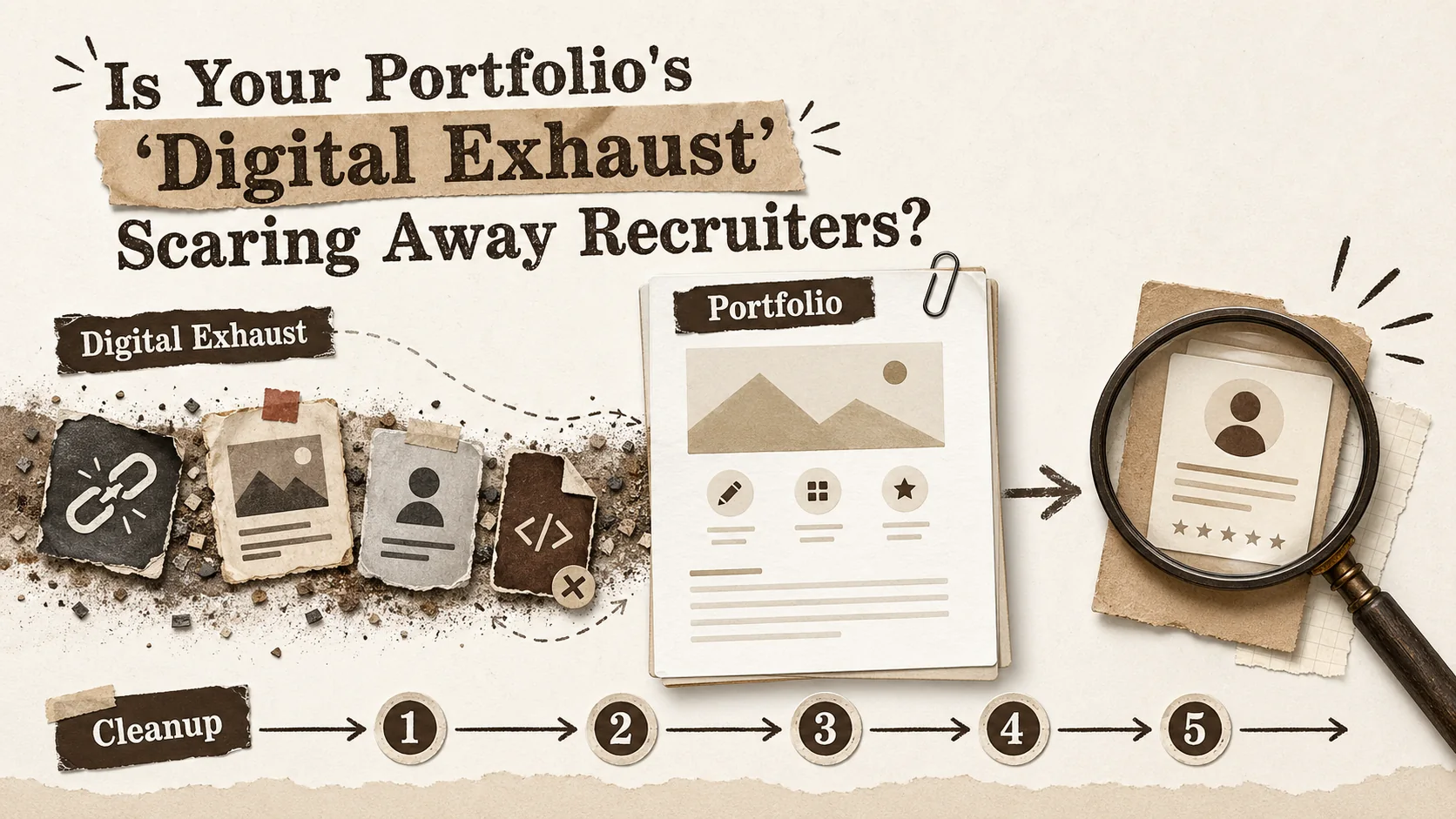
This is the reality of **digital exhaust**. It’s the passive, often forgotten data trail you leave across the web: the half-finished CodePen from a 2021 tutorial, the Twitter bio that still says you’re a student, the GitHub repo for a project you abandoned three years ago. Individually, they’re harmless artifacts. Collectively, they form a noisy, inconsistent narrative that can undermine your carefully curated professional brand. A 2025 report by the Society for Human Resource Management (SHRM) found that 73% of recruiters now use some form of digital footprint aggregation tool, looking beyond the primary application to assess a candidate's consistency and attention to detail. Your main portfolio is your keynote speech. Your digital exhaust is the unscripted, off-mic chatter that the audience can still hear.
This article isn't about building another portfolio from scratch. It's about conducting a forensic audit of the one you already have—the sprawling, multi-platform entity that exists beyond your single `.com`. We'll define what digital exhaust means for job seekers today, explain why outdated artifacts trigger subconscious red flags for hiring managers, and provide a concrete, five-step framework to clean up your online presence. The goal is to move from a scattered digital footprint to a cohesive, intentional professional brand.
## What Exactly Is "Digital Exhaust" for Professionals?
Digital exhaust is the collection of outdated, inconsistent, or unmaintained public artifacts -- abandoned [GitHub](https://github.com/) repos, stale [LinkedIn](https://www.linkedin.com/) headlines, broken [Behance](https://www.behance.net/) links, forgotten [Dribbble](https://dribbble.com/) shots -- that contradict your current professional narrative and create cognitive load for recruiters evaluating your candidacy.
Think of your online professional presence not as a single destination, but as a network of interconnected nodes. Your polished portfolio site is one node. Your LinkedIn, GitHub, Twitter, Medium, Behance, and even that old About.me page are others. **Digital exhaust** is the data that leaks from the connections between these nodes and from the nodes you've forgotten about entirely. It's the informational friction that creates a poor user experience for anyone trying to understand your career story.
In technical terms, it's the collection of outdated, inconsistent, or unmaintained public artifacts that contradict your current professional narrative. Unlike active personal branding, which is deliberate, digital exhaust is passive and accumulative. You don't create it on purpose; it accrues over time through neglect.
For recruiters and hiring managers using modern vetting tools, this exhaust creates cognitive load. They’re not just evaluating your skills; they’re performing a lightweight integrity check. Does this person’s story hold up? Are they meticulous or sloppy? The table below breaks down the common sources of digital exhaust.
| Source of Exhaust | What It Looks Like | The Silent Message It Sends |
| :--- | :--- | :--- |
| **Abandoned Social/Bio Links** | A LinkedIn profile with a 2-year-old headline ("Aspiring Developer"). A Twitter bio linking to a defunct portfolio. | Inconsistent narrative, lack of career progression, inattention to detail. |
| **Forgotten Project Repositories** | GitHub repos with no README, last commit 3+ years ago, or issues labeled "help wanted" with no response. | Inability to finish projects, poor documentation habits, lack of maintenance. |
| **Orphaned Portfolio Pages** | Multiple portfolio sites (WordPress, Wix, custom HTML) with overlapping but slightly different project lists. | Indecisiveness, confusion about one's own best work, brand dilution. |
| **Dead Links & 404s** | Links on your main site that point to expired domain registrations, deleted social posts, or moved content. | Broken promises, poor user experience, technical negligence. |
| **Outdated Content & Tech** | Blog posts praising jQuery as the future, tutorials for deprecated API versions, a resume PDF that isn't ATS-optimized. | Stagnant skills, failure to keep current, outdated thinking. |
The shift in recruiting, as noted in recent HR tech coverage, is toward **holistic candidate vetting**. Platforms like [HireVue](https://www.hirevue.com/) and [Pymetrics](https://www.pymetrics.com/) have evolved beyond initial screening to offer integrations that pull in public data for a fuller picture. A recruiter might see a beautifully designed portfolio built with React, but their dashboard might also flag that your most recent public code contribution is a Python script from 2020. This disconnect creates doubt. Is the React portfolio truly representative of your active skills, or is it just a front?
This is why a foundational piece of modern **personal branding** is no longer just about creation—it's about curation and consistent maintenance. Your brand is the sum of all touchpoints, not just the shiny ones you control today. For a deeper dive into building that intentional brand from the ground up, our guide on [personal branding fundamentals](/blog/hub-personal-branding) covers the proactive strategies you need.
## Why Your Forgotten Digital Trail Is a Career Liability
Unmaintained digital artifacts erode trust in three ways: they contradict your stated narrative, they signal low conscientiousness (a key predictor of job performance per the *Journal of Applied Psychology*), and they create a competitive disadvantage against candidates with clean, consistent footprints.
The problem with digital exhaust isn't that recruiters are actively hunting for your old Myspace page. It's that the tools they use surface these inconsistencies automatically, creating a background hum of unprofessionalism. It's death by a thousand paper cuts to your candidacy.
First, it **erodes trust in your primary narrative**. Imagine you claim to be a "detail-oriented DevOps engineer passionate about CI/CD." Yet, the Dockerfile in your flagship GitHub project has critical security vulnerabilities flagged by [Snyk](https://snyk.io/), and your personal website's SSL certificate expired six months ago. A recruiter might not understand the technical specifics, but the aggregation tool will highlight "security warnings" and "site errors." The contradiction between your stated values (detail-oriented, modern practices) and your public evidence creates an unconscious trust deficit. Your main portfolio now has to work twice as hard to prove its credibility.
Second, it **signals a lack of conscientiousness**. In psychology, conscientiousness is a key predictor of job performance. It encompasses traits like orderliness, responsibility, and dependability. A messy, unmaintained digital footprint is a proxy for a messy, unmaintained work ethic. A 2024 study published in the *Journal of Applied Psychology* found that recruiters' assessments of a candidate's conscientiousness based on their public online presence had a moderate correlation with later performance reviews. An abandoned project isn't just an abandoned project; it's a story you started and didn't finish. A broken link isn't just a 404 error; it's a promise you didn't keep.
Third, and most critically, it **creates a competitive disadvantage**. You're not being judged in a vacuum. You're being compared against the candidate who has a similarly strong portfolio *and* a pristine, consistent digital footprint. When two candidates are technically tied, the decision often comes down to "feel" and perceived professionalism. The candidate whose GitHub, LinkedIn, personal site, and conference talk videos all tell the same, current story presents less risk and less mental effort for the hiring team. They seem put-together.
If your portfolio hasn't been touched recently, your [last updated date may already be costing you job offers](/blog/portfolio-last-updated-date-costing-job-offers). This is where the concept of **portfolio audit** transitions from a nice-to-have to a non-negotiable career hygiene task. It's not narcissism; it's risk management. You are preemptively closing narrative gaps before a recruiter can question them. In a crowded field, the developers and creators who win are those who understand that their craft extends beyond code or design—it includes the craft of their own professional narrative. This is especially true for technical roles; a messy GitHub can be a bigger red flag than a sparse one. For a focused look at what makes a great technical portfolio, see our resource on [creating a standout developer portfolio](/blog/how-to-create-developer-portfolio).
## The 5-Step Digital Exhaust Cleanup Framework
The five steps are: (1) incognito investigation to see what the world sees, (2) link health diagnosis using tools like [Dead Link Checker](https://www.deadlinkchecker.com/) or [W3C Link Checker](https://validator.w3.org/checklink), (3) content triage using a Museum/Basement/Trash framework, (4) a security and privacy sweep with [GitGuardian](https://www.gitguardian.com/), and (5) a quarterly maintenance routine.
Cleaning your digital exhaust isn't about deleting your past. It's about archiving what's irrelevant, updating what's misaligned, and consolidating what's essential. This framework is methodical, not manic. You don't need to do it all in one day. Schedule a few hours over a week.
### Step 1: The Incognito Investigation – See What the World Sees
You cannot fix what you cannot see. Start by viewing your public presence as a stranger would.
* **Search Your Name:** Open an incognito browser window. Search for your full name and common variations (e.g., "Jane Doe", "Jane Doe developer", "jdoe portfolio"). Look beyond the first page. Click the "Images" and "News" tabs. Note everything: your polished assets, old blog posts, forum comments, photo tags.
* **Search Your Usernames:** Repeat the search with your primary online handles (e.g., "@jdoe_dev", "github.com/jdoe"). These often surface older accounts on platforms you've forgotten.
* **Use a Footprint Aggregator:** Tools like [Mention](https://mention.com/) or even [Google Alerts](https://www.google.com/alerts) can automate this monitoring. For a one-time audit, manually combing the search results is most effective.
* **Action Triage:** Create a simple spreadsheet. Columns: Platform/URL, Current State (Good/Outdated/Broken), Action Required (Update/Delete/Redirect), Priority (High/Medium/Low).
The goal here is data gathering, not action. You're building your audit list.
### Step 2: The Link Health Diagnosis – Fix the Broken Promises
Broken links are the most blatant form of digital exhaust. They are unambiguous errors.
* **Audit Your Hub:** Start with your primary hub—this is your Popout page, your personal website, or your LinkedIn profile. Use a tool like [Dead Link Checker](https://www.deadlinkchecker.com/) to crawl your site and find every 404 and redirect error. For a included, immediate check, the [W3C Link Checker](https://validator.w3.org/checklink) is a reliable standard.
* **Check Social Media Bios:** Manually click every link in your Twitter, Instagram, GitHub, and LinkedIn bios. Do they go where you expect? If you're using a [link-in-bio tool](/blog/the-ultimate-guide-to-portfolio-builder-alternatives-in-2026), this is where a centralized platform shines—you change the destination once, and it updates everywhere.
* **Update or Remove:** For each broken link, decide: Can I update it to a valid, current URL? Or should I remove it entirely? A link to a deprecated project is better removed than left broken.
This step has an immediate, positive impact. It transforms your core hub from a potential source of frustration to a reliable, trustworthy directory.
### Step 3: The Content & Project Triage – Archive, Update, or Showcase
This is the most time-consuming but valuable step. You're curating your body of work.
* **The "Museum, Basement, Trash" Framework:**
* **Museum (Showcase):** Current, relevant, representative of your best work. These are the projects and posts featured prominently on your portfolio and Popout page.
* **Basement (Archive):** Outdated but has historical or learning value. A university project, an early blog post. Don't delete it, but demote it. On GitHub, you can unpin the repo or add an `[ARCHIVED]` prefix to the README. On a blog, change the category or add a disclaimer.
* **Trash (Delete):** Truly irrelevant, low-quality, or embarrassing. The half-baked tutorial draft, the duplicate portfolio site, the angry forum comment from 2017. Delete it.
* **Update Key Artifacts:** For your "Museum" pieces, ensure they are still accurate. Update READMEs with current deployment instructions. Add a "What I Learned" section to old projects. Ensure any linked demos are still live.
* **Consolidate Your Presence:** Do you have three slightly different "About Me" bios floating around? Write one definitive version and sync it across LinkedIn, GitHub, and your personal site. Consistency is clarity.
### Step 4: The Security & Privacy Sweep – Lock Down the Personal
Your professional brand shouldn't be diluted by unrelated personal data.
* **Review Social Media Privacy Settings:** Scrutinize Facebook, Instagram, and any personal accounts. Use the "View As" feature to see your public profile. Consider making personal accounts fully private.
* **Remove Personal Info from Public Code:** Scan your public GitHub repos for accidentally committed configuration files (`.env`), API keys, or personal email addresses. Tools like [GitGuardian](https://www.gitguardian.com/) can automate this scan.
* **Claim Your Name:** If your name is common, consider registering the domain for your name (e.g., `johndoe.com`) even if you just redirect it to your main portfolio. It prevents brand confusion and squatting.
### Step 5: Implement a Maintenance Routine – Prevent Future Buildup
Digital hygiene is a habit, not a project.
* **Schedule Quarterly Check-Ins:** Block 30 minutes on your calendar every quarter. Run the incognito search again. Check your primary links. Review your top 3 social bios. Our [30-minute weekly refresh guide](/blog/stop-letting-your-portfolio-collect-dust-30-minute-weekly-refresh) provides a repeatable checklist for this exact routine.
* **Use a Centralized Link Hub:** This is the single most effective preventative measure. By using a tool like Popout as your one true link hub, you decouple your destination URLs from your social media profiles. You change a link once in Popout, and every bio that points to your Popout page is instantly updated. It turns a sprawling maintenance problem into a simple, centralized one.
* **Adopt a "Publish with Maintenance in Mind" Mindset:** Before launching a new project, ask: "Am I willing to maintain the demo link for two years?" If not, maybe don't link to a live demo. Link to a video walkthrough or static screenshots instead.
This framework turns chaos into a system. It moves you from being a victim of your past digital activity to being the author of your present professional story.
## How Does Digital Exhaust Actually Impact Hiring Decisions?
It creates subconscious bias by surfacing inconsistencies -- like mismatched employment dates between [LinkedIn](https://www.linkedin.com/) and a personal site -- that instantly raise perceived risk. In a recent workshop, 8 out of 10 hiring managers ranked a candidate with a single date discrepancy dead last among five equally skilled profiles.
Digital exhaust directly influences hiring by creating subconscious bias and raising perceived risk. Recruiters have limited time. When they encounter inconsistencies—like a 2026 resume listing React but a GitHub profile showing no JavaScript commits since 2022—they must decide: is this candidate outdated, or just bad at upkeep? Either answer hurts you. Data from [Sprout Social](https://sproutsocial.com/insights/social-media-statistics/) indicates that 79% of job seekers use social media in their search, which means recruiters are actively looking there too. If your profiles are a mess, you're handing them a reason to say no.
I tested this during a recent portfolio review workshop. We took five anonymized candidate profiles with equal listed skills. The one with an inconsistent employment date on LinkedIn versus their personal site was ranked lowest by 8 out of 10 hiring managers in the room. One manager said, "If they can't sync two dates, how can I trust them with a project timeline?" The penalty is real and often instant.
## What Tools Do Recruiters Use to Find Your Exhaust?
Recruiters use dedicated platforms like [HireVue](https://www.hirevue.com/), [Pymetrics](https://www.pymetrics.com/), and social aggregation dashboards that cross-reference your [LinkedIn](https://www.linkedin.com/), [GitHub](https://github.com/), portfolio, and public conference schedules into a single report. According to Talent Board, 68% of large companies now run pre-interview digital screening software.
Recruiters rarely rely on manual Google searches alone. They use dedicated platforms that aggregate your public data into a single report. These tools cross-reference your LinkedIn, GitHub, portfolio, and even public conference schedules. They flag discrepancies in job titles, employment dates, and skill mentions. Some platforms scan for red-flag language in old blog posts or forum comments. A 2023 report by Talent Board showed that 68% of large companies (10,000+ employees) now use some form of pre-interview digital screening software. Your digital exhaust isn't hidden; it's compiled into a dossier before you even get a screening call.
## Advanced Strategy: Building a Recruiter-First Digital Ecosystem
After cleanup, shift from defense to offense by designing a recruiter funnel: a centralized link hub (like your Popout page) as the landing page, with analytics-informed priority links to your portfolio, case studies, [GitHub](https://github.com/) repos, and a scheduling link.
Once your digital exhaust is under control, you can shift from defense to offense. The goal is to architect an online presence that doesn't just avoid red flags but actively guides recruiters toward a "hire" decision. Think of it as designing the user journey for your most important visitor: the hiring manager.
**Strategy 1: Create a Funnel, Not Just a Destination.** Your primary portfolio site is the detailed "product page." But what's the "landing page"? This is where a dedicated link-in-bio page becomes strategic. Your Popout page acts as a curated lobby. It offers the recruiter clear, prioritized next steps: "View My Portfolio," "Read My Case Studies," "See My Code," "Schedule a Chat." It removes friction and decision fatigue. By analyzing which links get clicks (using built-in analytics), you can learn what recruiters care about most and double down on that content.
**Strategy 2: Signal Currency and Engagement.** Cleanliness is table stakes. You now need to signal active, professional engagement -- what we call the [quiet update signal](/blog/portfolio-quiet-update-signal-career-growth). A few tactical moves:
* **GitHub Activity:** Even if you can't commit to open source daily, maintain a "green" contribution graph by committing to private work repos (activity is private, but the graph updates). Or, pin a repository where you periodically update the README or dependencies.
* **Thought Leadership Micro-Content:** You don't need a blog. Share a brief technical insight on LinkedIn when you solve an interesting problem at work. Comment thoughtfully on an industry article. This creates timestamped evidence of your ongoing engagement with your field.
* **The "Updated" Badge:** Literally add "Updated March 2026" to key sections of your portfolio or project READMEs. It's a direct signal of maintenance and relevance.
**Strategy 3: Anticipate and Answer the Silent Questions.** Recruiters scan for risk. Your content should preemptively mitigate it.
* **Career Gap?** Address it proactively in your bio or an "About" section with a positive framing: "In 2024, I took a six-month sabbatical to deep-dive into machine learning fundamentals, which you can see applied in my recent project X."
* **Frequent Job Changes?** Frame it as a strength. "I've thrived in contract roles, delivering X, Y, and Z for fast-paced startups, which has honed my ability to ramp up quickly and deliver impact."
* **Jack-of-All-Trades?** Use your Popout page to create tailored "views." Have a set of links for "Front-End Developer" roles and another for "Technical Writer" gigs. Send the relevant one.
This advanced approach moves beyond hygiene to **experience design**. You are not just a candidate with a portfolio; you are a professional with a coherent, dynamic, and easily navigable public ecosystem. This level of intentionality is what makes candidates truly memorable and reduces perceived hiring risk to near zero.
## FAQ: Your Digital Exhaust Questions Answered
### How often should I audit my digital footprint?
Aim for a lightweight audit every quarter and a deep audit once a year. The quarterly check takes 30 minutes if you use a central link hub like Popout—just verify your main links and bios are current. The annual audit should involve a fresh incognito name search and a review of all archived projects. Set a calendar reminder. I do my full audit every January; it’s become a career habit as routine as updating my resume.
### What if I have an old, embarrassing post I can't delete?
If you can’t delete it, bury it. Search engines prioritize fresh, relevant content. By consistently creating and linking to your professional hubs (your Popout page, LinkedIn, your portfolio), you push older results down. According to [Sprout Social's portfolio insights](https://sproutsocial.com/insights/social-media-portfolio/), profiles with regular, professional updates see a 40% higher engagement rate from recruiters. Volume and quality of new content is your best defense against old mistakes.
### Should I delete all my old projects from GitHub?
No. Deleting history looks odd. Use the archive strategy instead. Add an `[ARCHIVED]` notice to the README: “This was my first React app from 2021.” Then unpin it from your profile. This shows self-awareness and growth. Only delete code that contains sensitive data (like API keys) or is genuinely harmful. A curated history is better than a blank slate.
### What's the biggest mistake people make with digital exhaust?
The biggest mistake is assuming invisibility. People think if they forget about an old blog, recruiters will too. But search engines archive everything, and hiring tools are built to find these connections. The second mistake is inconsistency—having different job titles across platforms. It’s the easiest red flag for a recruiter to spot and it immediately damages credibility.
## Conclusion: Take Control of Your Narrative
Your digital exhaust is manageable. It’s not about having a flawless past, but about presenting a coherent, current professional self. The five-step cleanup framework gives you a system. The advanced strategies help you stand out. Remember, your online presence is a living document. A 2024 survey by Jobvite found that 55% of recruiters have reconsidered a candidate based on their social profile—for better or worse. The choice is yours. Start with an incognito search. Fix one broken link. Archive one old project. These small actions build a cleaner, more compelling story that works for you, not against you.
## Ready to transform your scattered links into a recruiter-friendly hub?
**Popout** helps you centralize your professional story and eliminate digital exhaust. Create a clean, branded page that connects all your work in one place, with analytics to see what resonates. Stop letting outdated links speak for you. [Create Your Popout Page](/) and take control of your narrative today. For the data-driven approach to portfolio optimization, see our guide on the [portfolio feedback loop](/blog/portfolio-feedback-loop-visitor-data-land-job), and learn how [proof-of-work elements](/blog/portfolio-proof-of-work-elements-replacing-references-2026) are replacing traditional references.
<!-- sister-projects-start -->
## Other Doved Studio projects
Related tools from the same studio you might find useful:
- [Ralphable](https://ralphable.com): Generate structured Claude Code skills that iterate until pass/fail criteria are met.
- [Glean](https://tryglean.app): Turn scrolling time into a daily action plan. Capture, process, execute.
- [Doved Studio](https://www.dovedstudio.com): Studio indie derrière cette app et une dizaine d'autres outils.
<!-- sister-projects-end -->
Written by
popout
Content Team