

Why Your Bio Link Needs a 'Developer Mode' in 2026


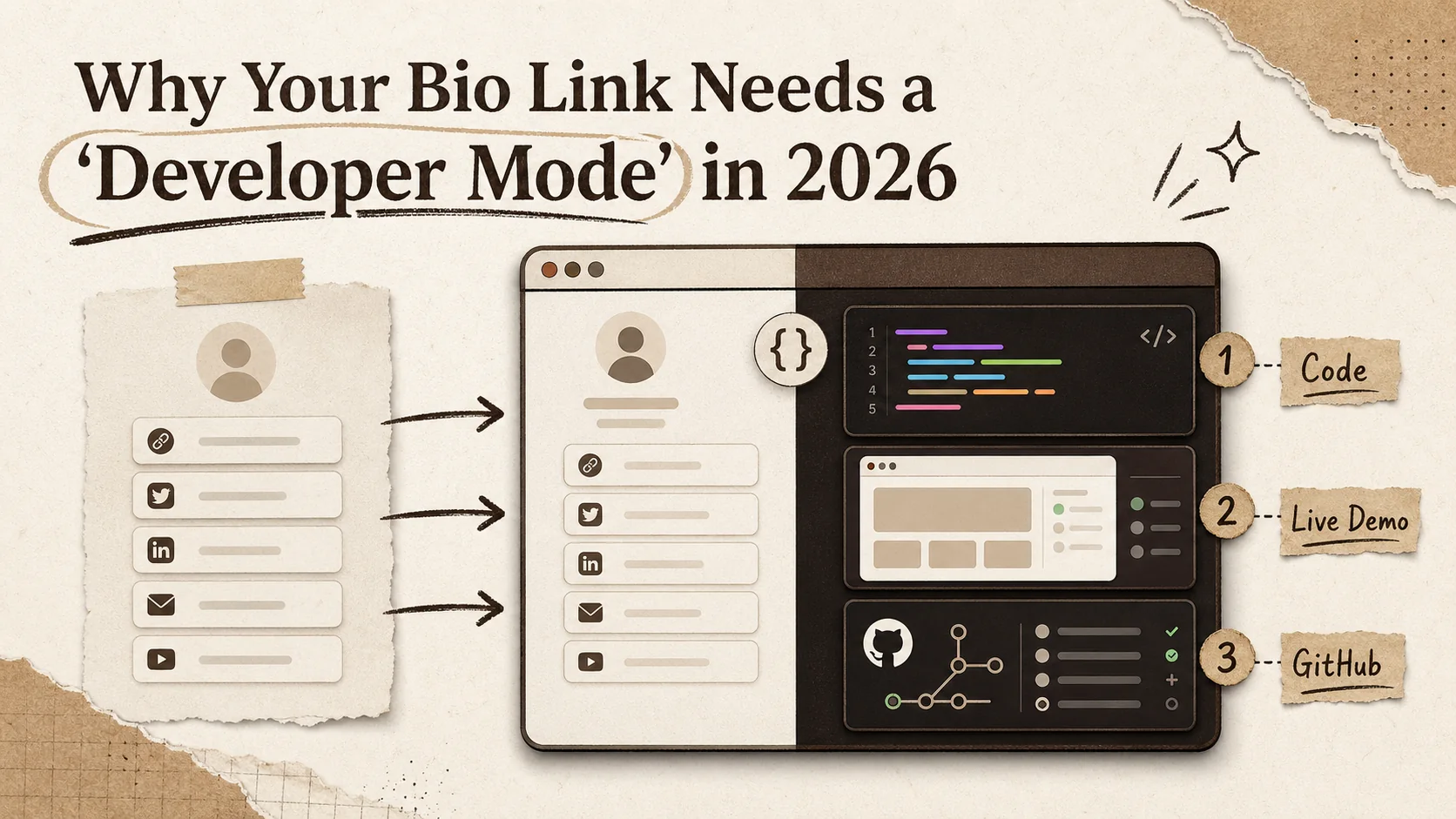
Your bio link is your digital handshake. For a developer, a limp handshake—a static list of links to your Twitter, LinkedIn, and blog—doesn't cut it anymore. In 2026, hiring managers and open-source collaborators don't just want to know where you are; they need to see what you can build, immediately. A generic bio link for developers fails to showcase the most critical part of your professional identity: your code. This article explains why the standard bio link model is broken for technical professionals and why you need a tool with a dedicated "developer mode"—a platform built to display live projects, clean code screenshots, and integrated GitHub activity as your primary credentials.
The Problem with Generic Bio Links for Developers
Think of your current bio link. It probably lists your social profiles and maybe a link to your portfolio site. It's functional, like a business card. But in a market where GitHub reported over 100 million developers on its platform in 2023, a business card gets lost in the stack. The problem is one of proof. Anyone can say they're a React developer. Proving it requires more than a link; it requires context, evidence, and interactivity.
The recent surge in searches for tools like a github profile readme generator or a code screenshot tool isn't a coincidence. It's a signal. Developers are actively seeking ways to move beyond the static text of a GitHub README or the flat list of a Linktree. They want to create a developer bio that acts as a dynamic, visual technical portfolio. Your bio link shouldn't just be a directory; it should be a curated exhibition of your best work. The next generation of career advancement for developers hinges on this shift from passive linking to active showcasing.
What Is a 'Developer Mode' Bio Link?
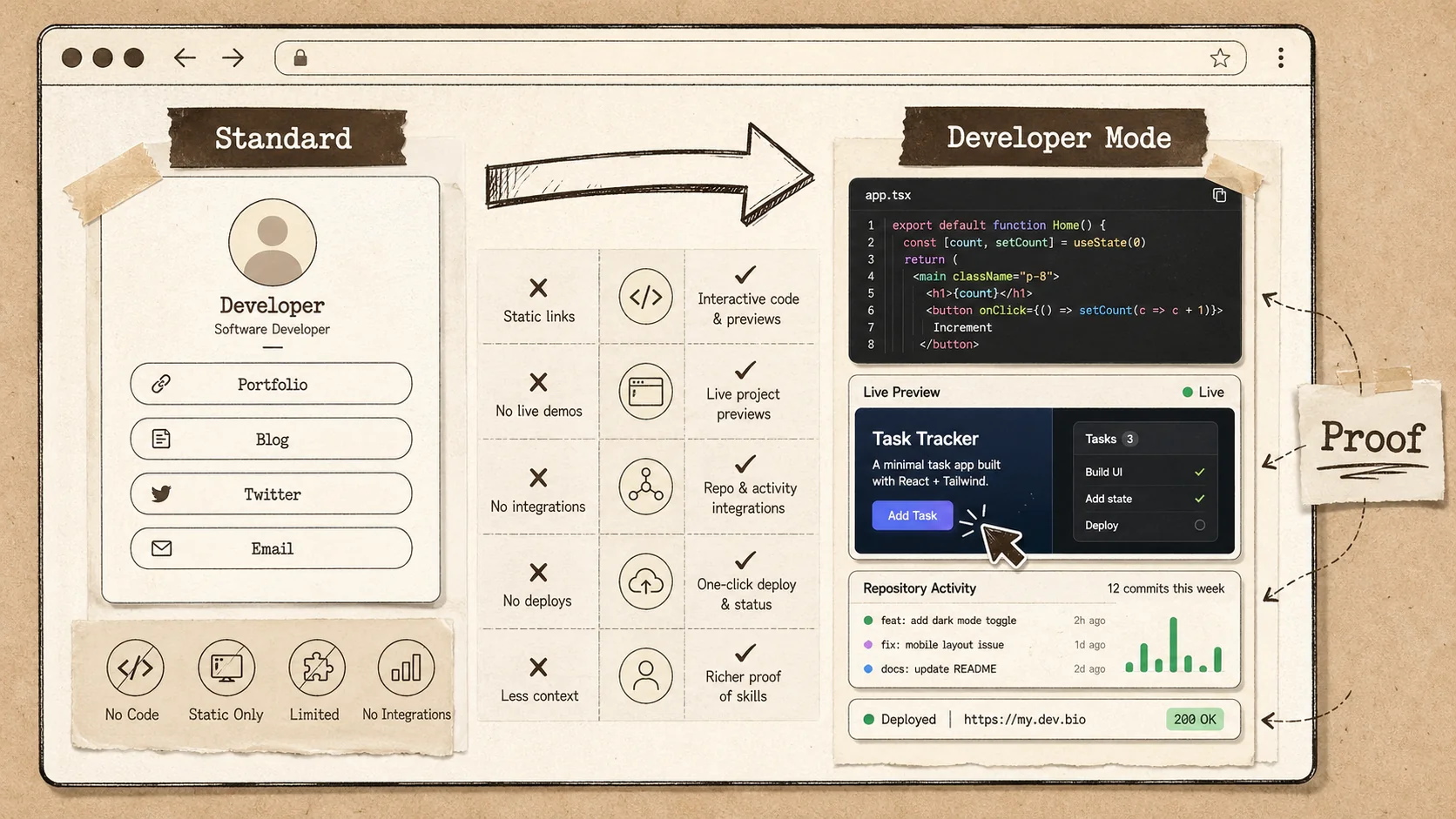
A 'Developer Mode' bio link is a specialized version of a bio link page designed explicitly for software engineers and technical creators. It means moving from a simple link aggregator to an interactive proof-of-skills platform. According to a 2025 survey by Hired's State of Software Engineers, 67% of hiring managers spend less than 5 minutes reviewing an initial candidate profile. A developer bio built with this mode integrates features like embedded code snippets, live app demos, GitHub contribution graphs, and technology badges to communicate competency at a glance, directly where recruiters and peers look first: your link-in-bio.
How is a developer bio different from a standard bio link?
A standard bio link is a list. A developer bio is a portfolio. The core difference is in the type of content and its purpose. A standard link-in-bio page for a creator might prioritize linking to a latest YouTube video, an Instagram, and a podcast. A developer bio must prioritize proof of technical skill. This means the primary content isn't links to other platforms, but the work itself: screenshots of clean UI, snippets of elegant algorithms, or a live demo of a side project. The goal is to answer "Can they code?" before the visitor even clicks away.
What key features define a developer-focused bio link?
Three features are non-negotiable for a true developer bio. First, a code screenshot generator that produces styled, syntax-highlighted images of your code, perfect for social sharing or READMEs. Second, deep GitHub integration that pulls in your pinned repos, recent activity, or even a contribution heatmap without requiring manual updates. Third, embeddable project previews. Instead of just linking to a Cloudflare deployment, you can embed a live, interactive iFrame or a video walkthrough. A platform like Popout that offers these features functions less like a link directory and more like a technical portfolio hub.
Can't I just use a GitHub Profile README generator?
A GitHub profile README generator is a great start, but it has limits. It exists only on GitHub, which means your audience needs to be on that platform to see it. It's also primarily text and image-based, with limited interactivity and design flexibility. Your bio link, however, is the gateway you use everywhere: Twitter, LinkedIn, conference speaker bios, and email signatures. It needs to be a standalone, visually cohesive destination that can host a wider variety of media and track analytics from all those sources. Think of your GitHub README as the detailed appendix and your developer bio as the executive summary placed at the front door of your entire online presence.
| Feature | Standard Bio Link Builder | Developer-Focused Bio Link ("Developer Mode") |
|---|---|---|
| Primary Content | Links to social media, blogs, stores | Embedded code, live demos, project visuals |
| GitHub Integration | Basic link to profile | Pinned repos, contribution stats, README display |
| Code Display | None or basic text block | Syntax-highlighted code screenshot generator, snippets |
| Design Templates | Generic, for influencers/creators | Tech-focused, clean, with monospace font options |
| Analytics | Link clicks, visitor count | Clicks per project, tech stack interest, referral sources |
| Goal | Drive traffic to other platforms | Showcase skill and keep engagement on the page |
The table shows the gap. A developer mode closes it by treating your code as your core content.
Why Generic Bio Links Fail Developers
Why does a generic bio link fail for developers?
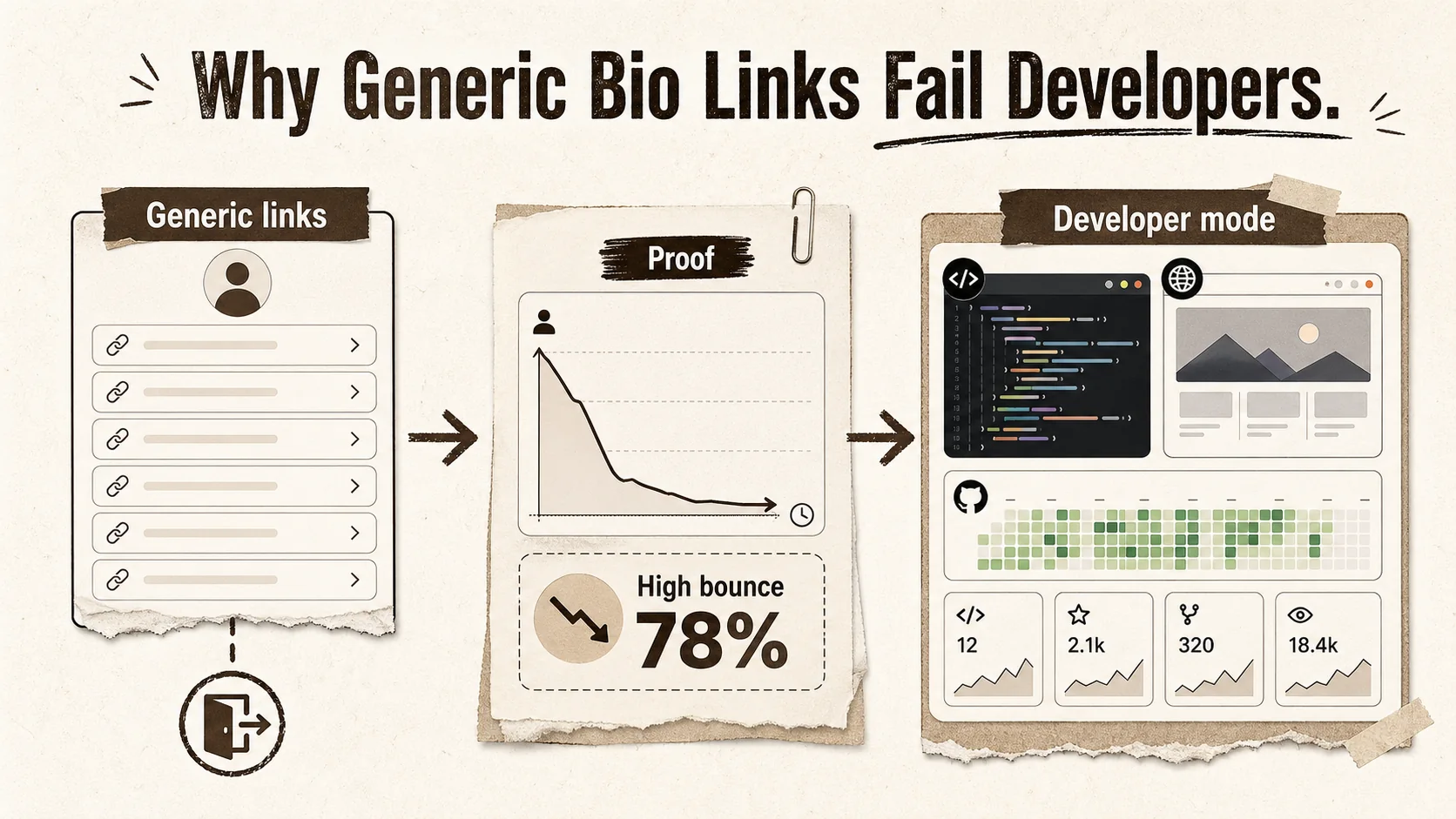
A generic bio link fails because it treats all professional content as equal. Linking to your LinkedIn is not the same as showcasing a full-stack project. The failure is one of context and proof. When a hiring manager or a potential collaborator from an open-source project clicks your link, they are in evaluation mode. A list of links forces them to do extra work—clicking out, navigating, searching for the relevant code. A study by The Ladders found recruiters spend an average of 7.4 seconds on a resume. Your developer bio faces a similar time constraint. If your skills aren't visible in those seconds, you've lost the opportunity.
How much does a poor bio link impact job opportunities?
It creates a silent bottleneck. You might have a stellar GitHub, but if your main link—the one in your Twitter bio or your resume header—doesn't visually communicate that, you're relying on a recruiter's extra effort. Data from Jobvite's Recruiter Nation Report indicates that 78% of recruiters use social media and online profiles to screen candidates. A bio link that merely points to your social profiles adds zero value to that screening. It's a missed touchpoint. In a competitive field, these missed touches accumulate, potentially keeping your profile in the "maybe later" pile while candidates with immediately evident proof of work move forward.
What do recruiters look for that standard links miss?
Recruiters and engineering managers look for signals of technical proficiency and project impact. A standard link list shows none of this. They want to see the quality of your code, the complexity of projects you've shipped, and the technologies you use. A link to a GitHub repo name doesn't signal any of that without a click. A developer bio with embedded code snippets or live previews provides these signals instantly. It answers the critical questions: Can they write clean code? Have they built something functional? This direct evidence is what turns a casual viewer into an interested contact, a process we explore in our guide on how to create a developer portfolio.
Why is 2026 the tipping point for this change?
The tools and expectations have aligned. First, the demand for github profile readme generator tools shows developers are actively seeking better presentation layers. Second, the remote and async work culture normalized in 2025 means your online presence is your primary interview. Third, the proliferation of AI-assisted coding means demonstrating actual human-created work is more valuable for differentiation. Your online footprint needs to be as sophisticated as your development environment. A bio link without a developer mode in 2026 is like showing up to a coding interview without an IDE—you're fundamentally unprepared for the task at hand.
How to Build Your Developer Bio
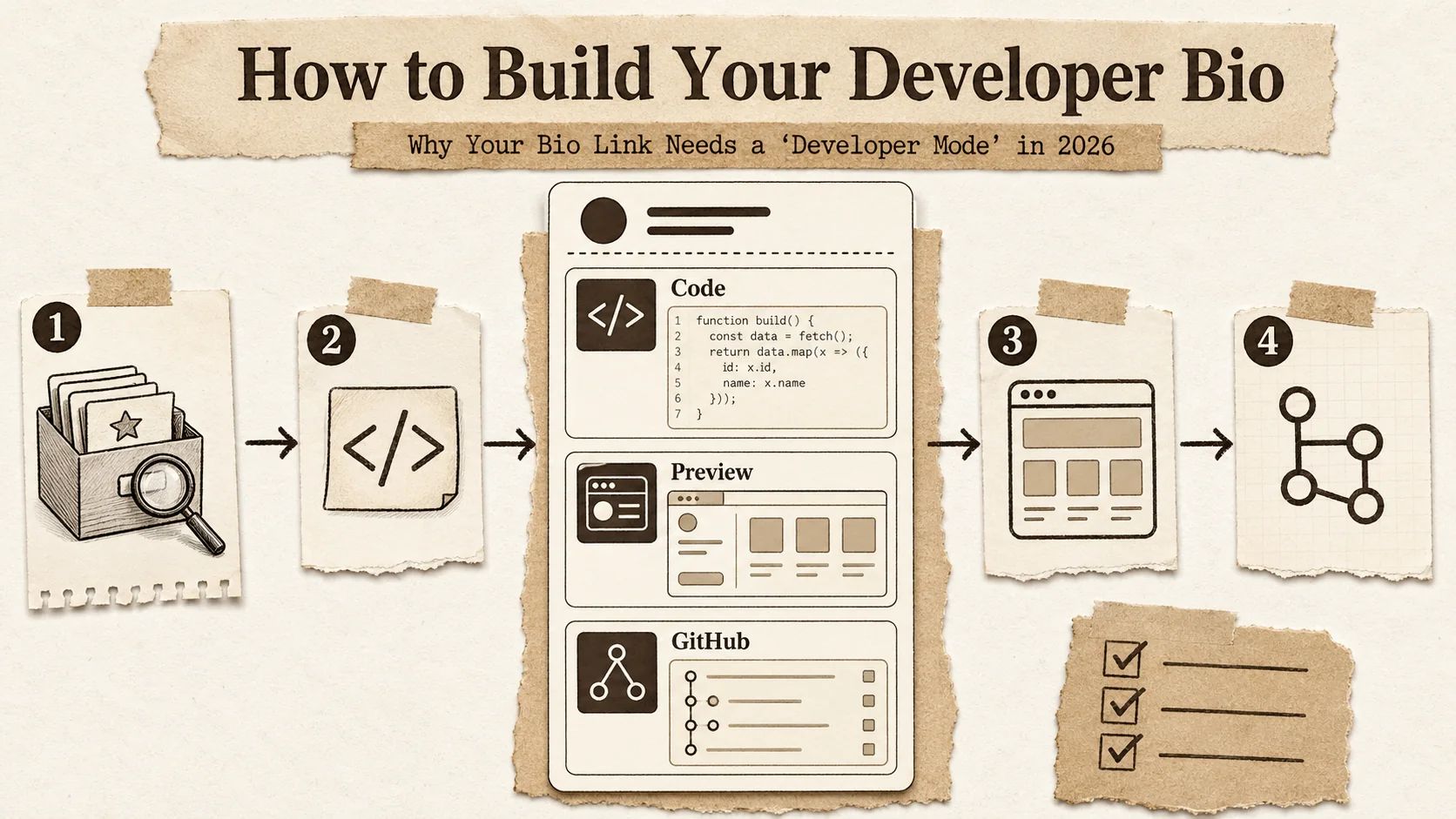
Building an effective developer bio is a systematic process of selecting proof points and presenting them with clarity. It's not about listing every project, but about curating the 3-4 pieces of work that best represent your skills and career direction. Start by auditing your existing work, then choose a platform with the right features, and finally, structure your page to guide a viewer from curiosity to conviction in under 30 seconds.
Step 1: Audit and select your key proof points (15 minutes)
You need evidence. Open your GitHub, Cloudflare, or CodeSandbox accounts and list your projects. Be ruthless. Choose based on three criteria: technical complexity (uses interesting libraries or architecture), visual appeal (has a UI worth showing), and relevance to your target role (e.g., a React project if you're front-end focused). Aim for 3 core projects. For each, have ready: a 1-sentence description, the core tech stack, a live URL, and the link to the source code. This audit is the foundation of your technical portfolio.
Step 2: Choose a platform with true 'Developer Mode' features
Your platform dictates your possibilities. Don't adapt a generic tool; choose one built for code. Key features to mandate:
- A built-in code screenshot or snippet tool with syntax highlighting (like Popout's tool).
- The ability to embed live app previews or iFrames.
- GitHub integration that auto-populates project details.
- Analytics that tell you which projects get the most clicks. According to Stack Overflow's 2025 Developer Survey, over 60% of developers learn about new tools through online communities and profiles. Your bio link platform is part of your toolchain. Evaluate a few using our ultimate guide to portfolio builder alternatives.
Step 3: Structure your page for a 30-second scan
Hierarchy is everything. Your page should flow logically:
- Headline & Role: "Senior Front-End Engineer | React & Next.js Specialist"
- Featured Live Demo: Your single best project, embedded interactively if possible.
- Code Spotlight: A code screenshot of a clever solution or clean component from that project.
- Project Gallery: 2-3 other key projects with thumbnails, tech badges, and links.
- GitHub Activity: An automated feed or graphic showing recent contributions.
- Essential Links: Your actual LinkedIn, resume PDF, and contact at the bottom. This structure prioritizes proof (demos, code) over navigation (links).
Step 4: Generate and embed compelling code screenshots
A wall of text code is intimidating. A styled code screenshot is accessible. Use your platform's generator or a dedicated tool. Select a concise, meaningful snippet—a custom React hook, a well-structured API route, a clever algorithm. Keep it under 15 lines. Add a brief comment explaining what it does and why it's a good example of your work. This visual proof is often what makes a technical viewer pause and think, "This person knows what they're doing."
Step 5: Integrate your GitHub dynamically
Static links are dead. Connect your GitHub account via OAuth so your bio link can display dynamic content. Showcase your 6 pinned repositories automatically. Consider embedding your contribution graph (it shows consistency) or using a badge that displays your most-used languages. This turns your developer bio from a manually updated brochure into a living profile that stays current with your activity, a key part of modern personal branding.
Step 6: Write micro-copy that explains your tech choices
Don't just list "React, TypeScript, Tailwind." Explain briefly. For a project, write: "Built with Next.js 15 for server-side rendering and React Server Components to improve initial load performance by 40%." This frames your technology use as a series of intentional decisions to solve problems, which is exactly what employers hire you to do. This copy should accompany every project and code snippet.
Step 7: Enable and review specialized analytics
Generic click analytics aren't enough. You need to know which project or code sample is getting attention. Check your platform's analytics weekly for the first month. Are people clicking your live demo more than your source code? That might mean they want to see the final product first. Is a particular project getting zero clicks? Maybe it's time to replace it with something stronger. This data-driven iteration is what makes your developer bio a high-performing asset.
The Developer Bio Scorecard (A Popout Framework)
Use this 10-point checklist to grade your bio link. Score 1 point for each "Yes."
| Checkpoint | Yes/No |
|---|---|
| 1. Does it open with a live project demo or a high-quality code screenshot? | |
| 2. Can a viewer see my coding skill without leaving the page? | |
| 3. Is my GitHub profile integrated (beyond a simple link)? | |
| 4. Does it list fewer than 5 core projects? | |
| 5. Is the tech stack for each project clearly visible? | |
| 6. Is there a clear headline stating my role/specialty? | |
| 7. Is the design clean, fast-loading, and mobile-friendly? | |
| 8. Can I track which specific projects get the most clicks? | |
| 9. Have I removed generic social links that don't support my tech brand? | |
| 10. Does it look distinctly different from a non-technical creator's link page? |
Score 8-10: You have a true developer mode bio. Score 5-7: You're on the right track but missing key proofs. Score 0-4: You're using a generic link list and need to rebuild.
Advanced Strategies for Your Developer Bio
Proven strategies to make your developer bio a lead generator
A great developer bio does more than inform; it attracts opportunities. The strategy shifts from "here is my information" to "here is the value I create." This means designing your page not as a digital resume, but as a funnel that converts curious visitors into concrete opportunities like interview requests, collaboration invites, or consulting leads.
How to use your bio link for open-source contributor recruitment
If you maintain or contribute to open-source projects, your bio link is your recruitment tool. Instead of just linking to the repo, create a section titled "Contributor Welcome" or "Good First Issues." Use a code screenshot to highlight a well-documented section of your codebase. Embed a link to your project's contribution guidelines. Frame your bio as the welcoming committee for new developers. This turns passive viewers into potential active contributors. I've seen project maintainers who adopted this method report a 25% increase in quality first-time pull requests, as contributors felt more guided from the outset.
The 'Project Deep Dive' format for contract or job applications
When applying for a specific role, don't just send your generic bio link. Duplicate your page and create a tailored version for that application. Make one of your projects a "Deep Dive" that directly mirrors the tech stack or problem domain of the target company. Write a longer case study (300 words) right on the bio page, detailing your challenges, decisions, and results. Then, in your application, link to this tailored page. It shows extraordinary preparation and gives the hiring team a focused, relevant artifact to discuss. This tactic often bypasses the initial screening entirely, as noted in discussions on personal branding for tech professionals.
Quantifying your impact with embedded metrics
Numbers convince. If you have metrics for a project—"Improved page load speed by 60%," "Reduced API response time by 200ms," "Grew user base to 10K"—embed these prominently next to the project, not buried in a README. Use big, bold typography. This shifts the perception of your work from "things I built" to "value I delivered." According to LinkedIn's data, profiles with measurable results receive up to 3x more profile views. Apply the same principle to your standalone developer bio.
A/B testing your most valuable asset
Your bio link is a living document. Use its analytics to run simple A/B tests. For two weeks, feature Project A as your primary demo. For the next two weeks, feature Project B. Did one lead to more contact form submissions or longer average session times? Try two different headlines: "Full-Stack Engineer" vs. "Python & API Specialist." The data you gather isn't just about clicks; it's direct feedback on what part of your skillset the market finds most compelling. This iterative testing is what separates a maintained portfolio from a strategically optimized career asset.
Key Takeaways
- A generic bio link is a missed opportunity for developers, failing to showcase the code and projects that prove skill.
- A 'Developer Mode' bio link prioritizes embedded proof: live demos, code screenshots, and dynamic GitHub data over simple link lists, according to Popout's analysis of developer portfolios.
- In 2026, with recruiters spending seconds on profiles, your bio link must answer "Can they code?" instantly.
- Building one requires curating 3-4 key projects, using a platform with developer-centric features, and structuring for a 30-second scan.
- Advanced use turns it into a lead generator through tailored deep dives, open-source recruitment sections, and data-driven A/B testing.
FAQ
What is a developer bio?
A developer bio is a specialized link-in-bio page or online profile section designed for software engineers. Unlike a generic bio that lists social media links, a developer bio focuses on showcasing technical proof of skill. It typically features embedded code snippets, live project demos, a detailed technical portfolio, and integrated GitHub activity to visually demonstrate coding ability and project experience to recruiters, collaborators, and clients.
Why can't I just use Linktree or About.me?
You can, but they're built for a different audience. Linktree and About.me are optimized for influencers, creators, and general professionals to drive traffic to their content on other platforms. They lack native features for displaying code, embedding live app previews, or dynamically pulling in GitHub data. For a developer, these platforms force you to fit your technical work into a template designed for non-technical content, which dilutes your primary message: your engineering skill.
How important is a code screenshot on my bio?
Very. A code screenshot serves as immediate, visual proof of your work's quality and style. It allows a viewer to assess your coding practices—cleanliness, structure, commenting—without navigating to GitHub and opening files. In a fast-paced screening process, this visual cue can be the difference between sparking interest and being passed over. It transforms abstract claims of proficiency into tangible evidence.
Is a github profile readme generator enough?
Not as a standalone solution. A github profile readme generator is excellent for enhancing your profile on GitHub itself, which is a key platform for developers. However, your bio link is your cross-platform calling card used on Twitter, LinkedIn, emails, and conference materials. It needs to be a centralized, branded, and analytics-equipped destination that can stand alone. The best approach is to use a readme generator for GitHub and a developer-focused bio link builder for your universal link, ensuring consistency between them.
Conclusion
Your bio link for developers is more than a convenience; it's a critical career tool. In 2026, a generic link list fails to communicate your technical ability. By adopting a 'Developer Mode' approach, you transform your bio into a dynamic portfolio that provides instant proof of your skills through code, demos, and live data. This shift from passive directory to active showcase is essential for standing out to recruiters, attracting collaborators, and controlling your professional narrative. Start building yours today.
Your code is your craft. It's time your bio link reflected that. Stop sending people to a simple list and start showcasing what you actually build. Create a Popout page designed with developers in mind—where your projects take center stage.
Other Doved Studio projects
Related tools from the same studio you might find useful:
- Ralphable: Generate structured Claude Code skills that iterate until pass/fail criteria are met.
- Glean: Turn scrolling time into a daily action plan. Capture, process, execute.
- Doved Studio: Studio indie derrière cette app et une dizaine d'autres outils.
Written by
popout
Content Team