

Is Your Bio Link a Privacy Liability? A 2026 Guide to GDPR, CCCPA, and Creator Compliance


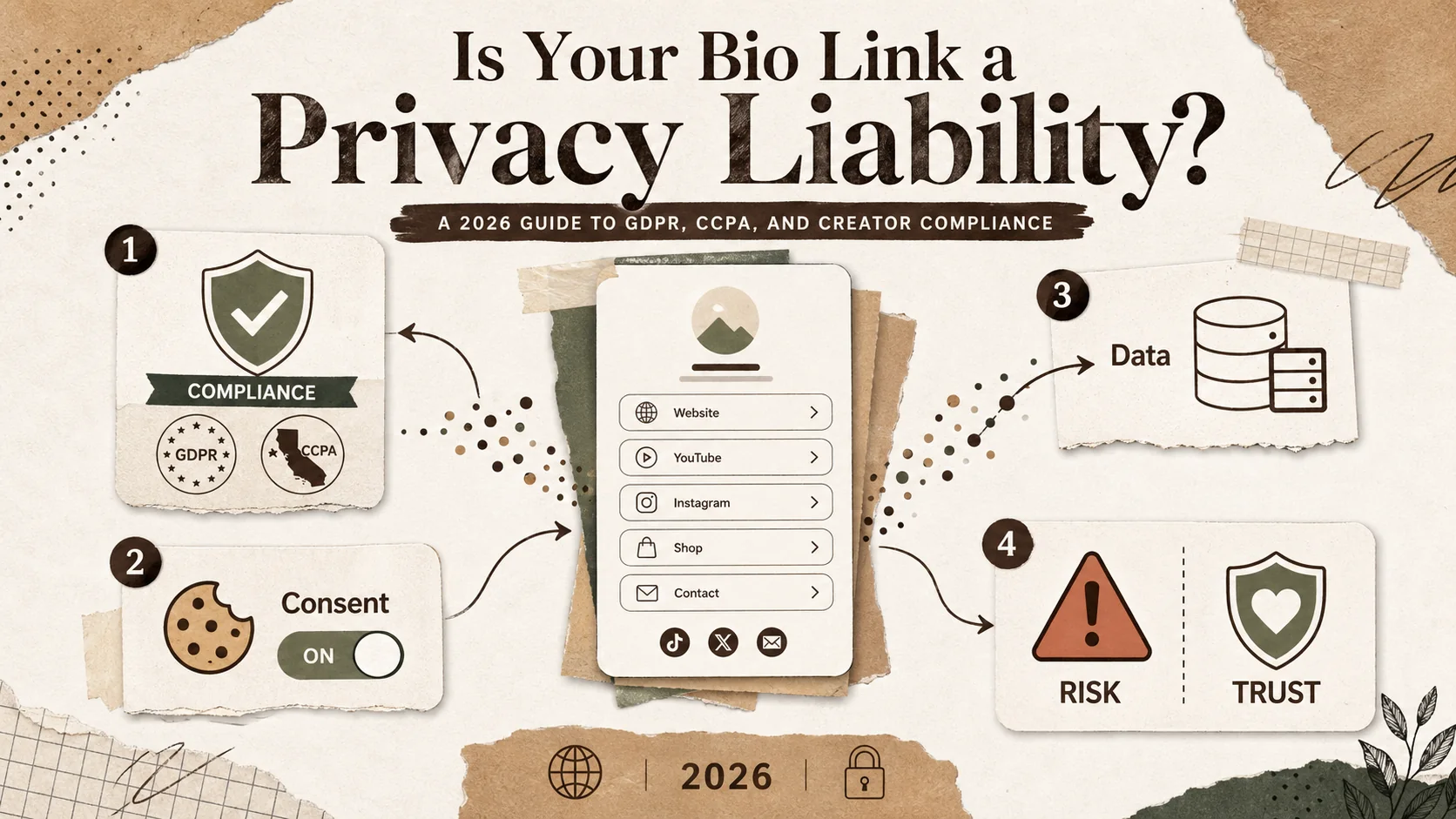
Your bio link page is your digital business card. It’s the first thing potential clients, collaborators, and employers see when they click through from LinkedIn, GitHub, Behance, or Dribbble. But in 2026, that simple page of links might be collecting visitor data in ways that violate privacy laws like the GDPR and CCPA. A included link-in-bio tool can be a privacy liability if it doesn't offer the right controls. This guide explains the legal risks and provides a clear path to compliance, helping you choose a secure linktree alternative dsgvo that protects both your visitors and your professional reputation.
What Are the Privacy Rules for Bio Link Pages?
Any bio link page that collects IP addresses, uses analytics cookies, or embeds third-party widgets must comply with the GDPR (for EU visitors) and the CCPA/CPRA (for California residents) -- meaning you need a lawful basis for processing, a visible privacy policy, and a signed Data Processing Agreement with your provider.
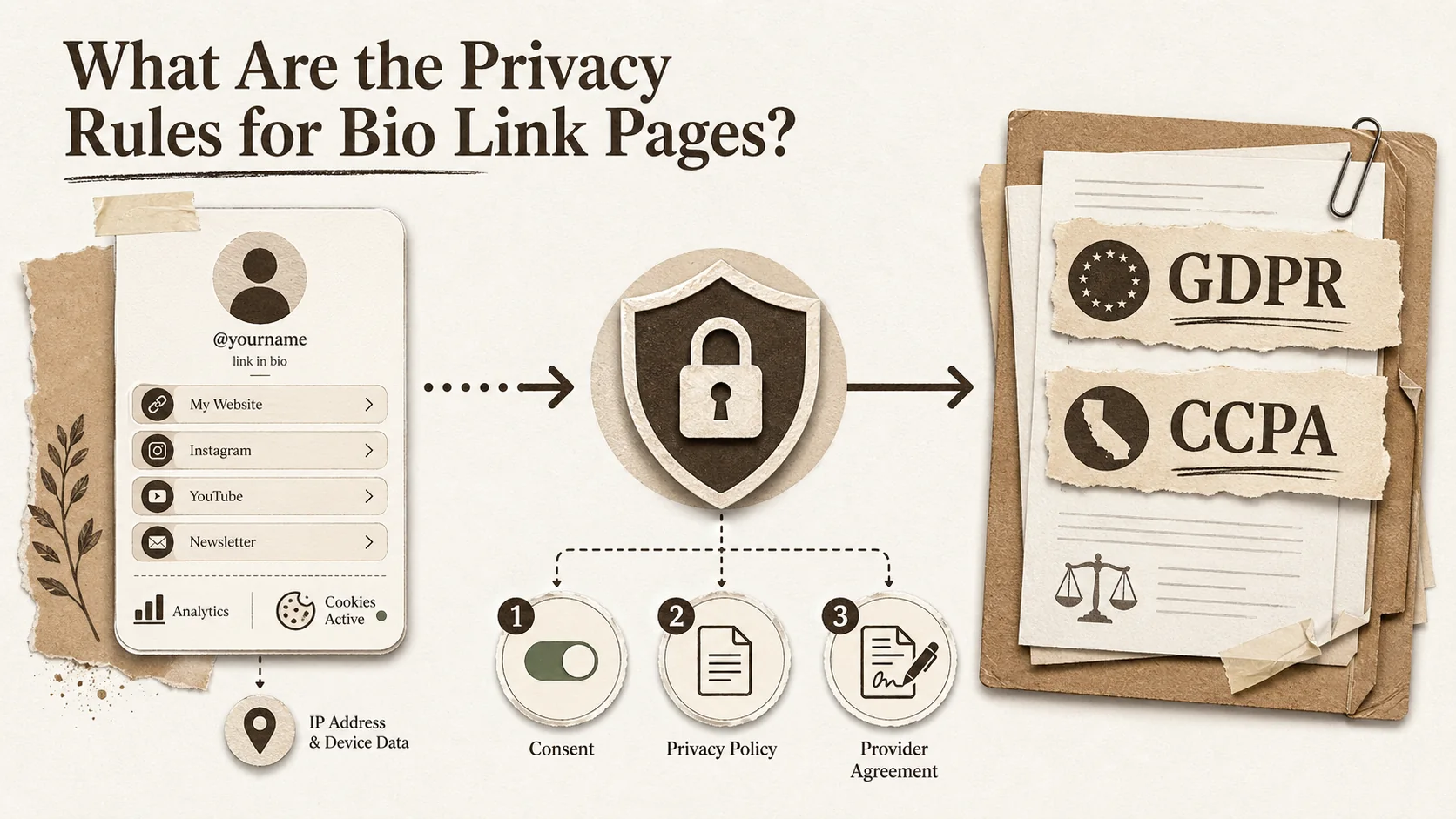
For creators and freelancers, privacy compliance means understanding how data protection laws apply to your online presence. It’s not just for big companies anymore. The General Data Protection Regulation (GDPR) governs data collection for individuals in the European Union, while the California Consumer Privacy Act (CCPA), as amended by the CPRA, sets rules for California residents. If your bio link page has analytics, uses cookies, or processes any personal data from visitors in these regions, these laws likely apply to you. According to the International Association of Privacy Professionals (IAPP), over 160 countries now have comprehensive data privacy laws, making this a global standard for professional credibility.
What does GDPR compliance mean for a freelancer?
GDPR compliance for a freelancer means you have a legal basis for processing EU visitor data, provide clear privacy notices, and honor data subject rights like access and deletion. The key principle is "lawfulness, fairness, and transparency." You need a valid reason to collect data, such as visitor consent or your legitimate interest in analyzing page traffic. A 2025 survey by Cisco found that 76% of consumers would not buy from a company with poor data practices, highlighting that trust is directly tied to revenue. For a bio link page, this translates to having a visible privacy policy, managing cookie consent if you use analytics, and ensuring any third-party tool you embed (like a newsletter signup) is also compliant.
How does the CCPA/CPRA affect creators in the US?
The CCPA/CPRA affects US-based creators by granting California residents specific rights over their personal information and imposing transparency requirements. If you meet certain thresholds (like grossing over $25 million annually), the law applies directly. However, many creators fall under the "service provider" rules of the platforms they use. The California Privacy Protection Agency (CPPA) has clarified that even smaller businesses must honor "Do Not Sell or Share My Personal Information" requests if their tools engage in cross-context behavioral advertising. A report from the IAPP notes that the CPPA’s first enforcement advisory in 2025 focused on dark patterns and unclear privacy notices, areas where many included link-in-bio tools are weak.
What's the difference between a data controller and a processor?
In privacy law, a data controller determines the purposes and means of processing personal data, while a processor acts on the controller's instructions. As a creator using a bio link service, you are typically the controller for the visitor data collected on your page. The bio link platform acts as your processor. This relationship requires a Data Processing Agreement (DPA). If your chosen tool doesn't offer a signed DPA, you cannot legally use it to process EU data under GDPR Article 28. This is a critical filter when evaluating any linktree alternative dsgvo; the provider must offer contractual guarantees about data security and your rights as the controller.
Which bio link features commonly create compliance risk?
Common bio link features that create compliance risk include embedded analytics, contact forms, email signup widgets, and social media pixels. Each can collect personal data like IP addresses, email addresses, or behavioral data without proper safeguards. A 2024 study by the Norwegian Consumer Council found that many included website and page builders share user data with dozens of advertising partners by default, often without clear disclosure. For a bio link, the most significant risk is using a included plan from a provider whose business model relies on monetizing user data, which may conflict with your obligations as a data controller.
| Feature | Potential Privacy Risk | Key Compliance Question to Ask Your Provider |
|---|---|---|
| Page Analytics | Collects IP addresses, device info, browsing behavior. | Is data anonymized? Can I disable non-essential cookies? Is there a data processing agreement (DPA)? |
| Email Signup Forms | Collects email addresses and possibly names. | Is data encrypted in transit and at rest? Can I easily export/delete subscriber data? Is the provider CCPA/GDPR compliant? |
| Social Media Embeds | (e.g., Instagram feeds) can enable third-party tracking. | Does the provider use privacy-enhanced embeds that block tracking until consent is given? |
| Link Click Tracking | Logs which links individual visitors click. | Is this data aggregated and anonymized, or is it tied to a unique visitor profile? How long is it retained? |
Choosing a tool designed with privacy compliance as a core feature, rather than an afterthought, is the simplest way to mitigate these risks.
Why Your Bio Link's Privacy Setup Matters in 2026
Non-compliance carries real financial penalties -- the Spanish AEPD fined a solo freelancer EUR 8,000 in January 2026 for a missing privacy notice -- plus reputational damage, since 76% of consumers avoid businesses with poor data practices (Cisco 2025).
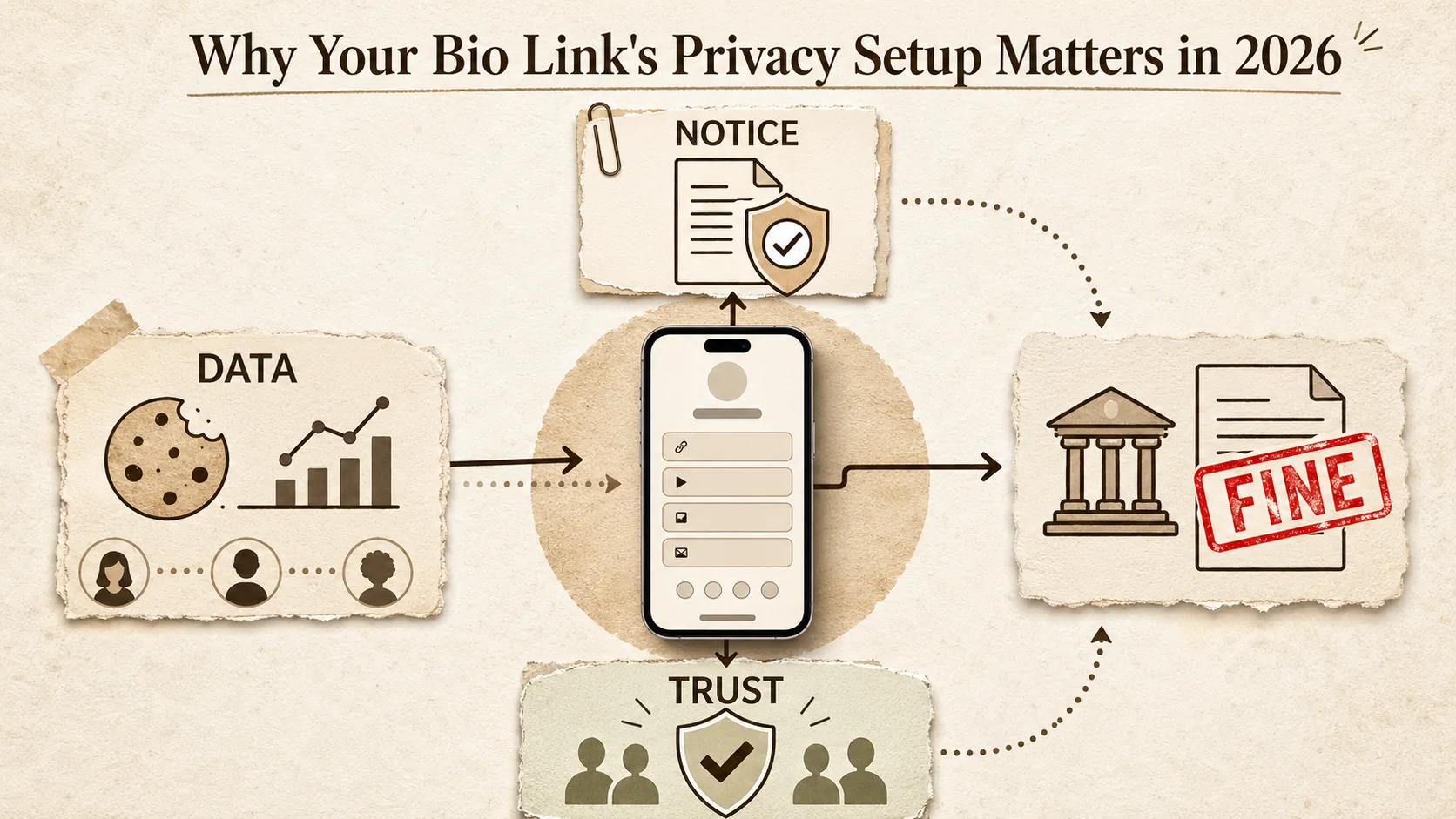
Ignoring privacy on your bio link page is a direct professional and financial risk in 2026. Regulatory focus has shifted, and the consequences for non-compliance now directly impact solo creators and small businesses. Your bio link is often the hub of your professional activity, making it a visible target and a point of trust with your audience. Building a compliant presence isn't just about avoiding trouble; it's a competitive advantage that signals professionalism and respect for your community.
Are creators really getting fined for non-compliance?
Yes, regulators are increasingly targeting smaller entities. While massive fines against tech giants make headlines, enforcement against small businesses and solo operators is rising. In January 2026, the Spanish Data Protection Agency (AEPD) fined a freelance photographer €8,000 for using a contact form without a proper legal basis and privacy notice. The Irish Data Protection Commission's 2025 Annual Report showed a 40% year-over-year increase in complaints against small and medium enterprises. The precedent is clear: operating online, even as a solo creator, brings legal responsibilities. Using a non-compliant bio link tool increases your exposure to these complaints.
How does a non-compliant bio link hurt my professional brand?
A non-compliant bio link damages your professional brand by eroding trust and signaling a lack of diligence. In a crowded market, your reputation is everything. A potential client who is privacy-conscious may investigate your practices. If they can't find a clear privacy policy, or suspect their data is being misused, they will choose someone else. The Cisco 2025 Privacy Benchmark found that organizations perceived as having superior privacy practices experienced shorter sales delays and fewer data breaches. For a freelancer, this translates to faster client acquisition and fewer awkward conversations about data security.
What are the hidden costs of using a included, non-compliant tool?
The hidden costs of a included, non-compliant bio link tool include legal liability, lost business, and the operational burden of fixing problems later. A "included" tool often monetizes your visitors' data, potentially putting you in violation of your controller obligations. If you need to become compliant later, you'll spend hours auditing data flows, migrating to a new platform, and potentially dealing with legal notices. This time cost can far exceed the price of a paid, privacy-focused tool from the start. Furthermore, as part of your creator legal guide, you should consider that defending against a single data subject access request (DSAR) can take 5-10 hours of unpaid administrative work if your tools aren't set up to handle them easily.
Can my bio link page affect my client contracts?
Absolutely. Many client contracts, especially with larger companies or EU-based firms, now include data protection addendums requiring you to demonstrate your compliance. They may audit your subcontractors (which includes your bio link provider) to ensure their data is safe. If you cannot provide a signed DPA from your bio link service, you could be in breach of contract, risking the project and future work. Proactively using a compliant linktree alternative dsgvo simplifies these vendor assessments and makes you a more reliable partner. It’s a tangible demonstration of your professional maturity, a key aspect of bio link security that clients value.
How to Audit and Secure Your Bio Link Page for Compliance
A seven-step audit -- data mapping, provider review, legal notices, privacy configuration, DSAR handling, DPA signing, and scheduled check-ups -- transforms a potential liability into a trust signal that wins privacy-conscious clients.
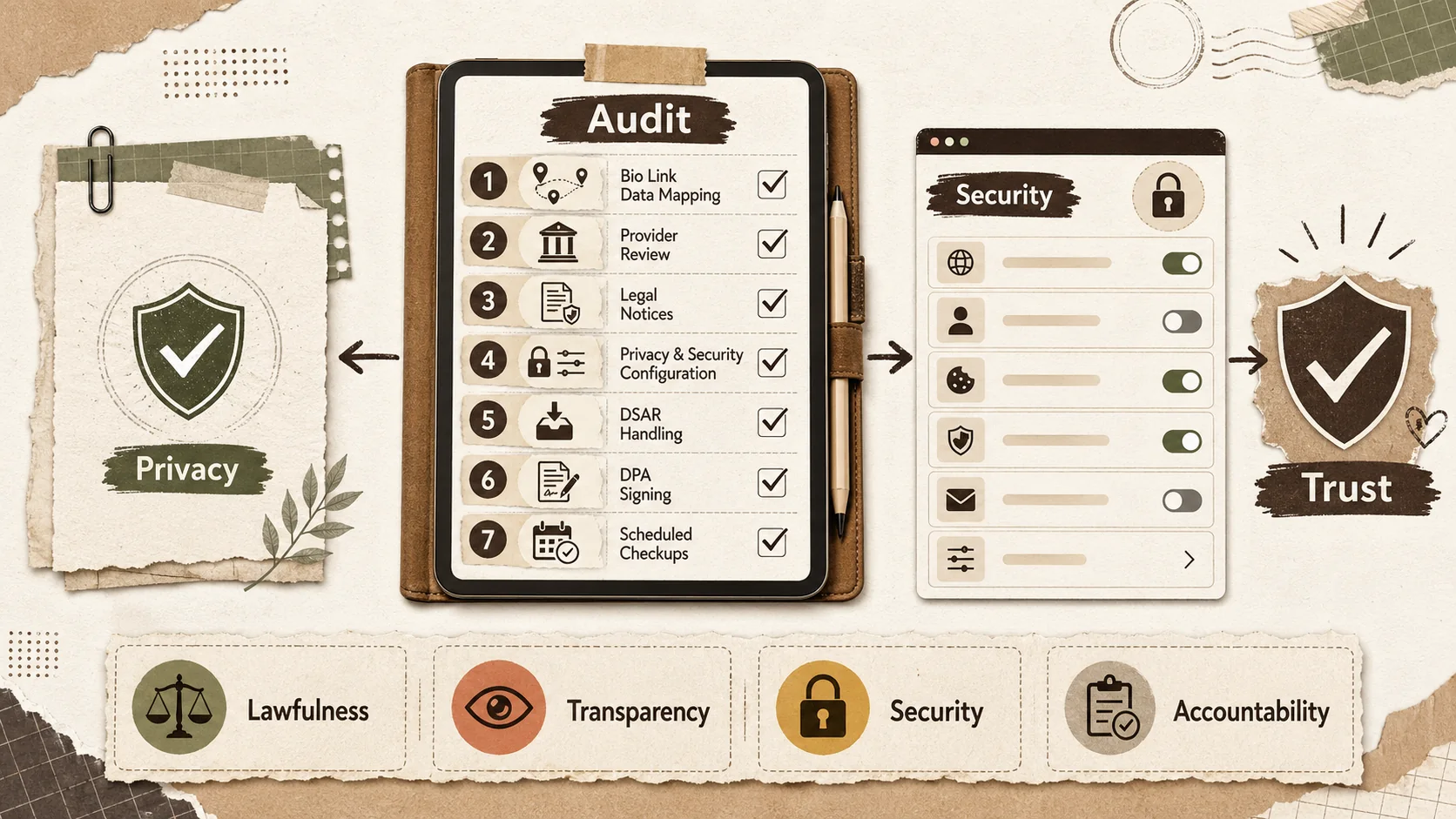
Securing your bio link page is a step-by-step process. You don't need to be a lawyer, but you do need to be methodical. This audit focuses on the four pillars of modern privacy compliance: Lawfulness, Transparency, Security, and Accountability. By following these steps, you can either fix your existing page or make an informed choice about migrating to a more secure platform. Let's start with the foundation of your creator legal guide: knowing what data you handle.
Step 1: Map the data your bio link page collects
First, identify every piece of personal data your bio link page collects, processes, or stores. Personal data is any information relating to an identifiable person, which includes IP addresses, email addresses, and cookie identifiers. Visit your own page and click every link and button. Does it have analytics? A contact form? An email newsletter signup? Check your page's source code for third-party scripts using browser developer tools. A 2025 audit by the U.S. Government Accountability Office (GAO) found that over 80% of popular small business websites transmitted visitor data to third-party domains without the site owner's full knowledge. Document every data flow in a simple spreadsheet. Pay special attention to embeds from platforms like GitHub contribution graphs, LinkedIn badges, or Behance project widgets -- each can introduce third-party tracking scripts you didn't intend.
Step 2: Review your bio link provider's privacy posture
Next, scrutinize your bio link provider's documentation. Read their privacy policy, terms of service, and data processing agreement (if they have one). Look for clear answers on: Where is data stored? Is it encrypted? Who are their sub-processors? Do they offer data export and deletion tools? Can you disable non-essential cookies? A true linktree alternative dsgvo will have these documents easily accessible and written in plain language. If the provider's policy states they can use collected data for their own marketing or share it with "partners" without a clear legal basis, this is a major red flag for GDPR for freelancers, as it conflicts with your role as data controller.
Step 3: Implement essential legal pages and notices
You must provide clear information to visitors. At a minimum, you need a publicly accessible Privacy Policy that explains what data you collect, why, how long you keep it, and how visitors can exercise their rights. For GDPR, if your page uses analytics cookies beyond strictly necessary ones, you need a cookie consent banner that blocks scripts until consent is given. Tools like Iubenda or Termly can generate these documents for a small fee. According to the UK Information Commissioner's Office (ICO), a good privacy notice is one of the most effective ways to demonstrate accountability and build trust.
Step 4: Configure your page settings for maximum privacy
Now, configure your bio link tool's settings. Disable any optional tracking features you don't genuinely need. If the tool offers "enhanced" or "marketing" analytics, switch to a basic, anonymized mode. Enable any privacy features like IP anonymization for analytics (often a simple checkbox). If you have an email signup form, ensure it uses a secure (HTTPS) connection and that the provider is compliant. This is where choosing a tool built for compliance pays off. A platform designed as a linktree alternative dsgvo will have these settings front and center, not buried in a complex admin panel. This proactive configuration is the core of practical bio link security.
Step 5: Establish a process for handling data requests
Prepare for visitors to exercise their rights. Under GDPR and CCPA, individuals can ask for access to their data, request deletion, or opt out of sales. You need a process to handle these requests, typically within one month. This means knowing how to retrieve user data from your bio link analytics and any integrated forms. The best providers offer a self-service dashboard where you can search for and delete data associated with an email or IP address. Document your process in your privacy policy. Having this system in place before you get a request prevents panic and shows you take your privacy compliance obligations seriously.
Step 6: Sign a Data Processing Agreement (DPA) with your provider
If you have EU visitors, a signed DPA is not optional; it's a GDPR requirement. Contact your bio link provider and request their DPA. Many SaaS companies offer a standard DPA you can sign electronically through your account settings. This contract legally binds the provider to act only on your instructions, implement security measures, and assist you with compliance. If a provider refuses to sign a DPA or doesn't have one, you cannot legally use their service to process EU personal data. This single step is the most reliable filter for finding a legitimate linktree alternative dsgvo that supports your professional needs.
Step 7: Schedule regular privacy check-ups
Privacy compliance is not a one-time task. Set a calendar reminder to review your setup every six months. Re-audit your data flows, review your provider's updated policies, and ensure your notices are still accurate. Regulations and tools evolve; a feature that was compliant last year might not be today. This ongoing diligence is what separates a professional, trustworthy online presence from a liability. It integrates seamlessly into a broader strategy for personal branding, which you can explore further in our personal branding hub. For a repeatable maintenance cadence, see Stop Letting Your Portfolio Collect Dust: The 30-Minute Weekly Refresh.
Proven Strategies to Build a Compliant and Trustworthy Professional Hub
Turn compliance into a competitive advantage by leading with transparency in your page design, choosing privacy-by-design tools like Plausible or Fathom Analytics, and positioning your secure setup as a selling point for privacy-conscious clients.
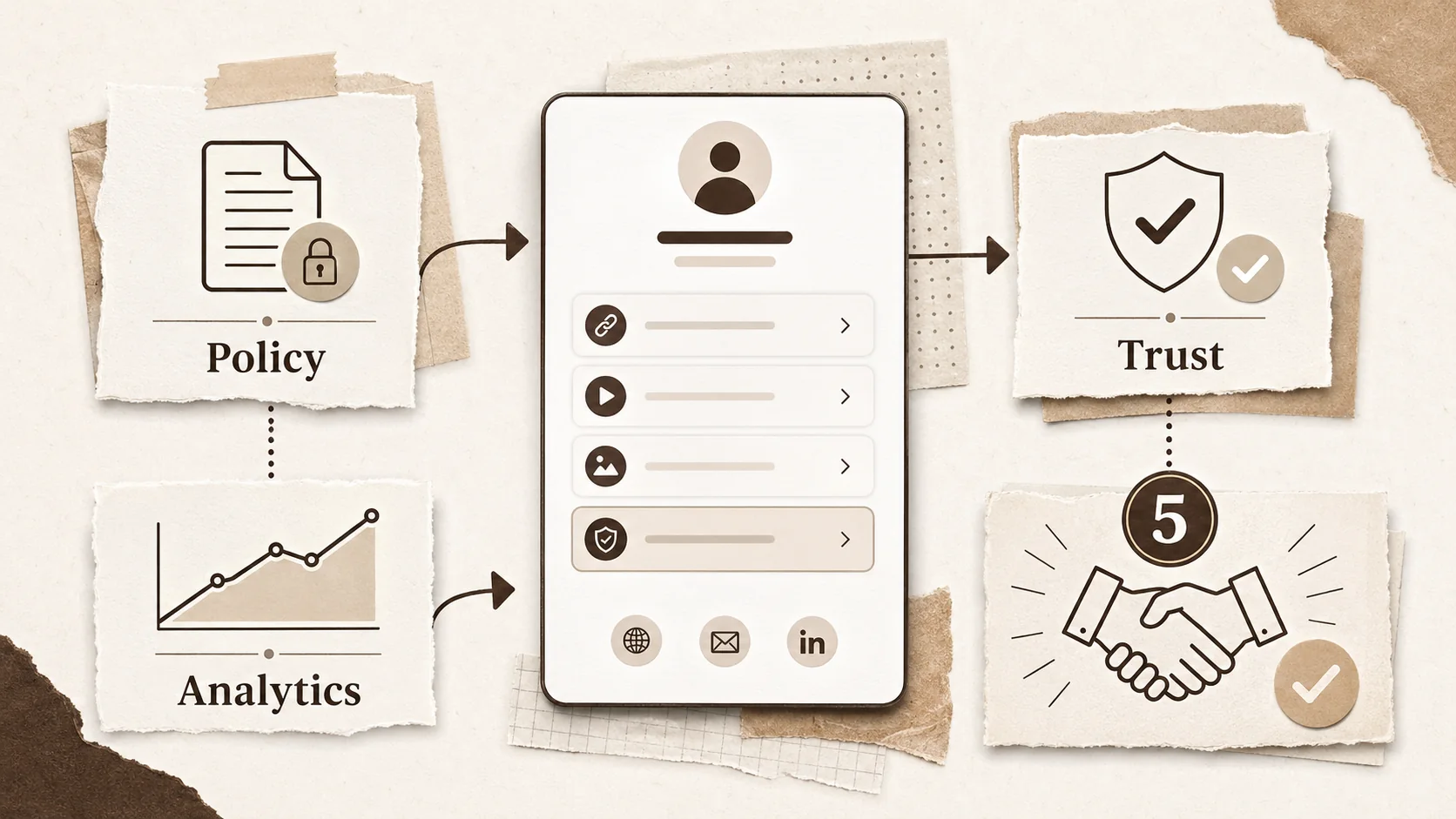
Moving beyond basic compliance, you can leverage privacy as a strategic asset. A secure, transparent bio link page does more than avoid fines—it attracts better clients, builds community trust, and differentiates you in a market saturated with risky, ad-funded profiles. These strategies turn a legal requirement into a core component of your professional brand.
Lead with transparency in your page design
Incorporate privacy transparency directly into your page's design. Add a simple, visible link to your privacy policy in the footer or header, labeled clearly. You can even include a short, friendly statement like "I respect your privacy. Data is handled securely and never sold." This immediate visual cue builds trust before a visitor even clicks a link. In my experience reviewing portfolios, pages that openly address privacy come across as more professional and established. This approach aligns with data from Edelman's Trust Barometer, which consistently shows that transparency is one of the top drivers of trust in all institutions, including individual professionals.
Choose tools that prioritize privacy by design
Select tools and integrations that are built with privacy as a core feature, not a bolt-on. For email newsletters, use providers like MailerLite or ConvertKit that offer strong compliance features and DPAs. For analytics, consider privacy-focused options like Plausible or Fathom Analytics, which are designed to avoid collecting personal data altogether. When evaluating a linktree alternative dsgvo, prioritize those that state their compliance upfront, offer data localization options, and have a clear business model (like a subscription) that doesn't rely on selling user data. This curated toolset becomes a selling point you can mention to clients concerned about data security.
Use your compliance as a subtle selling point
Weave your commitment to privacy into your professional narrative. On your "About" section or when pitching clients, you can mention that you use secure, compliant tools to protect collaborative data. This is especially powerful when working with clients in healthcare, finance, or with EU citizens. It positions you as detail-oriented and trustworthy. You're not just offering a service; you're offering a secure partnership. This strategy turns the dry topic of GDPR for freelancers into a competitive edge, addressing a real pain point for businesses that are themselves under compliance pressure.
Educate your audience about their data rights
Go a step further by briefly educating your visitors. In your privacy policy or a dedicated blog post linked from your bio page, explain in simple terms what rights they have (like access or deletion) and how to exercise them with you. This flips the script from legal defensiveness to proactive empowerment. It demonstrates that you see your audience as a community, not a data source. This builds remarkable loyalty and can reduce administrative friction, as informed users make clearer requests. Sharing this kind of valuable guidance also strengthens your position as an expert, a key goal for anyone focused on personal branding.
If your digital footprint extends beyond just your bio link -- scattered profiles, old repos, forgotten accounts -- those artifacts carry privacy implications too. Our guide on digital exhaust and recruiter perception covers how to audit and consolidate that broader trail. For a concrete look at how your overall online presence affects hiring outcomes, see 54% of Recruiters Rejected You Before Reading Your Resume.
Key Takeaways for Creator Privacy in 2026
- You are legally responsible for the data collected on your bio link page, even if you use a third-party tool. Acting as a "data controller" under GDPR and CCPA is the new normal for online professionals.
- Included tools often monetize data in ways that create compliance conflicts. Choosing a paid, privacy-focused linktree alternative dsgvo is usually more cost-effective than risking fines or lost trust.
- Transparency builds trust and clients. A clear privacy policy and respectful data practices are no longer just legal checkboxes; they are components of a strong professional brand.
- Compliance is a process, not a one-time fix. Regular audits of your data flows and provider agreements are essential to maintain a secure online hub as regulations and tools evolve.
Conclusion: Build a Professional Presence That Protects You and Your Audience
Your bio link page should open doors, not create legal headaches. In 2026, privacy compliance is a non-negotiable part of a professional online presence. It’s about respect, trust, and smart business. By choosing tools designed for compliance and taking proactive steps, you transform your bio link from a potential liability into a cornerstone of your trustworthy brand. A secure page protects your visitors and strengthens your reputation, making you a more attractive partner for clients who value security. This is the foundation of sustainable growth in the modern creator economy.
Ready to build a beautiful, secure, and compliant professional hub that truly stands out?
Frequently Asked Questions (FAQ)
Do I need to comply with GDPR if I'm not in Europe?
Yes, if you intentionally offer services to or monitor the behavior of individuals in the European Union. The GDPR has an extraterritorial scope. If your bio link page is public and you have analytics tracking visitor location, and you see traffic from the EU, the law likely applies to you. The determining factor is not your location, but the location of the people whose data you're processing. Many regulatory actions have been taken against companies based outside the EU.
What is the single biggest privacy mistake creators make?
The single biggest mistake is using a included bio link or analytics tool without reading its data practices. These platforms often act as independent data controllers for the information they collect, meaning they can use it for their own purposes (like advertising) without your explicit consent. This creates a conflict where you, as the page owner, are responsible to your visitors, but you have no control over what your tool does with their data. This violates the principle of accountability under GDPR.
Is Linktree itself GDPR and CCPA compliant?
Linktree provides information about its compliance efforts, but using it does not automatically make your specific page compliant. As the page owner, you must still fulfill your obligations as a data controller. This includes providing your own privacy notice, managing cookie consent for any tracking, and having a lawful basis for processing. Their business model, which includes advertising on included plan pages, involves data sharing that you must disclose. This complexity is why many seek a dedicated linktree alternative dsgvo with a clearer controller-processor relationship.
How can Popout help with bio link privacy compliance?
Popout is built with creator privacy as a priority. We act as a data processor, providing signed Data Processing Agreements (DPAs) to all users, which is essential for GDPR compliance. We minimize data collection by design, offer transparent data practices, and give you full control over your content and integrations. Our business model is based on subscriptions, not on selling user data. This makes Popout a secure linktree alternative dsgvo that helps you build a professional, trustworthy hub without the hidden privacy liabilities of ad-supported platforms. You can explore more about how Popout compares to other alternatives and learn about tools for the creator economy.
Other Doved Studio projects
Related tools from the same studio you might find useful:
- Ralphable: Generate structured Claude Code skills that iterate until pass/fail criteria are met.
- Glean: Turn scrolling time into a daily action plan. Capture, process, execute.
- Doved Studio: Studio indie derrière cette app et une dizaine d'autres outils.
Written by
popout
Content Team