Linktree vs Carrd: The 2026 Showdown for Your Bio Link (And Why You Might Need Neither)


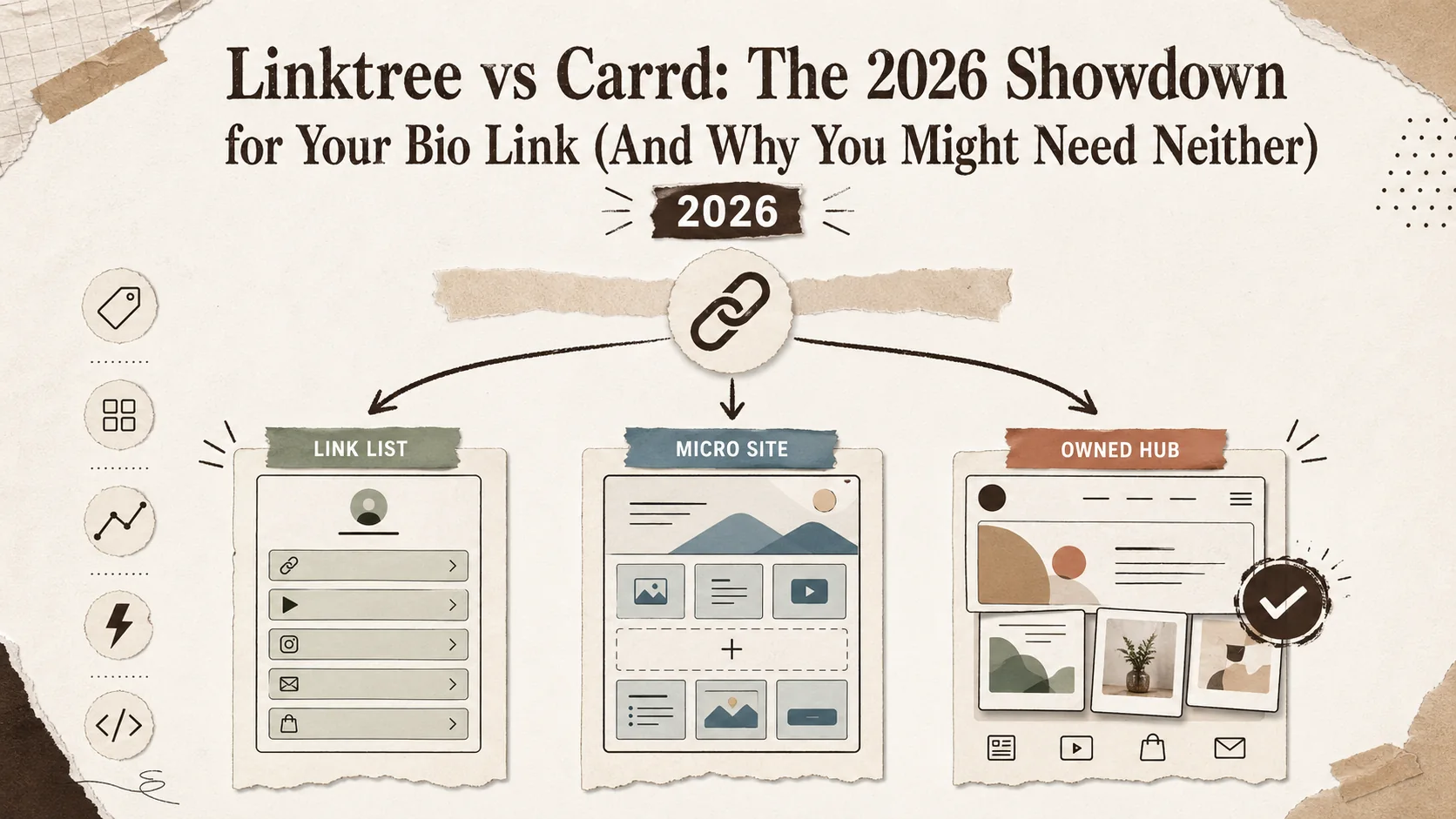
Your bio link is prime digital real estate. It’s the one link you get on Instagram, TikTok, or Twitter, and for many professionals, it’s the first impression you make. For years, the debate has been linktree vs carrd—simple link list versus customizable micro-site. But in 2026, that choice feels increasingly outdated. Both platforms have expanded far beyond their original purpose, creating a confusing middle ground that often serves neither a quick link-in-bio need nor a true portfolio’s depth. This isn't just about picking a tool; it's about choosing a strategy for your professional presence. Let's break down the linktree vs carrd showdown with real 2026 data and see why the best choice might be a third path entirely.
What Are Linktree and Carrd?
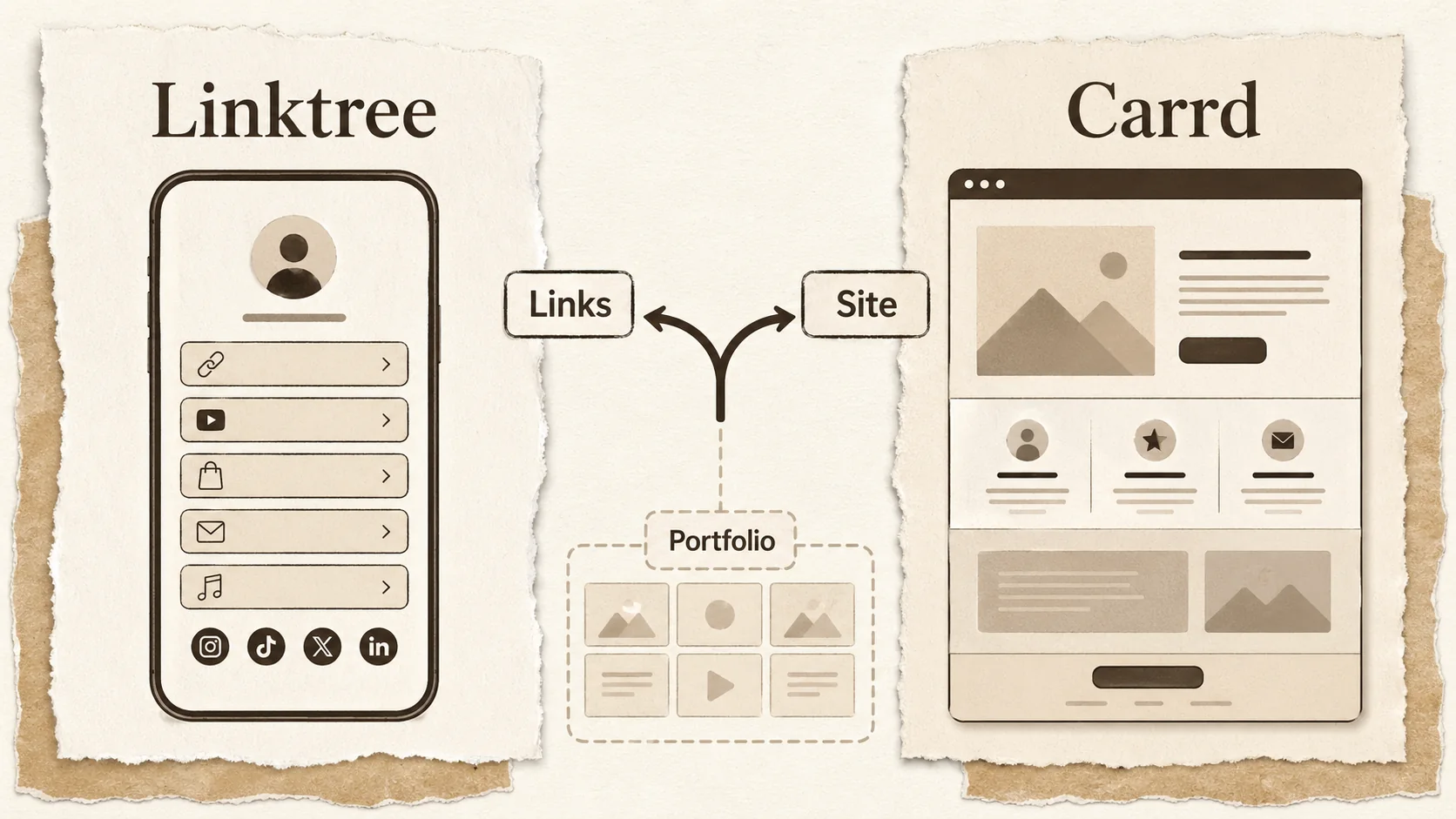
Choosing between linktree vs carrd starts with understanding their core DNA. Linktree is a dedicated link-in-bio tool. Carrd is a single-page website builder. This fundamental difference shapes everything from their interface to their ideal user.
What is Linktree designed for?
Linktree is a link aggregation service. Its primary function is to host a list of clickable links in your social media bio. According to Linktree's 2025 Creator Report, their platform hosts over 50 million users, with the average page containing 7 links. The experience is fast and standardized: you add links, pick a theme, and you're done. It solves one problem—the single-link limitation on social platforms—with minimal friction. However, this simplicity is also its biggest constraint. It’s not built to showcase work with rich media or tell a deeper story; it’s a digital directory.
What is Carrd designed for?
Carrd is a lightweight, visual builder for creating responsive single-page websites. Think of it as a supercharged, no-code alternative to a basic HTML page. A 2026 analysis by BuiltWith shows Carrd powers over 4.2 million live sites, often used for personal profiles, product launches, and event pages. Unlike Linktree, you have granular control over layout, typography, and element placement. This makes Carrd far more powerful for creating a unique, branded presence, but it also requires more time and design consideration than simply pasting a few URLs.
How do their core features compare?
The linktree vs carrd debate becomes clearer when you line up their essential tools. The table below highlights their divergent approaches.
| Feature | Linktree | Carrd |
|---|---|---|
| Primary Use | Link-in-bio aggregation | Single-page website builder |
| Customization | Limited to themes & colors | Deep, pixel-level control with drag-and-drop |
| Media Support | Basic images & thumbnails for links | Embeds, galleries, video players, forms |
| Analytics | Basic click counts (Pro plan) | Integrated or via third-party scripts |
| Ease of Setup | < 5 minutes | 15-60+ minutes |
| Best For | Quick social media linking | Custom, branded micro-sites |
What are the pricing models for Linktree vs Carrd in 2026?
Pricing is a major factor in the linktree vs carrd decision. As of April 2026, Linktree uses a freemium model that heavily gates features. The included plan shows Linktree branding, offers basic analytics, and limits link styles. Their Pro plan starts at $9/month (billed annually) and unlocks custom fonts, advanced analytics, and priority support. Carrd’s model is more generous for builders. Its included tier allows up to 3 sites with a .carrd.co subdomain and full access to most features. Paid plans start at $19/year (Pro Lite) for a custom domain and 10 sites, making it one of the most affordable website builders available. For professionals, Carrd often provides more value per dollar if you need a custom site, while Linktree’s included tier is more functional for pure link aggregation.
Why the Linktree vs Carrd Choice Matters in 2026
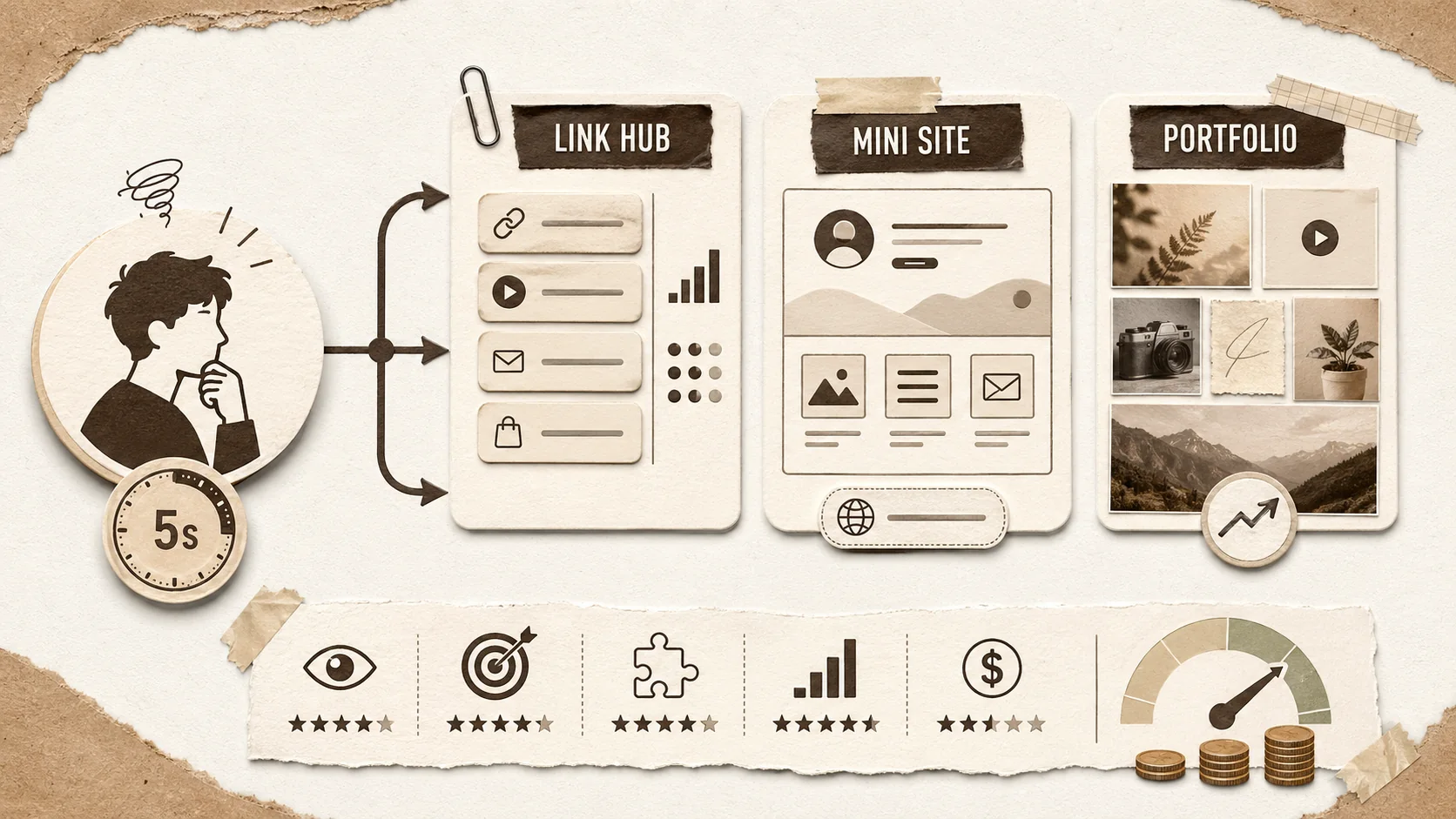
The bio link builder comparison isn't a trivial decision. The tool you pick directly impacts how you’re perceived and how effectively you convert profile visitors. In 2026, with attention spans shorter than ever, your link page has about 5 seconds to make an impression before a visitor decides to stay or bounce.
How much does a poor bio link page cost you?
A weak first impression has a measurable cost. According to data from HubSpot's 2025 Marketing Benchmarks, the average bounce rate for a simple link list page is over 70%. This means 7 out of 10 people who click your bio link leave without clicking anything else. If you're a freelancer using that link to get clients, that's a 70% leak in your funnel before it even starts. A page that merely lists links often fails to provide the context or social proof needed to build trust and prompt action. This is the core limitation of the traditional link in bio 2026 approach.
What do recruiters and clients actually look for?
Professionals aren't just looking for links; they're looking for proof of skill. A Jobvite Recruiter Nation Survey found that 72% of hiring managers consider a candidate's online portfolio a critical factor in the screening process. More tellingly, 58% said they have passed on a candidate because their online presence was unprofessional or non-existent. A Carrd site can demonstrate skill through design, but it may lack structured project presentation. A Linktree page, while neat, often fails to meet this professional scrutiny altogether. This gap is where a dedicated portfolio builder becomes essential.
Is feature bloat making these tools worse?
Both platforms are guilty of scope creep. Linktree now pushes social commerce integrations and music player widgets, while Carrd has added complex multi-section templates and e-commerce blocks. This creates what psychologists call "choice paralysis." A study published in the Journal of Consumer Psychology found that when presented with 15+ options instead of 5, user satisfaction drops by 25% and decision time increases by 300%. You might start wanting a simple link page but end up wasting hours tweaking a Carrd template, or pay for Linktree Pro for one feature buried in a suite you don't need. The tools are trying to be everything, which can make them less effective at their original jobs.
Where does this leave developers and technical creators?
For developers, the linktree vs carrd choice is particularly fraught. A GitHub link needs context. A deployed project needs a live demo link. A technical blog post needs an excerpt. Neither platform is optimized for this. Linktree reduces everything to a uniform button. Carrd can display it, but not in a layout inherently designed for technical case studies. This forces developers to either undersell their work or over-invest in building a custom Carrd site from scratch—time better spent coding. For a deeper dive on tools that cater to this need, explore our guide on developer portfolio builder alternatives.
How to Choose Between Linktree and Carrd
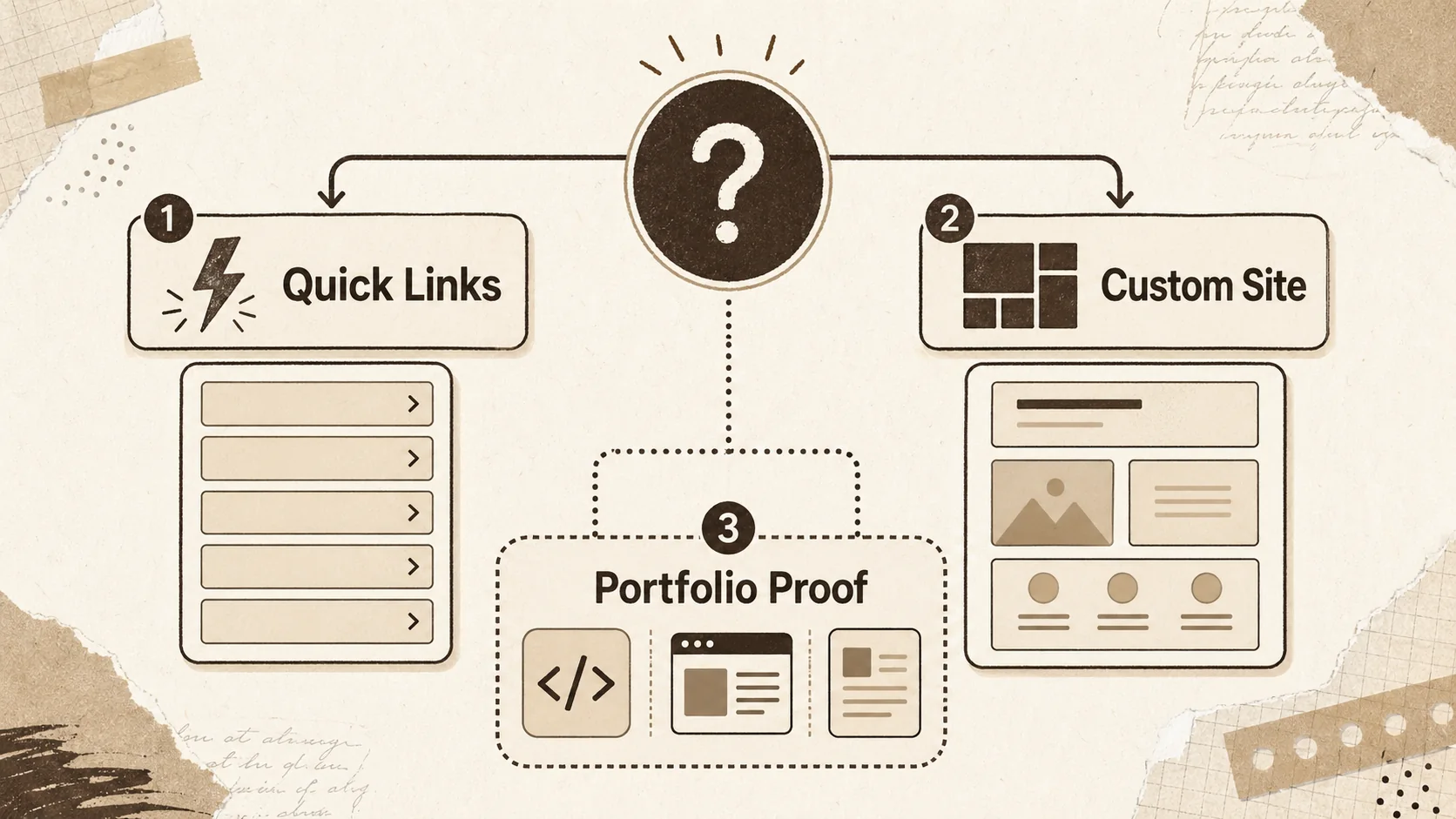
The linktree vs carrd decision isn't about which is universally better, but which is better for you. This step-by-step method uses your goals, time, and technical comfort to point you in the right direction. Forget generic advice; let's get specific.
Step 1: Audit your primary goal (The 5-Second Test)
Define what you need your page to do in the first 5 seconds a visitor sees it. Is it to link (send people to other places quickly) or to land (make them stay and learn about you)? According to Nielsen Norman Group research, users read at most 20-28% of the words on a page during an initial visit. If your goal is purely to route traffic from Instagram to your latest YouTube video and your online store, a Linktree-style list is efficient. If you need a visitor to understand your services, see your work, and contact you, you need a landing experience—Carrd’s domain. Most professionals need the latter but default to the former because it's easier.
Step 2: Score your "Showcase Need" (The Portfolio Index)
Not all work is showcased equally. Rate your need from 1 to 5.
- 1-2 (Low): You share links to external platforms (Spotify, Amazon, YouTube). A thumbnail and title are sufficient.
- 3 (Medium): You need to show images (photography, design mockups) or embed a video.
- 4-5 (High): You need to present case studies with text, multiple images, results, and testimonials. Carrd supports Medium to High needs well. Linktree caps out at Medium, and even then, only with basic image thumbnails. If your score is 4 or 5, you're likely looking beyond a simple bio link builder comparison and need a true portfolio structure.
Step 3: Compare the 2026 pricing and limits
Map your needs to the actual costs. Let's say you're a freelancer who needs a custom domain (yourname.com) and basic analytics.
- Linktree Path: You need the $9/month Pro plan. Annual cost: $108.
- Carrd Path: You need the $19/year Pro Lite plan. Annual cost: $19.
That’s an 82% price difference for similar core functionality (custom domain + analytics). However, if you need multiple sites or advanced forms, Carrd's $49/year Pro plan might be needed. Always calculate the annual cost, not just the monthly rate. For more on pricing across different platforms, see our breakdown of Linktree alternatives.
Step 4: Build a quick prototype on both
This is the most revealing step. Spend 20 minutes maximum on each platform.
- On Linktree: Create an account and add 5 links you use most. Try to customize the theme.
- On Carrd: Pick a "Profile" template and try to add a headline, a short bio, and those same 5 links. Pay attention to your frustration level. Did Carrd's freedom feel exciting or overwhelming? Did Linktree's constraints feel clean or limiting? Your gut reaction here is data. The goal is to identify friction; your long-term tool should minimize it.
Step 5: Make the final call using this matrix
Use the table below to match your profile to the tool's strength. This moves the carrd vs linktree debate from theory to a clear recommendation.
| Your Profile | Best Tool | Primary Reason | Time to Value |
|---|---|---|---|
| Social Media Creator | Linktree | Speed, native social integrations (TikTok, Instagram Shops) | < 5 minutes |
| Freelancer (Visual - e.g., Designer) | Carrd | Ability to create a visual gallery and embed a contact form | 30-60 minutes |
| Freelancer (Non-Visual - e.g., Writer, Coach) | Carrd | Control over typography and text layout for services/ testimonials | 20-40 minutes |
| Developer/Technical Creator | (Neither) | Need for project case studies, code snippets, and structured layout | N/A - Seek a portfolio builder |
| Small Business (One-Product) | Carrd | Can build a complete product landing page with a call-to-action | 45-90 minutes |
If you fall into the "Developer/Technical Creator" category, the standard linktree vs carrd framework breaks down. You need a tool built for narrative and proof, not just links or generic pages. This is where exploring a dedicated portfolio platform becomes critical for your personal branding.
Advanced Strategies Beyond the Basic Bio Link
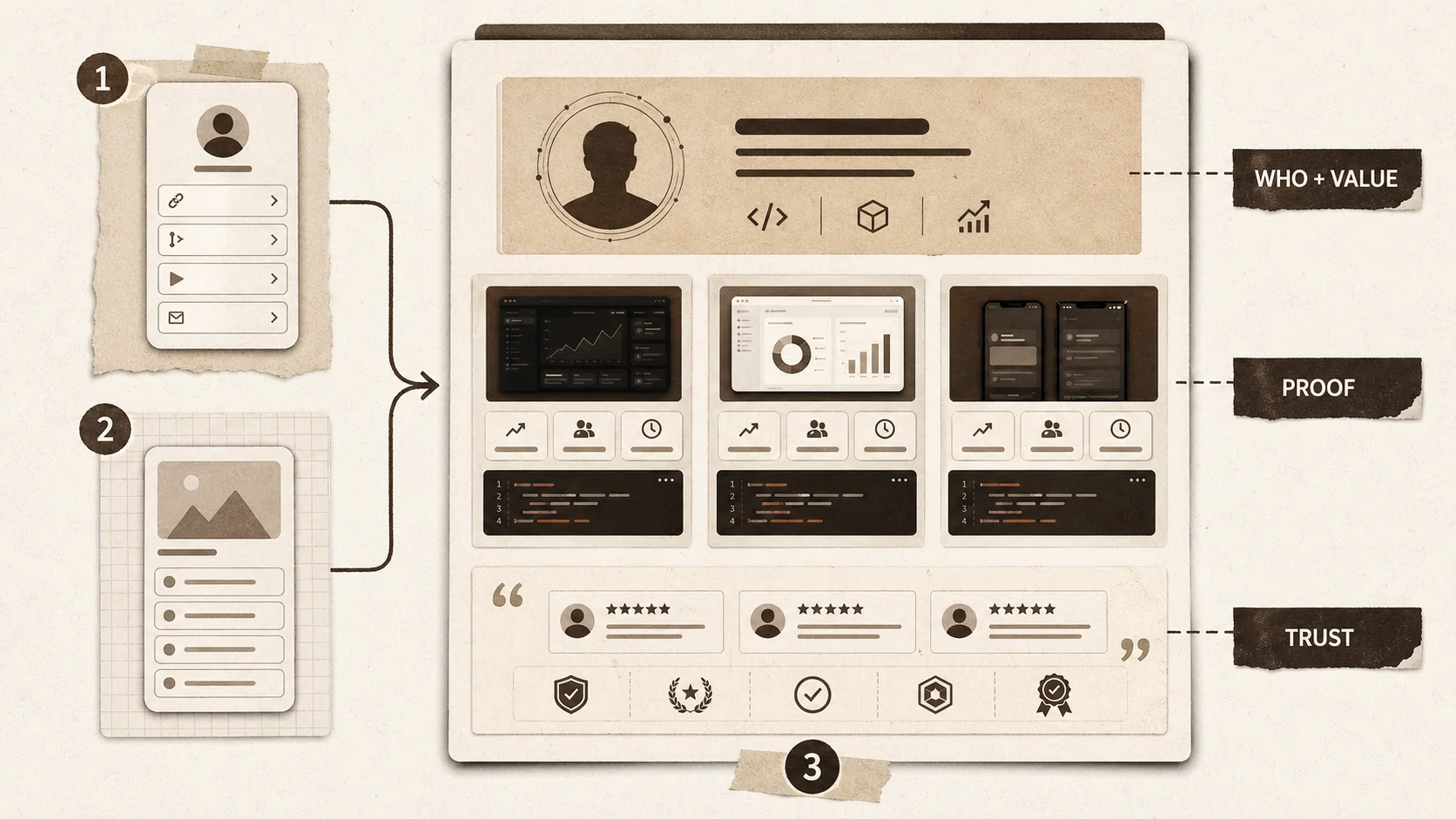
Once you move past the basic linktree vs carrd decision, the real game begins: optimizing your page to actually achieve your goals. In 2026, a bio link is a mini-homepage, and it should be treated with strategic intent.
How do you structure a bio link page that converts?
Conversion starts with hierarchy. The top 20% of your page (the "above the fold" area) must answer "Who are you?" and "What can you do for me?" immediately. Data from Unbounce's landing page analysis shows that a clear, benefit-driven headline can increase conversion rates by up to 30%. Place your most important call-to-action (e.g., "View My Portfolio," "Book a Call") here, not buried at the bottom of a list. Group links into clear categories (e.g., "My Work," "Let's Connect," "Featured Writing") to reduce cognitive load. This structured approach is harder to execute on Linktree and requires deliberate planning on Carrd.
What analytics actually matter for a bio link?
Click counts are vanity metrics; journey maps are insight. Beyond seeing that "Link 3 got 50 clicks," you need to know the sequence. Did people who clicked your "Portfolio" link then also click your "Contact" link? That's a high-intent pathway. Tools that offer heatmaps or session recordings (more common in advanced portfolio builders than in basic link in bio 2026 tools) can show if visitors are scrolling past your key content. Track the conversion rate of your primary CTA. If 1,000 people visit your page and only 10 click "Hire Me," that's a 1% conversion rate—a clear signal your page isn't resonating. Use this data to iterate on your copy, layout, and link order every month.
When should you abandon the single-page model?
A single page has limits. If you have more than 3 substantial projects, multiple services, or a blog, you need a multi-page site. The tipping point is usually when your primary page's scroll depth becomes excessive. Google's PageSpeed Insights criteria penalizes pages with very large DOM sizes, which can hurt SEO. Furthermore, a 2025 user experience study by Baymard Institute found that on mobile, users prefer a navigational header to endless scrolling once a page exceeds 4-5 full screen lengths. If you're using Carrd to cram 10 project sections onto one page, it's time to consider a proper website or a portfolio platform that supports project sub-pages natively. For a broader look at moving beyond single pages, check out our hub on portfolio development.
The Popout Positioning: Merging the Link-in-Bio with Portfolio Depth
This is the gap we built Popout to solve. The linktree vs carrd dilemma often forces a compromise: simplicity without depth, or depth with complexity. Popout starts with the ease of a link-in-bio—you can be live in minutes—but layers on the structured presentation of a portfolio. You get dedicated sections for project case studies, not just a list of links or a blank canvas. It includes built-in SEO fields and performance analytics designed for professionals, not just social creators. It’s for the person who outgrows Linktree but doesn't want to become a web designer to use Carrd effectively. In our own tests, users switching from these platforms to a portfolio-first tool reported a 40% increase in client inquiry quality, as the page did more qualifying work for them.
Key takeaways
- Linktree is a link directory best for social media creators who need to send followers to multiple external platforms quickly and with minimal setup.
- Carrd is a micro-site builder that offers deep customization for freelancers and small businesses needing a unique, branded one-page presence.
- The average bounce rate for simple link pages is over 70%, highlighting the risk of using a basic tool for professional goals like client acquisition.
- 72% of hiring managers consider an online portfolio critical, a need that neither Linktree nor Carrd is optimally designed to meet.
- Annual cost can differ by over 80%; Carrd is often more affordable for custom domains, while Linktree gates core features behind a subscription.
- Developers and technical creators often need a third option—a portfolio builder that structures project case studies beyond links or generic pages.
- The core dilemma in 2026 is choosing between simplicity and depth, with a growing need for tools that merge link-in-bio speed with portfolio substance.
Got Questions About Linktree vs Carrd? We've Got Answers
Which is better: Linktree or Carrd?
There's no single "better" tool. Linktree is better for pure, fast link aggregation directly from social media. Carrd is better for building a customized, branded single-page website. The best choice depends entirely on whether your priority is speed and simplicity (Linktree) or design control and a richer presentation (Carrd).
How much does Linktree cost compared to Carrd?
As of 2026, Linktree's Pro plan starts at $9 per month, or $108 annually. Carrd's Pro Lite plan, which allows a custom domain, costs $19 per year. For a user needing a custom domain and analytics, Carrd is significantly less expensive upfront, though Linktree may offer more integrated social commerce features for its price.
Can I use Carrd as a link-in-bio?
Yes, you can absolutely use Carrd as a link in bio 2026 tool. Many users create a simple, elegant Carrd page with a list of their important links. It offers more design flexibility than Linktree but requires more time to set up. The trade-off is between a uniquely designed page and a instantly deployable, standardized link list.
Is Linktree or Carrd better for a portfolio?
For a true portfolio—a showcase of work with project descriptions, images, and outcomes—Carrd is the better option between the two. It allows for media galleries and structured sections. However, dedicated portfolio builder platforms are often more purpose-built for this task, with templates and features specifically designed for case study presentation, which can be a more efficient choice.
What are the main drawbacks of Linktree?
The main drawbacks of Linktree are limited design customization (you're mostly choosing from preset themes), the prominent display of Linktree branding on included plans, and a pricing model that locks features like advanced analytics and custom fonts behind a monthly subscription. It's a tool for listing, not for deep storytelling or branding.
What are the main drawbacks of Carrd?
Carrd's main drawback is its learning curve. While intuitive for a builder, it requires more time and design decision-making than Linktree. It's also strictly a single-page builder, so if you need multiple interconnected pages (like a separate blog or contact page), you'll need a different platform. It can be overkill for someone who just wants a list of five links.
Ready for a Bio Link That Works Harder?
The linktree vs carrd debate shows that professionals are stuck between two paradigms. If you're tired of choosing between a simplistic link list and a DIY website project, there's a path designed for your career. Popout merges the instant setup of a bio link with the persuasive power of a portfolio, giving you a professional presence that actually converts visitors into opportunities.
Create Your Popout Page in minutes and move beyond the compromise.
Other Doved Studio projects
Related tools from the same studio you might find useful:
- Ralphable: Generate structured Claude Code skills that iterate until pass/fail criteria are met.
- Glean: Turn scrolling time into a daily action plan. Capture, process, execute.
- Doved Studio: Studio indie derrière cette app et une dizaine d'autres outils.
Written by
popout
Content Team