Squarespace has been the default portfolio builder for a decade. But "default" doesn't mean "best." In 2026, creators are leaving Squarespace in growing numbers — frustrated by rising prices, SEO limitations buried under layers of abstraction, and templates that increasingly look the same across every freelancer's site.
According to LinkedIn's 2025 Global Talent Trends report, 79% of recruiters review a candidate's online presence before reaching out. The Jobvite 2024 Recruiter Nation Survey found that 67% of hiring managers say a strong professional portfolio directly influences their shortlisting decision. Your portfolio builder determines whether you show up in search, whether your work loads fast enough to hold attention, and whether the design communicates competence or template fatigue.
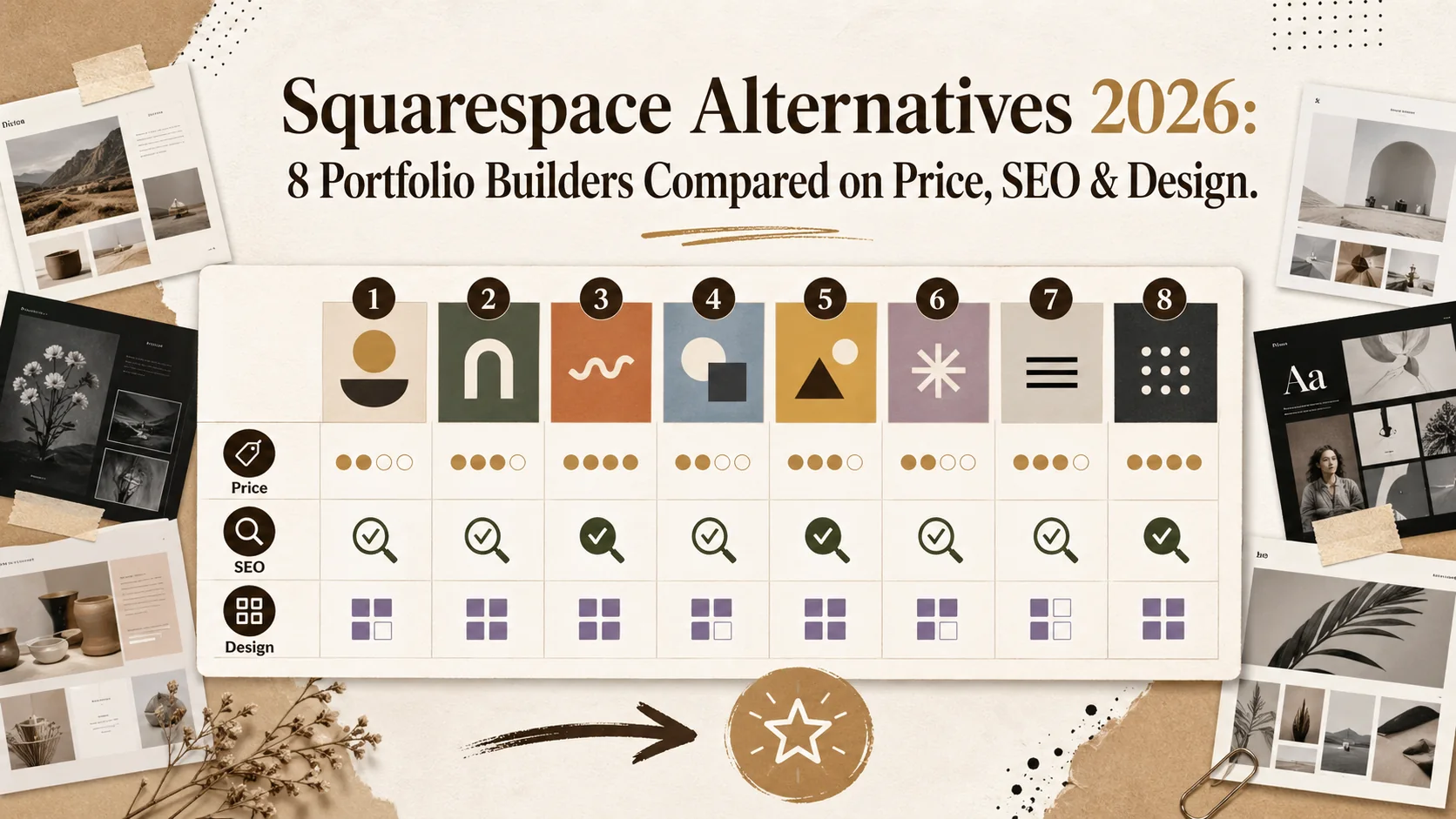
This guide compares eight portfolio builders head-to-head: Squarespace, Popout, Carrd, Wix, WordPress, Webflow, Format, and Adobe Portfolio. We break down real 2026 pricing, SEO capability, template quality, analytics, and custom domain support so you can pick the right tool for your career — not just the most familiar one.
What this guide covers:
- Full comparison table with 2026 pricing for all eight platforms
- SEO feature analysis: what each builder actually lets you control
- Template and design flexibility breakdown
- Who each tool is actually built for
- 5 frequently asked questions about switching from Squarespace
Table of Contents
- Why People Leave Squarespace
- The Full Comparison Table
- 1. Squarespace — The Incumbent
- 2. Popout — Fast Portfolio & Bio Link Builder
- 3. Carrd — Minimal One-Page Sites
- 4. Wix — Feature-Heavy All-In-One
- 5. WordPress — Maximum Control, Maximum Effort
- 6. Webflow — Designer-Grade Visual Builder
- 7. Format — Built for Photographers
- 8. Adobe Portfolio — Bundled with Creative Cloud
- How to Pick the Right Builder for Your Career
- FAQ
Why People Leave Squarespace {#why-people-leave-squarespace}
Price Creep and Feature Lock-In
Squarespace's Business plan now costs $33/month billed annually — up from $27 in 2023. The Personal plan at $16/month strips out critical features like custom CSS injection, advanced analytics, and promotional pop-ups. For a freelancer or job seeker who just needs a clean portfolio that ranks in search, paying $192–$396 per year for a website builder feels steep when alternatives exist at $0–$96/year.
The deeper problem is lock-in. Squarespace uses a proprietary content management system. You can't export your site to another platform without rebuilding it. Your content lives inside Squarespace's structure, and migrating away means starting over. That friction keeps people paying even when the tool no longer fits their needs.
SEO Ceilings That Limit Discovery
Squarespace handles basic SEO — title tags, meta descriptions, auto-generated sitemaps. But it caps out quickly. You can't edit robots.txt directly. Structured data support is limited to basic types without manual JSON-LD injection (unless you're on Business or higher). Page speed scores suffer from Squarespace's heavy JavaScript framework, with Core Web Vitals regularly flagging Largest Contentful Paint times above 3 seconds on template-heavy pages.
For creators relying on organic search to find clients, these limitations matter. A portfolio that doesn't show up in Google is a portfolio that doesn't work. If you're investing time in personal branding, your builder needs to support that investment at the technical level.
Template Sameness
Squarespace launched 7.1 with a universal template system — every site starts from the same base. In theory, this means more flexibility. In practice, it means most Squarespace portfolios look eerily similar. Recruiters and clients who review dozens of portfolios weekly develop template blindness. When your site looks like every other Squarespace site, you've already lost the differentiation battle before anyone sees your work.
The Full Comparison Table {#the-full-comparison-table}
| Platform | Included Tier | Paid Starting Price | Custom Domain | SEO Control | Templates | Built-In Analytics |
|---|---|---|---|---|---|---|
| Squarespace | No (14-day trial) | $16/mo (Personal) | Yes | Moderate (no robots.txt edit, limited JSON-LD) | 100+ (universal system) | Yes (basic on Personal, advanced on Business+) |
| Popout | Yes | $0 (included tier available) | Yes | Strong (meta tags, OG, structured data) | Themed layouts, fully customizable | Yes |
| Carrd | Yes (3 sites) | $9/yr (Pro Lite) | Yes (Pro only) | Basic (title, meta) | 80+ one-page templates | Limited (Pro only) |
| Wix | Yes (Wix ads) | $17/mo (Light) | Yes (paid only) | Strong (Wix SEO Wiz, JSON-LD, robots.txt) | 900+ | Yes (Wix Analytics) |
| WordPress | Yes (wordpress.com) | $4/mo (Personal) or self-hosted ~$5–10/mo | Yes | Full (plugins: Yoast, Rank Math) | 10,000+ (themes) | Via plugins (Google Analytics, Jetpack) |
| Webflow | Yes (webflow.io subdomain) | $14/mo (Basic) | Yes (paid only) | Strong (full HTML control, auto sitemap) | 2,000+ (many premium) | Basic (paid integrations for advanced) |
| Format | No (14-day trial) | $9/mo (Basic) | Yes | Moderate (SEO fields, limited structured data) | 70+ photography-focused | Yes (built-in) |
| Adobe Portfolio | No (requires CC subscription) | $0 with Creative Cloud ($59.99/mo for All Apps) | Yes | Basic (title, description, limited) | 12 themes | Minimal (Behance integration) |
1. Squarespace — The Incumbent {#squarespace-the-incumbent}
What It Does Well
Squarespace remains a polished, reliable builder. The drag-and-drop editor in version 7.1 is genuinely intuitive. E-commerce integration is solid if you sell products alongside your portfolio. The Fluid Engine layout system gives more creative control than the old grid, and Squarespace's uptime record is excellent. For someone who wants a single platform to handle portfolio, blog, and online store, Squarespace delivers breadth.
Squarespace also offers built-in email campaigns, appointment scheduling (Acuity), and member areas. If you're a photographer who also sells prints and books sessions, the all-in-one approach reduces tool sprawl. Design quality out of the box is high — the typography and spacing defaults are better than most competitors.
Where It Falls Short
The $16–$33/month pricing range makes it one of the most expensive options on this list for pure portfolio use. Page speed is a consistent weakness: heavy client-side JavaScript, render-blocking resources, and image processing that doesn't always produce optimal sizes. Google's PageSpeed Insights frequently scores Squarespace sites in the 40–60 range on mobile.
SEO control plateaus at intermediate level. No direct robots.txt editing, limited schema markup options, and a URL structure that can create issues with portfolio item slugs. For a deeper dive into builder SEO limitations, see our breakdown of why your Wix site might be failing your career — many of the same structural issues apply to Squarespace.
Who Should Use It
Established freelancers or small businesses who need e-commerce + portfolio + blog in one platform and can justify $200–$400/year. Not ideal for job seekers, students, or anyone on a tight budget.
2. Popout — Fast Portfolio & Bio Link Builder {#popout-fast-portfolio-and-bio-link-builder}
What It Does Well
Popout approaches the portfolio problem differently. Instead of building a full website, you create a focused professional page that highlights your work, links, and bio in a format optimized for how people actually consume portfolios in 2026: fast scans on mobile, shared via social bios, and indexed for search.
Setup takes minutes, not hours. You get SEO-optimized meta tags, Open Graph data for social sharing, structured data for search engines, and built-in analytics tracking who views your page. Custom domain support means your Popout page lives at your own URL. The design system prioritizes readability and visual impact over template complexity — your work takes center stage.
Where It Fits
Popout fills the gap between a full website builder and a basic bio link page. If you've been using Linktree or Carrd but need something that actually showcases your portfolio — not just lists your links — Popout is the upgrade. It's built for the use case where your portfolio is your hub: one page that connects everything, loads instantly, and shows up in search.
For developers, designers, writers, and freelancers who don't need a full CMS, the focused approach eliminates the overhead of managing a traditional website. You spend time on your work, not your website.
Pricing
Included tier available with full features. Custom domains supported. No forced ads or branding watermarks on paid tiers.
3. Carrd — Minimal One-Page Sites {#carrd-minimal-one-page-sites}
What It Does Well
Carrd is the fastest way to get a single-page site online. The included tier gives you three sites with a carrd.co subdomain. Pro Lite at $9/year (not per month — per year) unlocks custom domains, forms, and widgets. Pro Standard at $19/year adds Google Analytics and custom code embeds. Pro Plus at $49/year gives you 25 sites and priority support.
The template library is clean and modern. Carrd excels at landing pages, "coming soon" pages, and simple portfolios that don't need multi-page navigation. For the price, it's hard to beat as a starter portfolio.
Where It Falls Short
SEO capability is minimal. You get title and meta description fields — that's it. No structured data, no sitemap control, no blog functionality. Analytics on the included tier are nonexistent, and even Pro only gives you basic pageview counts unless you embed Google Analytics manually.
Carrd is a one-page builder, and that constraint is absolute. If your portfolio needs case study pages, a blog, or any multi-page structure, Carrd can't do it. It's a stepping stone, not a destination. For professionals ready to move beyond a single page, tools like Popout offer the same simplicity with actual portfolio depth.
Who Should Use It
Students, early-career professionals, and anyone who needs a web presence for under $20/year and doesn't need SEO or analytics sophistication.
4. Wix — Feature-Heavy All-In-One {#wix-feature-heavy-all-in-one}
What It Does Well
Wix has invested heavily in SEO over the past three years. Wix SEO Wiz walks you through optimization step by step. You get full robots.txt editing, JSON-LD structured data, canonical URLs, and a site-level SEO dashboard. The template library is enormous at 900+ options, and the ADI (Artificial Design Intelligence) can generate a starter site from your answers to a few questions.
Wix also offers Velo, a full development platform for custom functionality. App market integrations cover CRM, email marketing, bookings, and e-commerce. For someone who wants everything in one place with strong SEO tools, Wix delivers more than Squarespace at a comparable price point.
Where It Falls Short
Wix sites carry performance baggage. The editor adds significant JavaScript overhead, and page speed scores tend to land between 30 and 55 on mobile in Google's PageSpeed Insights. The included tier shows Wix ads, and the cheapest without ads plan (Light) at $17/month still doesn't include analytics or a custom favicon.
The bigger issue is design coherence. With 900+ templates and a fully flexible drag-and-drop editor, it's easy to build a site that looks cluttered or unprofessional. Freedom without guardrails produces inconsistent results. We've covered this in detail in our analysis of why Wix sites often underperform for career goals.
Who Should Use It
Small business owners who need marketing tools, e-commerce, and SEO control in one platform and are comfortable with a learning curve to keep the design polished.
5. WordPress — Maximum Control, Maximum Effort {#wordpress-maximum-control-maximum-effort}
What It Does Well
WordPress powers 43% of all websites for a reason. Self-hosted WordPress (wordpress.org) gives you complete control over every aspect of your site: server configuration, theme code, plugin ecosystem, SEO via Yoast or Rank Math, and database-level access. If you can imagine a feature, a WordPress plugin probably exists for it.
For SEO specifically, WordPress is unmatched. Rank Math and Yoast handle meta tags, schema markup, XML sitemaps, breadcrumbs, redirects, and content analysis. You control robots.txt, .htaccess, server caching, and CDN configuration. The platform supports any structured data type, any URL structure, and any content model.
Where It Falls Short
The "maximum control" comes at the cost of maximum effort. Self-hosted WordPress requires choosing a host ($5–30/month), installing WordPress, selecting and customizing a theme, configuring plugins, managing updates, handling security patches, and monitoring uptime. A portfolio that should take an afternoon to build can consume a weekend.
WordPress.com (the hosted version) simplifies setup but restricts plugins and themes behind expensive tiers. The Business plan at $25/month gets you plugin access. Below that, you're limited to WordPress.com's curated selection.
According to iCIMS Hiring Insights, the average job seeker spends 3–4 hours on their initial application materials. Adding a multi-day WordPress setup to that process creates friction most professionals can't justify. The platform is powerful, but it's overengineered for a simple portfolio.
Who Should Use It
Developers, technical users, or bloggers who need full CMS capabilities and are comfortable managing hosting, security, and plugin maintenance themselves.
6. Webflow — Designer-Grade Visual Builder {#webflow-designer-grade-visual-builder}
What It Does Well
Webflow gives you the visual control of a design tool with the output of clean, semantic HTML and CSS. No bloated JavaScript framework — Webflow generates production-ready code. Page speed scores regularly land in the 80–95 range on mobile, significantly outperforming Squarespace and Wix. For designers who understand CSS concepts, Webflow's visual editor is the most powerful on this list.
SEO control is strong. You get full meta tag control, auto-generated sitemaps, 301 redirect management, Open Graph settings, and clean URL structures. The CMS supports dynamic content, collections, and reference fields, making it viable for large portfolios with case studies.
Webflow's template marketplace has 2,000+ options, many created by professional designers. The design ceiling is essentially unlimited — if you can design it, Webflow can build it without writing code.
Where It Falls Short
The learning curve is real. Webflow's interface assumes familiarity with CSS box model, flexbox, and grid concepts. A designer will be productive in hours; a non-designer will struggle for days. The Basic site plan at $14/month doesn't include CMS functionality — you need the CMS plan at $23/month for dynamic collections.
Pricing climbs fast. CMS plan ($23/mo) plus a custom domain ($0 if you have one) plus premium templates ($49–$149 one-time) adds up. And while Webflow's editor is powerful, it's not fast. Building a portfolio in Webflow takes longer than any other tool on this list except self-hosted WordPress.
Who Should Use It
Designers, agencies, and design-literate freelancers who want pixel-perfect control and strong performance scores, and who can justify the time investment and $168–$276/year cost.
7. Format — Built for Photographers {#format-built-for-photographers}
What It Does Well
Format is purpose-built for visual portfolios. The template library is specifically designed to showcase photography, illustration, and design work with full-bleed image galleries, slideshows, and minimal chrome that keeps focus on the visuals. Proofing and client gallery features let photographers share work privately with watermark protection and download controls.
The Basic plan at $9/month includes a custom domain, online store for prints, and basic SEO fields. The Pro plan at $17/month adds client proofing, Adobe Lightroom integration, and more storage. For photographers specifically, Format offers workflow features that general-purpose builders don't.
Where It Falls Short
SEO capability is moderate at best. You get title tags and meta descriptions, but structured data support is limited. No blog functionality on the Basic plan. Analytics are built-in but basic — pageviews and referrer data without the depth of Google Analytics integration.
Outside of photography and visual arts, Format feels constraining. The templates are optimized for image-heavy portfolios, and adapting them for copywriting, development, or consulting portfolios requires fighting against the design system rather than working with it. The template count (70+) is small compared to Wix or WordPress.
Who Should Use It
Photographers, illustrators, and visual artists who need gallery-focused templates, client proofing, and print sales in a purpose-built platform.
8. Adobe Portfolio — Bundled with Creative Cloud {#adobe-portfolio-bundled-with-creative-cloud}
What It Does Well
If you already pay for Adobe Creative Cloud ($59.99/month for All Apps or $22.99/month for a single-app plan), Adobe Portfolio is included at no extra cost. It pulls projects directly from Behance, so if you maintain a Behance presence, your portfolio stays in sync automatically. Custom domain support is included, and the connection to the Adobe ecosystem means assets flow naturally from Photoshop, Illustrator, or Lightroom to your portfolio.
Setup is fast. Choose one of 12 themes, connect your Behance projects, add a custom domain, and you're live. For Adobe users who just need a basic portfolio presence, the zero-additional-cost proposition is compelling.
Where It Falls Short
Adobe Portfolio is the most limited builder on this list. Twelve themes. Basic SEO fields (title and description only). No structured data. No blog. Minimal analytics — you get Behance view counts but no real traffic analysis. The design customization options are narrow: color, typography, layout structure, and that's about it.
The platform hasn't seen major updates in years. While other builders evolve their SEO, performance, and design tools, Adobe Portfolio feels like a side project Adobe maintains out of obligation. Relying on it as your primary web presence means accepting a low ceiling on discoverability and design differentiation.
The hidden cost is also real: you need an active Creative Cloud subscription. If you cancel CC, your portfolio goes offline. At $59.99/month for the full suite, Adobe Portfolio is technically the most expensive option on this list — you just don't feel it because the portfolio is bundled.
Who Should Use It
Adobe Creative Cloud subscribers who need a basic portfolio with zero setup time and no additional cost, and who aren't relying on organic search traffic.
How to Pick the Right Builder for Your Career {#how-to-pick-the-right-builder}
Match the Tool to Your Actual Needs
The biggest mistake in choosing a portfolio builder is optimizing for features you'll never use. A photographer needs galleries. A developer needs code embeds and fast page loads. A job seeker needs something that's live today, not next weekend.
Research from Glassdoor indicates that the average corporate job opening receives 250 applications. Your portfolio needs to differentiate you from 249 other candidates in seconds. The tool you build it with matters less than the speed at which you ship it and the clarity with which it communicates your value.
Here's the decision framework:
- Budget under $20/year: Carrd (Pro Lite at $9/yr) or Popout (1€ Pro trial)
- Need a focused portfolio page, fast: Popout — live in minutes, SEO-optimized, analytics included
- Photographer or visual artist: Format ($9–17/mo) for gallery-specific features
- Designer who knows CSS: Webflow ($14–23/mo) for visual precision
- Small business needing everything: Wix ($17/mo+) or Squarespace ($16/mo+)
- Developer who wants full control: WordPress (self-hosted, $5–10/mo)
- Already paying for Creative Cloud: Adobe Portfolio (included, but limited)
If you're still deciding how to structure your professional presence, our portfolio hub covers strategy, examples, and optimization guides across all these tools.
Don't Overthink the Platform — Ship Something
The best portfolio builder is the one that gets your work online this week, not the one you're still researching next month. According to CareerBuilder's hiring survey data, 57% of employers are less likely to interview someone they can't find online. Every day without a live portfolio is a missed opportunity.
Start with the tool that matches your budget and skill level. You can always migrate later — and with platforms like Popout that support custom domains, your URL stays the same even if the tool behind it changes. What matters most is that your personal brand is findable, professional, and live.
FAQ {#faq}
What is the cheapest Squarespace alternative for a portfolio?
Carrd Pro Lite at $9/year is the cheapest paid option with custom domain support. Popout starts with a 1€ Pro trial with portfolio features, making it the lowest-cost entry point overall. WordPress.com Personal at $48/year is another budget option, though it restricts plugins and themes. For comparison, Squarespace's cheapest plan is $192/year — roughly 4–21x more expensive than these alternatives.
Can I transfer my Squarespace site to another platform?
Squarespace supports basic content export (blog posts, pages) in WordPress XML format. However, design, layout, custom CSS, and most page structure don't transfer. You'll need to rebuild the visual design on your new platform. Image files can be downloaded individually or via third-party tools. Budget 2–4 hours for a basic migration and a full weekend for a complex site with custom design elements.
Which Squarespace alternative has the best SEO?
Self-hosted WordPress with Rank Math or Yoast offers the most comprehensive SEO control. Webflow and Wix are strong second-tier options with built-in structured data, sitemap control, and meta tag management. Popout provides effective SEO for portfolio pages specifically — meta tags, Open Graph, structured data — without requiring manual configuration. Squarespace, Carrd, Format, and Adobe Portfolio all have notable SEO gaps.
Is Webflow better than Squarespace for portfolios?
For design professionals, yes. Webflow produces cleaner code, faster page loads, and gives more design control. Mobile PageSpeed scores on Webflow sites average 80–95 vs Squarespace's 40–60. The tradeoff is a steeper learning curve and higher time investment. If you're not comfortable with CSS concepts, Webflow's advantage disappears. For non-designers, a simpler tool like Popout or even Squarespace will get better results faster.
Do I need a full website or just a portfolio page?
Most professionals overestimate what they need. If your goal is job applications, freelance clients, or networking, a focused portfolio page outperforms a sprawling website. Recruiters spend an average of 7.4 seconds on initial profile review according to Ladders' eye-tracking study. A single, well-designed page that loads fast and communicates your value will outperform a multi-page site that takes three clicks to find your best work. Start with a focused page — expand to a full site only when your content demands it.
Other Doved Studio projects
Related tools from the same studio you might find useful:
- Ralphable: Generate structured Claude Code skills that iterate until pass/fail criteria are met.
- Glean: Turn scrolling time into a daily action plan. Capture, process, execute.
- Doved Studio: Studio indie derrière cette app et une dizaine d'autres outils.