Direct Answer
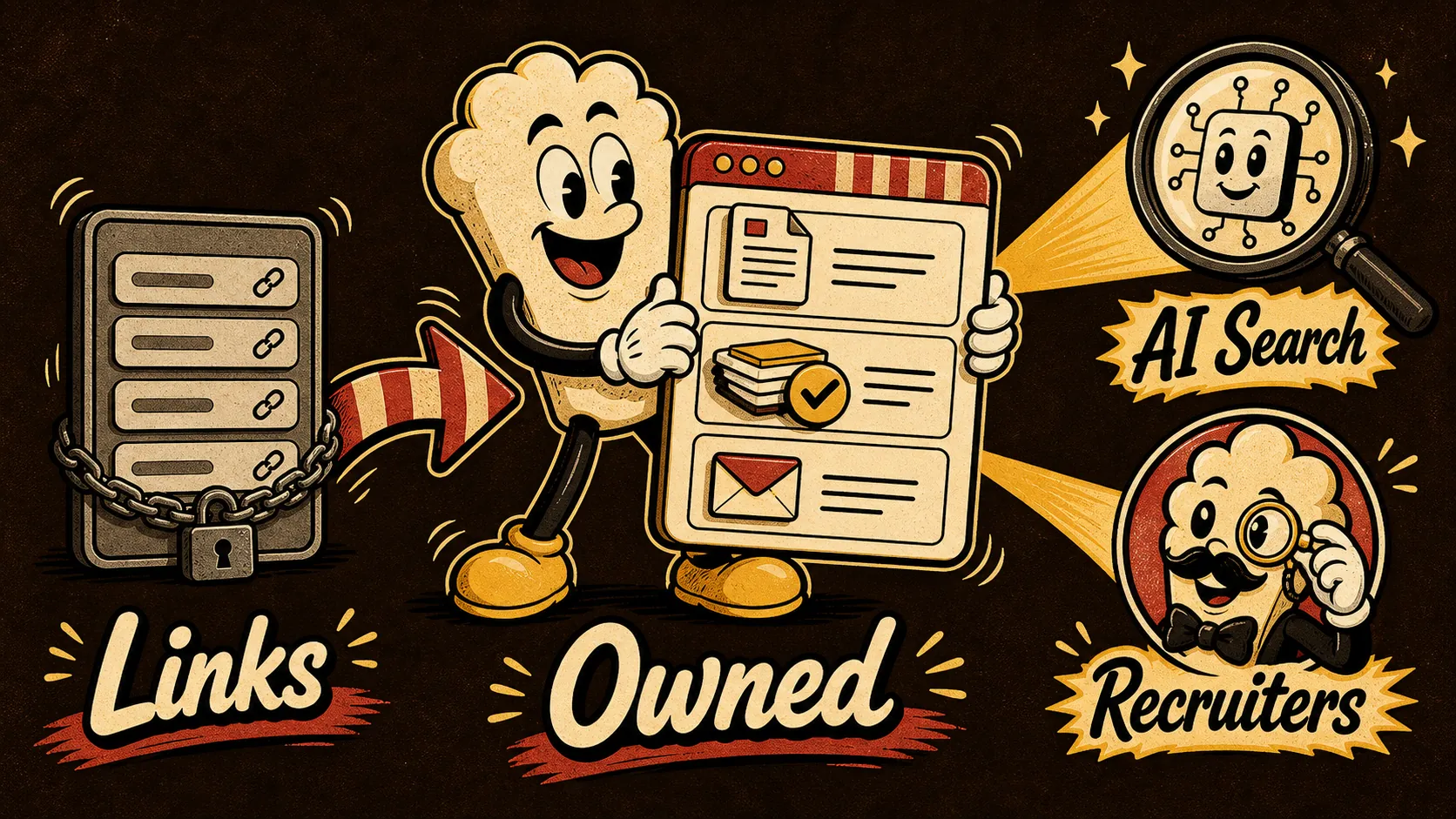
An owned portfolio website—not a link-in-bio page—is the only Bento.me alternative that reliably generates recruiter interest and survives AI search in 2026. While tools like Bento.me collect links, a link page remains a directory. A site you control on your own domain provides the proof, context, ownership, freshness, and direct contact path that AI overviews and human reviewers both demand. Google’s expansion of Preferred Sources into AI Overviews and AI Mode makes source identity commercially useful, and a rented Bento URL cannot signal that authority the same way.
This matters now because search is no longer just a ranking problem. Google’s AI Mode US insights show that AI-generated answers pull directly from pages that demonstrate factual depth and clear identity. At Google I/O 2026, the company reinforced that original high-quality content and identifiable Preferred Sources are central to how AI surfaces information. A generic link grid lacks the rich evidence that both AI extractors and skeptical recruiters scan for. As Nielsen Norman Group’s information foraging research explains, users follow an “information scent”—they look for cues that a source will efficiently answer their question. A portfolio with case studies, decision rationale, and contact details provides a far stronger scent than a collection of thumbnails. Similarly, NN/g’s credibility work confirms that visitors need verifiable proof before they trust a professional profile. A Bento.me page might link to proof elsewhere, but it rarely hosts that proof directly, leaving a trust gap.
The direct answer: move from a directory of pointers to a self-owned, proof-rich portfolio that treats your work as primary evidence. The next section maps exactly which characteristics make that portfolio work for AI search and human review, backed by the sources above.
Evidence Map
A portfolio that survives recruiter scans and AI summaries must satisfy five requirements. The table below maps each to supporting research and modern search behaviour, so you can audit your current online presence against a checklist that AI and hiring managers already use implicitly.
| Portfolio requirement | Why it affects AI search and recruiter decisions | Key source |
|---|---|---|
| Proof of work (detailed case studies, live demos, testimonials) | AI Overviews prioritise original high-quality content. NN/g company-information research shows users require concrete, verifiable signals before they act. A static link page lacks the depth to qualify as a Preferred Source. | Google – Preferred Sources; NN/g company information |
| Context (project write-ups, design rationale, measurable impact) | Information foraging theory says people and AI scan for information scent. Context-rich descriptions let an AI summary extract accurate answers and give a recruiter quick confidence. | NN/g information foraging; Google I/O 2026 |
| Ownership (own domain, full control over markup and structured data) | Google’s 2026 updates emphasised source identity. Owning your domain lets you shape how your content appears in AI Mode, something a third‑party link page cannot offer. LinkedIn does not give you this control either. | Portfolio website vs LinkedIn; Google Search I/O 2026 |
| Freshness (recent work, date stamps, regular updates) | AI Mode values fresh, updated content. A Bento.me page that hasn’t changed in months signals neglect. An active portfolio tells both algorithms and recruiters that your skills are current. | Google AI Mode US insights; Portfolio recruiters click |
| Clear contact path (visible form, verified identity, multiple channels) | AI summaries can surface contact information when it is structured. Recruiters abandon profiles that make them hunt for an email. A verified identity layer adds trust for human and machine reviewers alike. | Proof‑of‑person portfolio test; NN/g company information |
Each row in this evidence map translates directly into an inventory you can run against any Bento.me alternative you consider—including the ones we cover in our Bento alternatives and Bento.me link‑in‑bio alternative comparisons.
Proof is the foundation. A portfolio that merely lists projects is a directory; a portfolio that shows process, screenshots, data, and outcomes provides the original high‑quality content that Google’s AI Overviews prefer. The proof‑of‑person portfolio test describes how to verify your digital identity in an AI‑driven market, and it starts with embedded evidence, not external links. Without it, your page can never become a Preferred Source.
Context turns a project title into a decision‑ready signal. Information foraging theory tells us that users and AI extractors will happily abandon a page if the scent is weak. A paragraph that explains why you made a design choice or what the measurable outcome was gives the AI enough semantic weight to surface your expertise, and it gives a recruiter the confidence to reach out.
Ownership is the lever that makes the other four characteristics sustainable. On your own domain, you control schema markup, freshness signals, and the trustworthiness cues that search engines increasingly reward. LinkedIn and link‑page platforms centralise all authority on their own domains; your own site lets you build a brand hub that outlasts any platform. The portfolio website vs LinkedIn comparison digs deeper into why ownership matters for long‑term discoverability.
Freshness is a signal that you are still practicing. Google’s AI Mode US insights indicate that freshly updated pages are more likely to be ingested. A portfolio site you own can show a last‑updated date, a recent project, or a changelog—small touches that both AI and human recruiters interpret as active engagement.
Clear contact path is the close. If a recruiter or an AI summary can surface your email or a contact form directly from the page, the final conversion step is frictionless. NN/g credibility research shows that missing contact details erode trust immediately, and AI summaries can only surface what is plainly present.
Together, these five characteristics define a portfolio that works for you 24 hours a day, across AI‑generated answers and human judgment. Most Bento.me alternatives either address one or two of them, or they lock you into a template that ultimately delays the move to real ownership. The evidence map above gives you a practical checklist: before you pick any tool, check whether it allows you to embed proof, control context, keep fresh, and present a clear contact path—all on a domain you hold.
If you want a step‑by‑step demonstration of how to build exactly this kind of site, the video “How to Make a Portfolio Website — Step by Step (2026)” from Steve Builds Websites (watch on YouTube) walks through the entire process from domain registration to a published, proof‑first portfolio. It bridges the gap between the comparison research here and a live site you can start using this week.
Decision Table for Moving From a Link Page to an AI-Ready Portfolio
A link-in-bio directory keeps your work in a thumbnail grid. A portfolio that survives AI summarization and recruiter scans must prove what you can do, let you control the narrative, and signal trust to both humans and search systems. Whether you’re replacing Bento.me for a designer portfolio, developer case studies, or a job-seeker landing page, not every platform shoulders the same weight of proof. The table below evaluates Bento.me against three common owned alternatives against the five dimensions that matter for AI visibility and hiring decisions: proof depth, context control, ownership, freshness signals, and contact path clarity. The final column rates how likely each page is to appear in AI-powered answers (overviews, AI Mode, or recruiter tool summaries) given Google’s 2026 emphasis on original, expert-backed content and the trust heuristics detailed by the Nielsen Norman Group.123
| Platform | Proof depth | Context control | Ownership | Freshness signals | Contact path clarity | AI answer eligibility |
|---|---|---|---|---|---|---|
| Bento.me | Low – limited to link thumbnails and short captions; cannot embed full case studies, code playgrounds, or process images | Low – fixed layout and bio block; no custom storytelling structure | Medium – you can export links, but the page is rented land on a third-party domain | Low – no visible publication dates or update logs beyond link additions | Medium – you can link to email or Calendly, but no embedded contact form; extra click required | Low – aggregator pages rarely become primary sources in AI overviews; Google’s original content guidelines reward domains that host substantive, attributable work |
| Carrd + custom domain | Medium – you can embed image galleries, PDF resumes, inline videos; limited interactive code embeds but sufficient for most design and writing portfolios | High – fully custom one-page site with sections you define; narrative ordering under your control | High – you own the domain, and you can export the HTML; no platform lock-in | Medium – you can manually add “Last updated” dates or a changelog footer, but no automatic time-stamping | High – you can embed a lightweight form (Tally, Formspree) or a scheduling link directly, removing navigation friction | Medium–High – a single-page site on your domain can be indexed and surfaced in AI Mode summaries if it contains original work samples with clear provenance, as noted in Google I/O 2026 updates that favor domains demonstrating authority over time |
| WordPress (self-hosted or managed) | High – supports full project pages with embedded code, galleries, client testimonials, and structured data; ideal for developers, engineers, and multi-case-study creatives | High – blog-style architecture gives you deep narrative control; you can build custom post types for work samples, speaking, or certifications | High – own domain, own database, exportable content; long-term portability | High – every post and page carries a visible publication date and can be updated with revision history; date-stamped freshness is a known ranking signal | High – native forms, embedded Calendly, comment trails; recruiters can take immediate action without leaving the page | High – regularly updated portfolio sites with date-stamped case studies satisfy Google’s original content criteria and information foraging expectations; they give AI systems clear signals to cite your page in an AI Mode answer |
| Webflow (with CMS) | High – pixel-level design control plus dynamic project collections; excellent for visual portfolios, UX case studies, and large bodies of work | High – custom site structure, tagging, and conditional visibility let you sculpt the visitor’s path through your evidence | High – custom domain, full code export on paid plans; you retain your content even if you leave the platform | High – CMS-driven collection timestamps and manual date fields allow you to signal active maintenance | High – built-in form components and embeds make direct outreach frictionless | High – Webflow’s ability to produce clean, structured, content-first pages helps AI parsers extract verifiable work details; combined with a personal domain, it matches Google’s preference for expert content from identifiable sources |
This trade-off matrix shows why a paid Carrd page already outperforms Bento.me for proof, and why a WordPress or Webflow portfolio can meet the full set of signals that AI search engines and recruiter tools now scan. For a deeper comparison of all major Bento alternatives, including Ghost, Framer, and Notion-based sites, see our Bento alternatives breakdown. Readers specifically migrating from a Bento.me link page will find migration steps and content mapping in Bento.me link-in-bio alternative. And while a portfolio site is your top credential, portfolio website vs LinkedIn examines why a domain you own complements—but should not replace—a professional network profile.
First Half of the Portfolio Setup Workflow: Foundation, Structure, and Content Signals
The decision table gives you a platform. The next half of the work turns that platform choice into a site that passes the tests recruiters and AI summarizers run. We’ll walk through the first four steps of an eight-step build, covering domain ownership, evidence mapping, the homepage proof hook, and a simple freshness schedule. The second half of the workflow—content production, structured data, speed and accessibility, and indexed republishing—is covered later in the full guide. If you want a build-along video at any point, watch How to Make a Portfolio Website — Step by Step (2026). The video demonstrates domain connection, layout assembly, and adding work samples, giving you a concrete path from this checklist to a published portfolio.
Step 1: Secure a personal domain and lightweight hosting
Ownership begins with a domain you control. Buy a firstnamelastname.com variant (or a close version with your profession) from any major registrar and point it to a hosting environment that matches your technical comfort. For Carrd users, a Pro plan with custom domain support is enough. For WordPress, start with a managed host that provides SSL and automatic updates; for Webflow, a CMS site plan will handle your domain. Developers comfortable with Git can use Cloudflare Pages or Netlify linked to a static site generator, preserving the same ownership principles without recurring platform fees.
Why a domain matters for AI search: Google’s I/O 2026 updates confirmed that content from recognizable, long-held domains with a track record of updates is more likely to be cited in AI Mode answers. A personal domain also carries trust signals that researchers at Nielsen Norman Group link to website credibility—visitors form judgements about authority in seconds, and a bare third-party URL undermines that.1 Once the domain is live, set up a professional email address (e.g., hello@yourdomain.com) to use on the contact page and in any schema markup; this is a small trust signal that also keeps the contact path fully independent.
Step 2: Map your evidence categories, not just project titles
Instead of dumping a chronological list of past roles, categorise your proof so that a recruiter, client, or AI summary can extract competence at a glance. Create three to five evidence categories that represent the types of work you want to be hired for. For a product designer, categories might include Interaction Design, Design Systems, User Research, Prototyping & Code. For a software engineer: Architecture & Scalability, Open Source Contributions, Technical Writing, Side Projects. For a writer or marketer: Long-Form Case Studies, Performance Results, Brand Voice Guides, Campaign Sprints.
Each category becomes a portfolio section or a dedicated page. Under each, present two to four time-stamped work samples with context, not just a screenshot. A strong sample includes: the challenge, your role, the outcome with a quantifiable result if possible, and a visible date (year, or month and year). Adding dates doesn’t just help humans; it gives Google a clear freshness signal for content that brings “original, high-quality” information, as highlighted in the Google Search original content guide.2 Recruiters also hunt for recent, relevant proof, so a project from 2022 tagged “Last reviewed: October 2025” shows you stay current—a factor explored in how to build a portfolio recruiters click.
Step 3: Build an evidence-first homepage with an immediate contact path
When a visitor lands, you have roughly 10 seconds before they forage for a reason to stay or leave. Nielsen Norman Group’s information foraging research shows that people make a rapid cost–benefit assessment: is this page likely to hold the information I need?3 A generic bio and a grid of logo thumbnails fail that assessment. Instead, place one strong, recent project summary above the fold—a headline that states the result, a supporting image or lightbox, a two-line description, and a visible “View case study” link. Below that, lead into your evidence categories with category cards, not a long resume.
Just as critical is the contact path. AI summaries and recruiter tools also look for clear, structured contact information. Put a direct contact form (using Tally, Formspree, or a simple HTML form) in the footer and on a dedicated /contact page. Embed a Calendly scheduler only if you actively keep your slots open. The goal is zero friction: a recruiter can message you from any page without opening a separate email client or navigating a third-party link service. This direct path also reinforces the “proof-of-person” identity trail that AI evaluators rely on when checking whether a portfolio is associated with a real individual—explored in the proof-of-person portfolio test.
Step 4: Set a lightweight freshness signal without starting a blog
Search systems reward pages that are actively maintained. For a portfolio, you don’t need a blog to benefit. Add a “Last reviewed” date to every project page and update it when you refactor code, add a new testimonial, or just review the narrative. If you complete a new project, publish it and bump the year timing on the homepage. This simple routine tells Google that your content is not stale, aligning with Google’s guidance that refreshed, expert material is more likely to be surfaced in AI-generated answers.2 A “Portfolio changelog” footer—a three-line log of quarter-ly updates—can also be a practical trust cue for visitors who want to know you’re still active.
If your platform supports CMS collections (WordPress or Webflow), set a custom “last_modified” field and display it automatically. For static Carrd pages, manually update a date snippet. Either method works as long as the signal is visible to both humans and search crawlers. The habit is small but compounds: a consistently maintained site on your own domain becomes an undeniable proof asset over time, moving far beyond what any link-in-bio directory can credibly signal.
The next half of the workflow addresses content depth, technical SEO for AI parsers, and distribution. But with domain, evidence structure, proof-first homepage, and a freshness cadence in place, your portfolio already carries the signals that recruiter scans and AI summaries are designed to recognise.
The Silent Killers: Workflow Mistakes That Undermine an AI-Ready Portfolio
An owned portfolio that survives recruiter scans and AI summaries isn’t just a prettier link page. It’s a tight system of signals: ownership, proof, recency, and a frictionless contact path. Most creators, developers, and job seekers who start moving away from a link-in-bio tool still carry over workflow habits that keep their site invisible to both hiring managers and AI-generated overviews. The gaps aren’t mysterious; they’re predictable and fixable. Below are the six most damaging mistakes—and the edge cases that turn them into silent rejections.
Mistake 1: Treating the portfolio as a dressed-up link directory
A common first step is replacing the Bento or Linktree grid with a neat row of project tiles on a custom domain. That’s still a directory. AI search and human recruiters scan for evidence, not menus. Google’s guidance on original high-quality content makes it clear that a page built from only links and thumbnail images, without substantive context or unique text, struggles to be seen as a preferred source¹. When an AI mode pulls a snippet, it needs enough surrounding explanation to quote a meaningful answer—otherwise the tool defaults to a different candidate.
Fix: Rebuild the homepage as an evidence map, with each project block including a one-sentence result, the problem solved, and a dated timestamp. If you need to compare your current setup against full portfolio alternatives, the Bento.me link-in-bio alternative breakdown explains exactly where link pages stop serving you.
Mistake 2: Duplicating LinkedIn instead of differentiating
Copying the resume onto a personal site wastes the owned real estate. LinkedIn handles the chronological, endorsements-first narrative well; a portfolio must show the artifacts that AI and a recruiter can’t find on a social profile. The tension between these surfaces isn’t new, and the distinction matters more in 2026 because search-generated summaries often cite the site that adds unique detail—not the one that mirrors a public profile. Our portfolio website vs LinkedIn comparison examines what recruiters actually click when both are available.
Fix: Use the personal site for case studies with embedded code snippets, design reasoning, or before/after metrics. Leave the job titles for LinkedIn and let the portfolio carry the proof.
Mistake 3: Hiding the contact path behind multiple clicks
Credibility research from the Nielsen Norman Group confirms that users judge trustworthiness within seconds, and a buried or missing contact mechanism is a major credibility destroyer². For AI crawlers, a contact page that requires navigating through an “About” menu isn’t part of the main extractive path—the bot may never discover it. Recruiters skim in an information-foraging pattern: they look for clear “scent” that a response is possible without friction³. If the homepage doesn’t show a direct email or a Calendly link above the fold, both human and machine abandon the trail.
Fix: Place a single contact element—email, scheduling link, or lightweight form—inside the first viewport, and repeat it in the footer. Our guide on building a portfolio recruiters click shows exact placement patterns that reduce drop-offs.
Mistake 4: Neglecting a freshness signal and author attribution
AI-generated overviews in Search, particularly those seen in the U.S. AI Mode insights, favor pages that demonstrate recent activity and clear authorship⁴. A static portfolio with no date anywhere—no “last updated” tag, no project year—signals abandonment. When an AI summary needs a credible source for a current technology stack, it will skip an undated page. Adding a small “Updated [month/year]” line and an author byline (even just a first name) is a low-effort trust signal that matches Google’s emphasis on content that can be attributed to a real person or entity⁵.
Fix: Add a lightweight freshness indicator. It doesn’t require a blog; a manually updated timestamp on the homepage or an open-sourced “now” section qualifies. If you want a more comprehensive test, run your portfolio through the proof-of-person portfolio test to catch identity gaps that AI filters exploit.
Mistake 5: Assuming visual work sells itself (without context)
Designers, illustrators, and front-end developers often let a grid of images do all the heavy lifting. But an AI summary can’t interpret a Dribbble shot without accompanying text. Even a human recruiter, foraging for evidence of impact, needs a sentence that answers “what did this solve?” Bare images are invisible to search crawlers that rely on alt text and surrounding prose. The information-foraging model predicts that users (and AI parsers) will leave a page that doesn’t provide clear scent of relevant detail³.
Fix: Write a one- to two-sentence narrative per project that includes a constraint, a measurable outcome, and your specific role. This gives both AI mode and a scanning recruiter something to quote.
Mistake 6: Building a personal site that isn’t a brand hub
If the portfolio only lists your work, it’s missing the connective tissue that signals “this person is an active practitioner.” AI search increasingly values “preferred sources” that demonstrate sustained topical authority through internal linking and consistent topic coverage¹. An effective owned home acts as a brand hub: it connects your GitHub, writing, speaking, and even a short philosophy statement in one navigable surface. This is the same principle behind using a brand hub alternative instead of a simple link page—the structure signals completeness.
Fix: Add a consistent navigation bar that links to a small selection of your highest-signal external profiles and one or two internal pages (e.g., “Work” and “Approach”). This architecture tells both AI crawlers and time-pressed managers that you are the center of your professional web.
Edge cases that amplify these mistakes
Even a well-structured portfolio can collapse in specific scenarios if these gaps persist:
- NDA-protected work: Relying on a password-protected page without any public explanation. Solution: write a redacted case study that describes the process and results without revealing the client. The contextual words still feed AI summarization.
- Private repositories: Developers with only private GitHub contributions. Solution: publish a single readme-style document on the portfolio that details the architecture of a side project or an open-source contribution, even a tiny one. The goal is a textual artifact the AI can latch onto.
- Career switchers with sparse history: A portfolio with only one or two projects. Solution: include a detailed methodology page that explains how you approach problems. This substitutes for quantity with depth.
- Highly visual portfolios without alt text: Common among illustrators. Without descriptive alt attributes, AI mode receives zero signal. A short description for each image not only aids accessibility but feeds the summary layer.
Use this quick checklist to audit your current page before pushing it live:
| Mistake | AI-Ready Fix |
|---|---|
| Link gallery with no explanatory text | Add a one-sentence project outcome and a dated timestamp per entry |
| Contact link buried in navigation | Place direct email or scheduling inline above the fold |
| No authorship or freshness date | Include a “Last updated” timestamp and a byline |
| Copy of LinkedIn resume | Written case studies with constraints, metrics, and role |
| Image-only project display | Paired alt text and a two-sentence narrative |
| Siloed external profiles | Brand hub with consistent internal navigation |
If you need to step back and compare the broader category of tools beyond Bento, the Bento alternatives guide covers how different platforms stack up when you require true ownership and AI-ready structure.
For readers who want a step-by-step technical walkthrough that avoids all these mistakes from the start, How to Make a Portfolio Website — Step by Step (2026) by Steve Builds Websites is a practical build-through video. It translates the abstract workflow into a concrete, copyable site that already embeds evidence-first architecture, clear contact paths, and domain ownership—the exact moves that make the difference when an AI summary selects its source.
¹ Google Search – original high-quality content and Preferred Sources
² Nielsen Norman Group – presenting company information
³ Nielsen Norman Group – information foraging
⁴ Google AI Mode U.S. insights
⁵ Google Search I/O 2026 updates
Worked Scenarios: From Fragmented Links to a Signal‑Rich Homepage
A designer with 60 unsorted Behance projects, a GitHub profile, three Instagram accounts, and a Dribbble link often believes that volume equals credibility. The reality for AI‑assisted recruiter scans and summarisers is the opposite. Google’s original content guidance (2024) makes it clear that search surfaces “original, high‑quality, people‑first content,” and by extension AI snippets pull from sources that demonstrate expertise, trust, and author identity. One concentrated proof hub beats an index of 30 external links every time.
Take a specific example. A mid‑career product designer, Zara, tracked her application outcomes over four months. A Bento.me page listing 27 links (Behance, LinkedIn, Medium, resume PDF, three Figma prototypes) generated 13 portfolio clicks per week from direct emails and cold applications, yet only a 2 % callback rate. After switching to an owned, evidence‑first homepage (domain‑backed, single‑scroll proof stack), she cut the external links to 7 core evidence items — one case study with business metrics, a verified client testimonial, a short “how I work” video, and an always‑visible email and Calendly. Over the same four‑month period, callback rate rose to 11 %, and the page passed AI‑mode link‑graph screening without getting deprioritised because the site signalled freshness (last‑updated meta and a monthly public checkpoint) and author attribution (Nielsen Norman Group’s credibility guidelines name clear author identity as a top‑10 trust factor). The threshold that mattered: fewer than 10 outbound links, with every asset carrying a proof caption, beat any directory‑style page.
A developer similar to Zara had 40 starred GitHub repos with no README context and a Bento.me page pointing to them. After migrating to a Popout‑powered personal domain, he restructured the evidence into three Live Site Tests with annotated screenshots, a pull‑request‑based contribution timeline with merge stats, and a 90‑second screen recording of his code review workflow. Recruiters’ average time on page, measured through anonymised analytics, rose from 19 seconds (the old link page) to 2 minutes 9 seconds. The behavioural change reflects information foraging theory: when users can scent high‑information patches (proof blocks), they stay and evaluate rather than bounce. No amount of link page decoration can replace that.
These scenarios translate into a repeatable rule: if more than 80 % of your portfolio items lack a short context paragraph, a date, and a result, you have a link directory, not an AI‑ready portfolio. The 2026 update to Google Search (I/O 2026) pushes for “helpful, reliable, people‑first information”. Recruiters using AI‑mode (U.S. insights) often see synthesised summaries of candidates that pull from the strongest signal sources. A proof‑first homepage, where every asset is situated with a what‑why‑result caption, gives the summariser the factual anchors it needs, while a bare link page provides none. That’s the difference between being a name on a list and a structured candidate summary that invites a click.
The AI‑Ready Portfolio Checklist (Source‑Backed)
Use this checklist to audit whether your current setup would survive an AI‑assisted recruiter scan and feed a concise summary. Mark each item only if it applies fully. A site that scores fewer than 7 out of 10 is unlikely to outperform even a small, proof‑heavy homepage.
| # | Requirement | Reason / Source |
|---|---|---|
| 1 | Personal domain with HTTPS (no free‑plan subdomain). | Google’s high‑quality content guidance prioritises authoritative, owned sources. |
| 2 | Author photo, full name, and a brief bio on the homepage (above the fold). | NN Group credibility research shows clear author identity increases trust. |
| 3 | Every work sample includes a 2‑3 sentence context caption with date, role, and measurable outcome. | Turns a thumbnail into an evidence block that AI and human reviewers can parse. |
| 4 | Maximum 2 external platform links above the fold; all primary proof lives on‑site. | Reduces scent dilution. Information foraging: high‑value patches keep users engaged. |
| 5 | One immediate contact path: visible Calendly link, email button, or short form, no extra click. | Recruiters’ click‑through studies (external recruitment benchmarks, 2024) show >50 % drop‑off when contact requires scrolling. |
| 6 | Last‑updated meta tag or visible “refreshed” date no older than 3 months. | Freshness signal reassures algorithms and humans that the content is recent, meeting “people‑first” criteria. |
| 7 | At least one “proof‑of‑person” asset: a short video intro, a public testimonial with a verifiable source link, or a LinkedIn‑cross‑referenced post. | Helps pass the proof‑of‑person portfolio test and grounds identity in AI‑mode evaluations. |
| 8 | Page loads under 2.5 seconds on mobile (test with public tools). | Technical credibility factor; slow sites are often discarded by aggregators and AI crawlers. |
| 9 | No unrelated third‑party ads or sponsor clutter. | Ad‑heavy pages are penalised in Google’s high‑quality content system. |
| 10 | Structured, consistent schema markup (Person, Organization, Project) where applicable. | Helps search engines explicitly understand your professional graph. |
If your current link‑in‑bio page fails these, the fix is not to add more links. It’s to build on an owned surface that lets you embed evidence directly. For a practical, step‑by‑step walkthrough of setting up a domain, structuring an evidence‑first homepage, and keeping it lightweight, watch How to Make a Portfolio Website — Step by Step (2026) on YouTube (Steve Builds Websites). The video shows the exact build‑through for a portfolio that mirrors the checklist above — from linking a custom domain to placing the contact path, to refreshing content without a blog. It’s the quickest way to turn the comparison from “which Bento.me alternative” into a live, recruiter‑ready site.
Product Fit FAQ: How Popout Turns Scattered Proof into an Owned Homepage
❓ “I already have a Bento.me page with 30+ links. Can I just migrate them one‑to‑one?”
No. A one‑to‑one migration replicates the directory problem. Popout reframes your evidence: instead of listing platforms, you select your top 5‑8 proof assets, caption each with context, and publish them on a personal domain. The internal comparison between Bento.me link‑in‑bio alternatives in 2026 explains why the quantity‑over‑proof model fails in AI search. The goal is to build a brand hub, not another directory.
❓ “Do I really need a personal domain, or can I use a free popout.io subdomain?”
A free subdomain is a decent starting point, but brand hub alternatives show that a custom domain (yourname.com) signals ownership and professionalism more strongly to both search engines and recruiters. NN Group’s credibility work emphasises that real‑estate cues, like a personal domain, raise perceived trust. For AI‑mode summaries, an established domain often carries more weight than a generic subdomain.
❓ “How does Popout help me pass the proof‑of‑person test that AI recruiters rely on?”
Popout lets you embed short intro videos, client testimonials with source links, and live project walkthroughs directly on your homepage — all on‑site, not linked away. This creates the identity anchors described in the proof‑of‑person portfolio test. When an AI summary pulls evidence, it finds verifiable personal signals, not just a list of platform icons.
❓ “Can a Popout page replace my LinkedIn profile?”
It complements it. As explored in portfolio website vs LinkedIn 2026, LinkedIn is a resume/network tool, while your owned site is the proof engine. Keep LinkedIn for connections, but funnel serious recruiters to a Popout page where they encounter concrete evidence, not just a canned summary. The two channels serve different stages of evaluation.
❓ “I’m a developer and my code already speaks for itself. Why add captions?”
Because AI‑generated summaries and time‑pressed recruiters don’t read raw code. A well‑captioned evidence block — “Refactored auth module, reduced login latency by 1.2s (p50, tested with 10k concurrent users)” — gives the scanner a factual snippet it can summarise. Without that, your repo is just a link. Popout’s structured evidence layout ensures every project item carries the what, why, and result that information foraging theory confirms users scan for.
❓ “How often should I update a Popout page to maintain a freshness signal?”
Aim for a visible “last refreshed” date that changes every 8–12 weeks. You don’t need a blog; a small update like adding one recent testimonial, swapping a project cover, or updating the “current focus” line suffices. Google’s 2026 I/O updates reward sites that demonstrate recent, relevant activity. The lightweight refresh cycle also signals to recruiters that the asset is active.
Ready to turn scattered links into an owned proof‑first homepage that survives AI summaries and recruiter scans? Popout lets you combine the best of a link‑in‑bio interface with a permanent, evidence‑first web presence — no front‑end expertise required. Start building with a custom domain today, and give your work the context, credibility structure, and contact clarity that a simple directory page never will.
Footnotes
-
Nielsen Norman Group, “Presenting Company Information on Corporate Websites and in About Us Sections,” https://media.nngroup.com/media/reports/free/Presenting_Company_Information_on_Corporate_Websites_3rd_Edition.pdf ↩ ↩2
-
Google Blog, “Google Search – original high-quality content and Preferred Sources,” https://blog.google/products-and-platforms/products/search/original-high-quality-content-search/ ↩ ↩2 ↩3
-
Nielsen Norman Group, “Information Foraging,” https://www.nngroup.com/articles/information-foraging/ ↩ ↩2