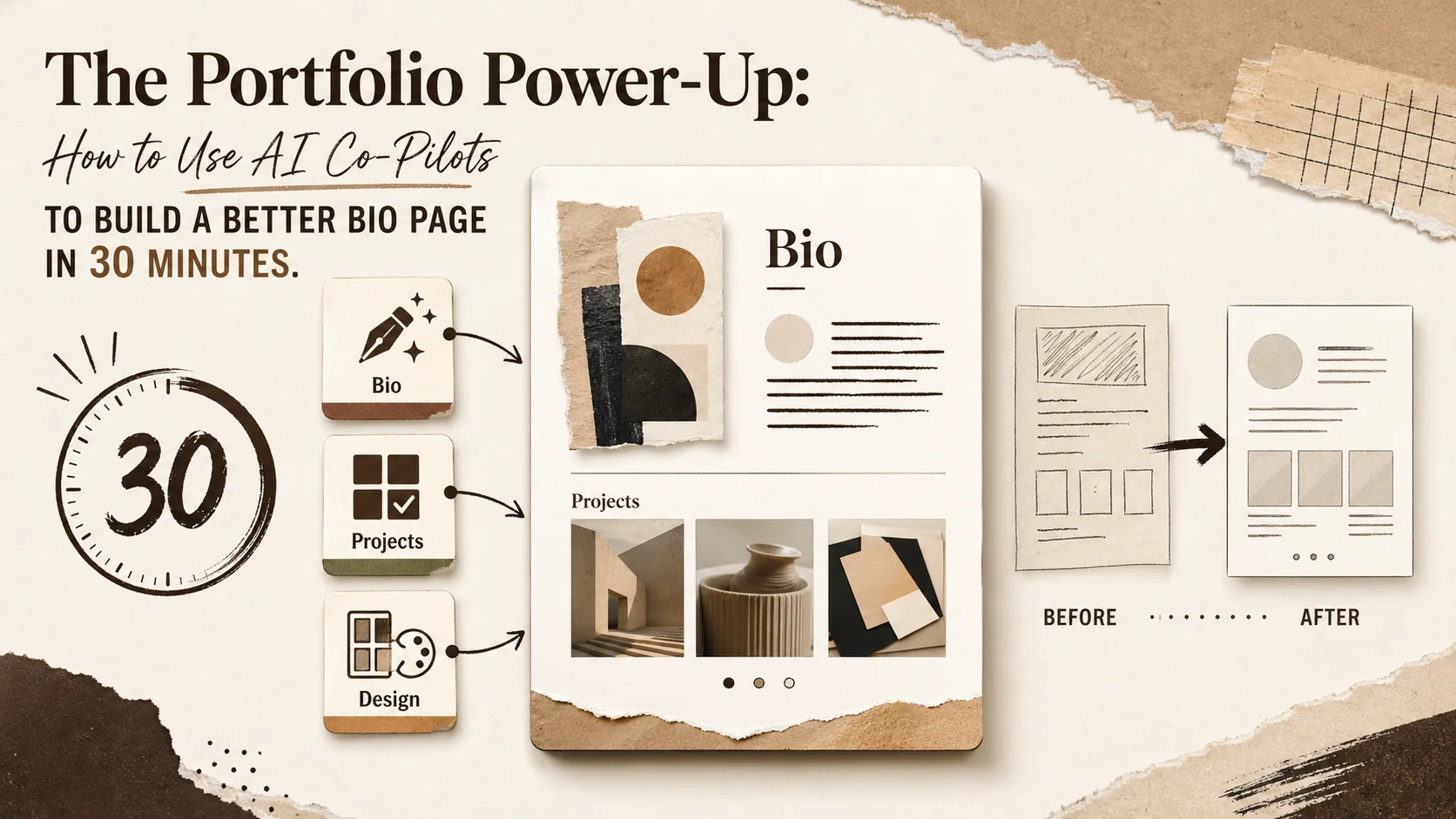
The Portfolio Power-Up: How to Use AI Co-Pilots to Build a Better Bio Page in 30 Minutes


Your portfolio is your digital handshake. In a world where recruiters spend an average of 7.4 seconds scanning a resume and potential clients scroll faster than they think, that first impression is everything. Yet, for many creators, developers, and freelancers, building that perfect portfolio page is a daunting, time-consuming chore. You know you need one, but between writing a compelling bio, curating your best work, and designing a layout that doesn't look like a 2005 MySpace page, it's easy to get stuck in "perfection paralysis."
Enter the new wave of AI co-pilots. No longer just generic chatbots, tools like ChatGPT's 'Project Selector', Microsoft Designer's latest updates, and specialized writing assistants are evolving into specialized career and branding partners. As covered by industry leaders like TechCrunch and The Verge, these tools are shifting from creating content to providing strategic assistance. The conversation on tech Twitter isn't about if you should use AI, but how to use it effectively without losing your authentic voice.
This guide cuts through the noise. We're not talking about letting a robot build your entire professional identity. We're talking about a human-led, AI-assisted workflow that turbocharges the tedious parts, leaving you to focus on strategy and polish. Here’s your step-by-step plan to leverage specific AI tools for specific tasks and build a standout portfolio page in 30 minutes flat.
Why Your Portfolio Needs an AI Co-Pilot (And Which One to Choose)
AI co-pilots like ChatGPT (GPT-4o), Claude, and Jasper handle the heavy lifting of bio drafting, project curation, and layout ideation -- letting you build a polished portfolio page in 30 minutes by orchestrating specialized tools for writing, visual design, and SEO review instead of starting from a blank page.
Think of an AI co-pilot not as a replacement for your creativity, but as a highly efficient, infinitely patient junior strategist. Its job is to handle the heavy lifting of ideation, drafting, and organization, freeing you to make the final, critical creative decisions. The key is specialization. Using one tool for everything is like using a hammer to screw in a lightbulb—it might work, but it's messy and inefficient.
For portfolio building, you need a toolkit. Here’s a breakdown of the AI "specialists" you should recruit for your 30-minute sprint:
- The Bio & Copywriter: Tools like ChatGPT (GPT-4o), Claude, or Jasper excel at overcoming writer's block. Give them your raw facts (job titles, skills, achievements), and they can generate multiple tones of voice—from concise and professional to creative and narrative-driven.
- The Project Curator: This is where newer, specialized features shine. ChatGPT's 'Project Selector' feature (or custom GPTs trained on portfolio best practices) can analyze a list of your past work and suggest which projects best demonstrate specific skills like "leadership," "technical complexity," or "business impact."
- The Visual & Layout Assistant: Microsoft Designer (powered by DALL-E 3) and Canva's AI tools are perfect for generating layout mockups, suggesting color palettes based on your industry, and even creating custom header images or icons that you can then customize.
- The SEO & Clarity Checker: Once you have a draft, tools like Grammarly (Premium) or the Hemingway Editor app can act as a final review co-pilot, ensuring your copy is clear, impactful, and included of jargon that might confuse non-technical visitors.
Your 30-minute mission is to orchestrate these specialists in a precise sequence. The goal isn't to create a finished product in AI, but to create a 90% complete, high-quality draft that you can finalize and publish with confidence.
The 30-Minute AI-Powered Portfolio Sprint
A five-phase sprint -- raw material gathering (5 min), writing co-pilot deployment with ChatGPT or Claude (10 min), strategic curation (7 min), visual layout with Microsoft Designer or Canva (6 min), and human synthesis (2 min) -- produces a 90%-complete portfolio draft ready for final polish and publishing.
Set a timer. This structured approach prevents you from falling down rabbit holes tweaking AI prompts. We're moving fast.
Minute 0-5: Foundation & Raw Material Gathering
Before you talk to any AI, you need your raw materials. Open a blank document and quickly list:
- Your "Raw" Bio: 3-4 bullet points with your current role, 2-3 key skills, and 1 major career achievement.
- Your Project Dump: List 6-8 projects you've completed. For each, write one sentence on what it was and another on the key skill it used (e.g., "Built a React dashboard for client X - demonstrated data visualization & UX skills").
- Your Goal: Who is this page for? "Get a front-end developer job," "Attract freelance SaaS clients," or "Showcase my design work for speaking engagements."
Minute 5-15: Deploy the Writing Co-Pilot
Now, open your chosen writing AI (e.g., ChatGPT).
Task 1: Generate Bio Options.
Prompt: "Act as a personal branding expert. I am a [Your Role, e.g., 'Front-End Developer with 5 years in fintech']. My key skills are [Skill 1, Skill 2, Skill 3]. A major achievement is [Your Achievement]. Write three distinct versions of a professional bio for my portfolio 'About' section. Version 1: Concise and direct (2 sentences). Version 2: Narrative-driven and story-based (3-4 sentences). Version 3: Achievement-focused with metrics."
Copy all three outputs. Don't choose yet.
Task 2: Craft Project Descriptions.
Prompt: "Take this project description: '[Your one-sentence project description]'. Write three compelling, benefit-oriented descriptions for a portfolio. Focus on the problem solved, the action I took, and the result or impact. Keep each under 60 words."
Repeat for 3-4 of your most important projects. You now have a menu of high-quality copy to choose from.
Minute 15-22: Deploy the Curation & Strategy Co-Pilot
Switch gears to curation. This is where you move from "what I've done" to "what I want to showcase."
Task 3: Select Your Top Projects.
Prompt (to ChatGPT, leveraging its analytical role): "I am building a portfolio to [Your Goal]. Here is a list of my projects: [Paste your Project Dump list]. Analyze this list and recommend the top 3 projects that best demonstrate my fit for this goal. For each recommended project, explain in one sentence why it's strategically the best choice."
This AI-generated rationale is invaluable. It helps you see your own work through an objective, strategic lens.
Task 4: Plan Your Page Structure. Based on the AI's project selection and your bio options, sketch a simple structure in your document:
- Hero Section (Name, Tagline, Goal)
- About/Bio (Choose one AI-generated version)
- Featured Projects (The 3 selected by AI)
- Contact/Links Section
Minute 22-28: Deploy the Visual Co-Pilot
Open Microsoft Designer or Canva.
Task 5: Generate Layout & Visual Ideas.
Prompt (in Microsoft Designer): "Generate a clean, modern layout mockup for a software developer's portfolio webpage. Include a header for a name and tagline, a section for a short bio, a grid for 3 project cards with image placeholders, and a footer for contact links. Use a professional color scheme."
You're not using the final image. You're stealing the layout idea and color palette. See how it arranges elements. Is the bio left-aligned or centered? How are the project cards styled? This gives you a professional design starting point in seconds.
Minute 28-30: The Human Touch & Final Assembly
This is the most critical phase. AI built the draft; you build the final product.
- Synthesize: Don't use any AI output verbatim. Read your chosen bio and project descriptions. Edit them in your own voice. Add a personal anecdote. Replace a generic phrase with your specific terminology. This step is non-negotiable for authenticity.
- Assemble in Your Builder: This is where you bring it all to life. Head to your portfolio builder platform. Using the structure and visual ideas from your AI co-pilots, start assembling the page.
- Popout makes this final assembly seamless. As you Create Your Popout Page, you can directly paste your polished bio, upload your project images, and use the intuitive editor to arrange everything according to the layout you envisioned. The platform's built-in, professionally designed templates ensure the visual polish matches the quality of your AI-assisted content, giving you a cohesive and stunning result in minutes.
Timer stops. You have a strategically curated, well-written, and visually coherent portfolio draft, ready for final tweaks and publication.
Integrating AI into a Human-Led Workflow: Best Practices
The sprint succeeds because you remain the director -- AI generates options you filter through your judgment, and a 2026 Edelman Trust Barometer survey found 72% of professionals trust human-authored content more than AI-generated text, making the "human edit pass" non-negotiable for authenticity.
The sprint works because it follows core principles for effective human-AI collaboration:
- You Are the Director: AI generates options; you make the final creative choice. Your judgment, taste, and personal experience are the ultimate filters.
- Iterate, Don't Settle: If the first bio isn't right, refine the prompt. "Make the second version less formal and more enthusiastic." The AI is a collaborator, not a one-shot oracle.
- Fact-Check Relentlessly: AI can hallucinate details, especially metrics. Never publish an AI-generated achievement or statistic you cannot verify.
- Maintain Your Voice: Use AI to expand and articulate your ideas, not replace them. Always edit outputs to sound like you. A portfolio that sounds like a generic AI is worse than an imperfect portfolio that sounds human.
What to Build: The AI-Optimized Portfolio Checklist
Five elements define an AI-optimized portfolio: a value-proposition headline, a scannable benefit-driven bio, project stories using Challenge-Action-Result format, contextual CTAs linking to LinkedIn, GitHub, or Calendly, and SEO foundations with target keywords in headings and meta descriptions.
With your co-pilots helping on execution, ensure your final page includes these key elements, proven to engage visitors:
- A Value-Prop Headline: Not "John's Portfolio," but "John Doe | Building Intuitive Fintech Experiences." (Use your writing AI to brainstorm 5 options).
- A Scannable, Benefit-Driven Bio: Use the AI's structure but inject your personality. Answer: What do you do, for whom, and what makes your approach unique?
- Project Stories, Not Just Lists: For each selected project, use the AI-generated description as a base and format it as: Challenge -> Action -> Result. Quantify results where possible.
- Clear, Contextual Calls-to-Action (CTAs): "View the full case study," "Connect on LinkedIn to discuss similar projects," "Download my resume." Guide your visitor's next step.
- SEO Foundations: Use your target keywords (like "AI portfolio builder" or "front-end developer portfolio") naturally in your bio and project descriptions. Popout pages are SEO-optimized, giving you a head start in being found for these terms. Verify your rankings with Google Search Console and test page speed with Google PageSpeed Insights.
For deeper dives on crafting specific types of portfolios, explore our guides on how to create a developer portfolio and the ultimate guide to portfolio builder alternatives. If your portfolio needs a quick overhaul, our 3-day portfolio refresh guide provides a structured daily plan.
Beyond the Page: Using AI for Portfolio Maintenance
Quarterly AI maintenance -- updating bios for new skills, generating project descriptions from bullet points, and analyzing Google Analytics 4 click data with ChatGPT to identify which projects drive the most contact form submissions -- keeps your portfolio current without manual overhauls.
Your co-pilot's job isn't over at launch. Use it quarterly for:
- Updating Bios: "Rewrite my bio to emphasize my new experience with [New Skill]."
- Generating Project Updates: "Turn these three bullet points about my recent project into a concise 50-word update for my portfolio."
- Analyzing Analytics: While Popout provides clear analytics on link clicks and page views, you can use an AI like ChatGPT to review the data and suggest hypotheses. "My 'Project X' gets the most clicks but 'Project Y' leads to more contact form submissions. Why might this be, and what should I test?"
Conclusion: Your Portfolio, Powered Up
Specialized AI co-pilots eliminate the two biggest portfolio blockers -- writing paralysis and design indecision -- cutting build time from weeks to 30 minutes while preserving the authentic voice that Edelman research shows 72% of professionals trust more than AI-generated text.
The rise of specialized AI co-pilots represents a fundamental shift. The barrier to creating a professional, compelling online presence is no longer time or technical skill—it's knowing how to effectively marshal the new tools at your disposal. By following this 30-minute sprint, you delegate the labor-intensive tasks of ideation and drafting to AI specialists, while retaining full creative control as the director of your personal brand.
The outcome isn't just a page built fast; it's a page built smart. It's a portfolio that strategically highlights your best work, communicates your value with clarity, and stands out in a crowded digital space. The tools are here. Your 30 minutes start now.
Ready to assemble your AI-powered draft into a stunning, live portfolio? Create Your Popout Page and launch your upgraded professional presence today. For ongoing optimization, learn why simplicity wins according to 2026 data and how to avoid common portfolio mistakes that look unprofessional.
Frequently Asked Questions (FAQ)
Q1: Won't using AI make my portfolio sound generic and like everyone else's? A: It only will if you use it incorrectly. The key is to use AI as a starting point, not the final product. The 30-minute sprint mandates a "Human Touch" phase where you edit, personalize, and inject your unique voice and specific details. AI provides structure and phrasing options; you provide the authenticity, nuance, and personal stories that make it yours. It's the difference between buying a suit off the rack and having one tailored—the AI gives you the excellent base material, and your edits are the perfect tailoring.
Q2: Is it ethical to use AI to help build my portfolio? A: Absolutely, when done transparently and as a tool for enhancement, not replacement. Using AI to brainstorm, overcome writer's block, or organize your thoughts is no different than using a spell-checker or a design template. The ethical line is crossed if you claim AI-generated work as your own original creation (e.g., claiming you wrote a novel the AI wrote). Using it to help present your very real skills and experiences is a smart use of modern technology. It's about being a more effective communicator of your own value.
Q3: Which AI tool is the absolute best for portfolio building? A: There is no single "best" tool; there's a best toolkit. As outlined in the article, different tools have different strengths. For 2026, a powerful and efficient combination is:
- ChatGPT (GPT-4o) for versatile writing, brainstorming, and strategic curation (using features like 'Project Selector').
- Microsoft Designer for quick visual layout inspiration and color palette generation.
- Grammarly for the final polish and clarity check. Your choice should be based on the specific task at hand within your workflow.
Q4: How can I make sure my AI-assisted portfolio is also SEO-friendly? A: SEO starts with great, relevant content, which your AI co-pilot helps you create. When editing the AI's output, naturally incorporate your target keywords (e.g., "UX designer," "SaaS marketing portfolios") into headings, your bio, and project descriptions. Furthermore, choose a portfolio platform, like Popout, that handles critical technical SEO elements—like clean page speed, mobile responsiveness, and proper meta tags—automatically. This lets you focus on content while the platform ensures it's discoverable. Learn more about structuring your entire online presence for discoverability in our hub on portfolio strategies.
Q5: I'm not a writer or designer. Can I really do this in 30 minutes? A: Yes, that's the entire point of the co-pilot methodology. The AI handles the heavy lifting of the tasks that typically slow down non-writers (crafting sentences) and non-designers (envisioning layouts). The structured sprint guides you through a series of simple, small decisions (e.g., "Choose bio option A or B?") rather than facing a blank page. By breaking the monumental task into tiny, AI-assisted steps, 30 minutes is not only possible—it's predictable.
Q6: How often should I update my portfolio with AI's help? A: Treat your portfolio as a living document. A quarterly "check-up" is a great habit. Use your AI co-pilot to quickly:
- Refresh your bio with new skills.
- Write a new description for a recently completed project.
- Analyze which existing projects are getting the most attention and consider if you need to reorder them. This takes minutes with AI assistance, ensuring your page is always current and strategically aligned with your evolving career goals.
Other Doved Studio projects
Related tools from the same studio you might find useful:
- Ralphable: Generate structured Claude Code skills that iterate until pass/fail criteria are met.
- Glean: Turn scrolling time into a daily action plan. Capture, process, execute.
- Doved Studio: Studio indie derrière cette app et une dizaine d'autres outils.
Written by
popout
Content Team