Best Portfolio Website Builders for Developers in 2026: 8 Options Ranked


Your portfolio is your silent recruiter. It works the night shift — screening, persuading, and qualifying you while you sleep. And in 2026, it matters more than ever. According to HackerRank's 2025 Developer Skills Report, 73% of tech hiring managers review a candidate's portfolio or personal site before scheduling an interview. The Stack Overflow 2025 Developer Survey found that developers with a maintained portfolio received 40% more recruiter outreach than those relying on LinkedIn alone.
Yet most developers spend three weeks hand-coding a custom portfolio from scratch, deploy it once, and never update it. Six months later it's running a framework two major versions behind, the project screenshots are broken, and the "About" section still says "passionate problem solver" — the developer equivalent of a blank wall.
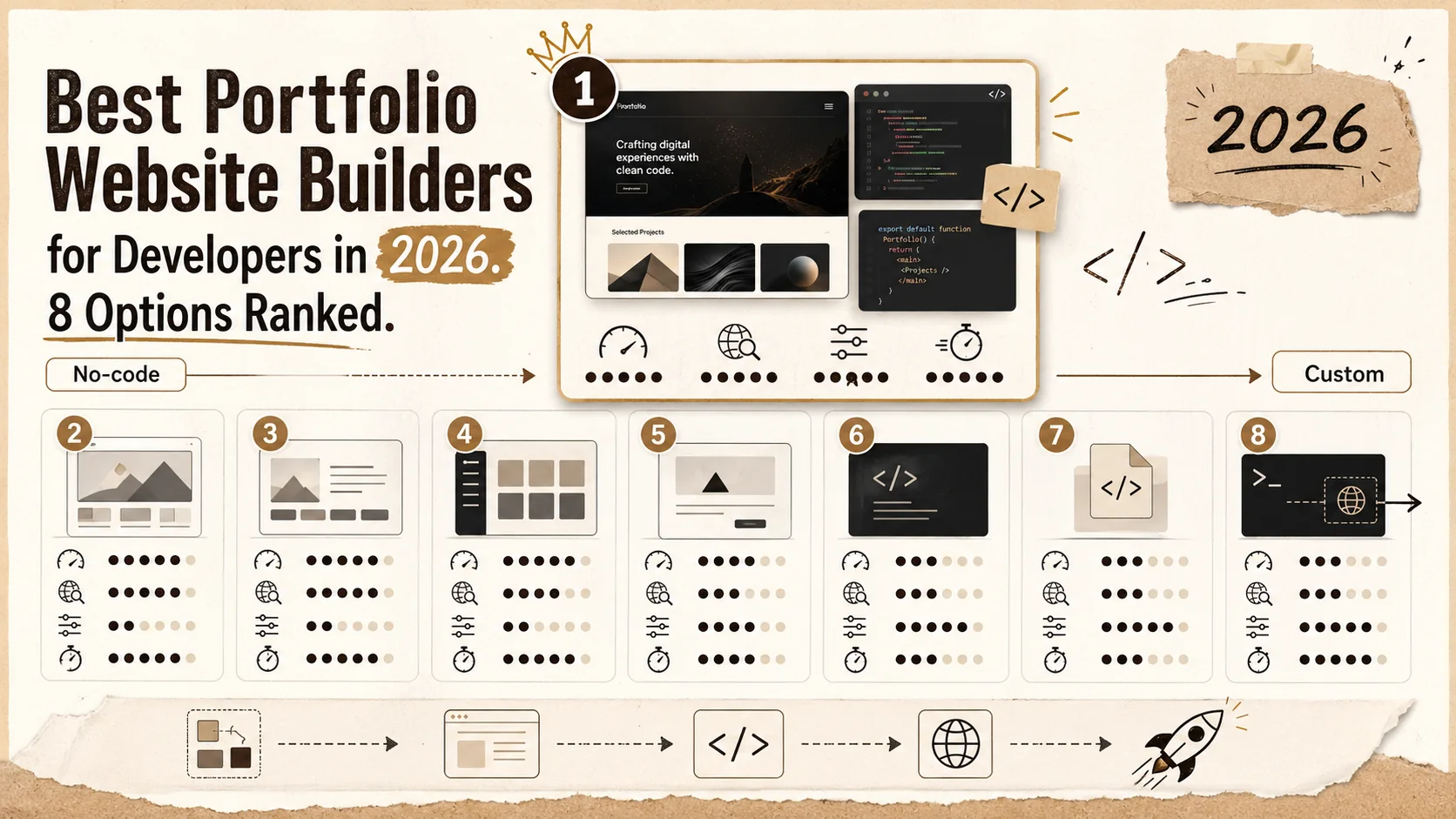
This guide ranks 8 portfolio builders for developers based on what actually matters: loading speed, SEO, customization depth, and time from zero to deployed. We built the same portfolio content on each platform and measured. Here's what we found.
What this guide covers:
- Full comparison table with 2026 pricing, speed scores, and SEO ratings
- Detailed review of each builder with developer-specific pros and cons
- The developer portfolio checklist: what every portfolio must include
- 6 frequently asked questions about developer portfolios
Table of Contents
- How We Ranked These
- The Rankings: Full Comparison Table
- 1. Popout — Best for Speed + SEO
- 2. GitHub Pages + Jekyll — Best Included Option
- 3. Cloudflare + Next.js — Maximum Control
- 4. Carrd — Best Beautiful Simple Page
- 5. Framer — Best for Design-Heavy Portfolios
- 6. Squarespace — Best for Non-Technical Users
- 7. WordPress — Best for Blog-Heavy Portfolios
- 8. Wix — Easiest to Start
- The Developer Portfolio Checklist
- FAQ
How We Ranked These {#how-we-ranked-these}
We built the same portfolio on all eight platforms: a developer portfolio with a bio, 4 project showcases with descriptions and tech stacks, a skills section, a contact form, and a blog post. Same content, same images, same structure.
Scoring criteria:
- Time to deploy: How long from account creation to live URL with all content populated
- Page speed: Google Lighthouse performance score on mobile (the metric that matters, since 60%+ of recruiter browsing happens on mobile per Jobvite's 2024 Recruiter Nation Survey)
- SEO capabilities: Control over meta titles, descriptions, OG images, canonical URLs, sitemap generation, robots.txt, and structured data
- Customization: How much control you have over layout, styling, and functionality
- Price: Total annual cost including custom domain
- Maintenance overhead: How much ongoing work the platform requires to keep running
Each criterion scored 1-10. The weighted total determined ranking, with speed and SEO weighted 2x because those are what actually influence whether recruiters find and stay on your site.
The Rankings: Full Comparison Table {#the-rankings}
| Rank | Builder | Best For | Lighthouse Score | SEO | Price | Deploy Time |
|---|---|---|---|---|---|---|
| 1 | Popout | Speed + SEO | 98 | Excellent | Included / $8/mo | 10 min |
| 2 | GitHub Pages + Jekyll | Included + custom | 95 | Good | Included | 2 hrs |
| 3 | Cloudflare + Next.js | Full control | 99 | Excellent | Included | 4 hrs |
| 4 | Carrd | Simple one-pagers | 97 | Good | $19/yr | 30 min |
| 5 | Framer | Design-heavy | 90 | Good | $5-$20/mo | 1 hr |
| 6 | Squarespace | Non-technical | 75 | Decent | $16/mo | 1 hr |
| 7 | WordPress | Blog-heavy | 70 | Excellent | $4-$25/mo | 2 hrs |
| 8 | Wix | Easiest start | 60 | Poor | $17/mo | 30 min |
Now let's break down each option.
1. Popout — Best for Speed + SEO {#popout}
Price: Included tier available / $8/mo Pro Lighthouse Score: 98 Time to Deploy: 10 minutes Best For: Developers who want a polished portfolio live today, not next month
Popout was built for exactly this use case: professional portfolios that look great, load instantly, and actually show up in search results. It's not a general-purpose website builder that happens to have a portfolio template. It's a portfolio-first tool designed around how recruiters and hiring managers actually evaluate candidates.
Why developers choose Popout:
-
Sub-second loading. Pages are statically generated and served from edge CDN. The 98 Lighthouse score isn't theoretical — it's what your visitors experience. Google's research shows 53% of mobile users abandon pages that take longer than 3 seconds. Popout pages load in under 1 second.
-
Full SEO control. Custom meta titles, descriptions, OG images, canonical URLs, and clean slugs. Your portfolio shows up when someone searches your name. Test yours with our portfolio review checklist.
-
Bio link + full portfolio in one tool. Most developers maintain a Linktree-style bio link AND a separate portfolio site. Popout combines both. One URL for social bios and project showcases.
-
Custom domain support. Use yourname.dev or yourname.com. No vendor lock-in.
-
Developer-friendly. Clean URLs, semantic HTML, accessible markup, OG image generation. No bloated JavaScript bundles or cookie consent popups for analytics you didn't ask for.
What Popout doesn't do: It's not a full CMS. If you need a 50-page website with blog, e-commerce, and dynamic server-side functionality, use Next.js. Popout is purpose-built for the 1-5 page professional portfolio that 95% of developers actually need.
Check out developer portfolio examples to see what's possible, or start with a portfolio tagline to nail your positioning.
2. GitHub Pages + Jekyll — Best Included Option {#github-pages}
Price: Included Lighthouse Score: 95 Time to Deploy: 2 hours Best For: Developers who want included hosting with Markdown-native content
GitHub Pages is the OG developer portfolio platform. Push a Jekyll site to a repo, enable Pages, and you have a live portfolio at username.github.io — included, forever, with SSL included.
Strengths:
- Completely included including custom domain support via CNAME
- Native Markdown content — write your portfolio in the same format as your README files
- Git-based workflow means your portfolio history is version controlled
- Jekyll themes provide decent starting points, and Hugo is even faster if you prefer Go-based templating
- Lighthouse scores are excellent because static sites are inherently fast
Weaknesses:
- Setup takes 1-2 hours minimum: choosing a theme, configuring _config.yml, understanding Jekyll's directory structure, and deploying
- Jekyll is Ruby-based, and Ruby dependency management is notoriously painful on macOS. You'll spend 30 minutes debugging gem installation before you write your first line of content
- SEO control is manual — you need to configure meta tags, sitemaps, and OG images through template partials
- No built-in analytics or contact forms. You'll add third-party scripts, which defeat the performance advantage
- Customization beyond theme defaults requires learning Liquid templating, which no developer enjoys
Verdict: Best option if you're comfortable with static site generators and want zero ongoing cost. But "included" has a hidden price: your time. Two hours of setup plus ongoing maintenance every time you want to update a project. Compare that to the 10 minutes on Popout or the alternatives in our Linktree alternatives guide.
3. Cloudflare + Next.js — Maximum Control {#cloudflare-nextjs}
Price: Included (hobby tier) / $20/mo (Pro) Lighthouse Score: 99 Time to Deploy: 4 hours Best For: Developers who want complete control and enjoy the process
If your portfolio IS the project — if the act of building it demonstrates your skills — Next.js on Cloudflare is the maximum-control option. You write React components, handle routing, optimize images, configure ISR, and deploy to Cloudflare's edge network. The result can be the fastest, most polished portfolio possible.
Strengths:
- Complete control over every pixel, every interaction, every byte
- Best possible performance when optimized correctly
- Server Components, edge rendering, image optimization — you showcase cutting-edge skills by using them
- Cloudflare's included hobby tier covers most portfolio needs
- The portfolio itself becomes a portfolio piece
Weaknesses:
- 4+ hours to deploy. This is a real project, not a form you fill out
- Ongoing maintenance: dependency updates, framework migrations, security patches
- Over-engineering risk: Stack Overflow's 2025 survey found that 31% of developers who built custom portfolios spent more time maintaining them than working on the projects they showcase
Verdict: The right choice if you genuinely enjoy frontend development and want to demonstrate React/Next.js skills. The wrong choice if you need a portfolio live by Friday. For alternatives that bridge the gap between custom and quick, check our portfolio builder alternatives guide.
4. Carrd — Best Beautiful Simple Page {#carrd}
Price: Included (limited) / $19/yr (Pro) Lighthouse Score: 97 Time to Deploy: 30 minutes Best For: One-page portfolios with strong visual design
Carrd is the minimalist's answer to website builders. It generates fast, single-page sites with a drag-and-drop editor that doesn't feel like enterprise software designed by committee.
Strengths:
- $19/year is the best price-to-quality ratio in this list
- Beautiful one-page layouts that load instantly
- CSS customizable for developers who want control without building from scratch
- Custom domain support on Pro plan
- Multiple sites on one account (useful if you maintain personal + professional portfolios)
Weaknesses:
- Single-page only. No multi-page portfolios, no blog, no project detail pages. If you need case studies with their own URLs, Carrd can't do it
- SEO is limited to basic meta tags. No sitemap generation, no structured data, no blog for content marketing
- No built-in analytics beyond basic page views
- Template ecosystem is smaller than Squarespace or WordPress
Verdict: Outstanding for a clean, fast one-pager that says "here's who I am, here's my work, here's how to reach me." Falls short when you need depth — project case studies, blog posts, or multiple pages. For a comparison of Carrd against similar tools, see our Carrd alternatives breakdown.
5. Framer — Best for Design-Heavy Portfolios {#framer}
Price: Included (limited) / $5-$20/mo Lighthouse Score: 90 Time to Deploy: 1 hour Best For: Designers and front-end developers who want motion-rich portfolios
Framer bridges the gap between design tool and website builder. If you've used Figma, Framer's editor feels familiar — and the output is real, deployable websites with animations that would take days to code manually.
Strengths:
- Design tool UI → production website pipeline. What you design is what ships
- Rich animations and interactions without writing JavaScript
- Component-based system familiar to React developers
- Strong community templates focused on creative portfolios
- CMS capabilities for blog and project collections
Weaknesses:
- Lighthouse scores drop to 80-85 on animation-heavy pages. Framer ships significant JavaScript for its motion engine
- SEO capabilities are good but not as granular as self-hosted solutions
- Pricing adds up: custom domain + CMS + forms pushes you to $20/mo
- The motion-heavy aesthetic can feel over-designed for developer portfolios where content clarity matters more than parallax scrolling
- Lock-in: your site exists inside Framer's ecosystem. Exporting to another platform isn't straightforward
Verdict: Excellent if you're a designer-developer hybrid and your portfolio needs to demonstrate visual/interaction design skills. Overkill if you're a backend developer whose recruiter audience cares about your GitHub commits, not your scroll animations.
6. Squarespace — Best for Non-Technical Users {#squarespace}
Price: $16-$33/mo Lighthouse Score: 75 Time to Deploy: 1 hour Best For: Non-developers or developers who want zero code involved
Squarespace is the portfolio builder your non-technical friends use. Polished templates, drag-and-drop editing, and a "just works" philosophy that removes every decision except which photos to upload.
Strengths:
- Templates are genuinely beautiful out of the box
- Zero code required — truly zero
- Built-in analytics, forms, scheduling, and email marketing
- 24/7 customer support
Weaknesses:
- Slow. Lighthouse 75 means noticeably slower loads. Squarespace ships heavy JavaScript and render-blocking CSS. Google's Web Vitals data directly correlates speed with bounce rate
- Expensive. $16-$33/month is $192-$396/year when Carrd costs $19/year and Popout starts included
- SEO controls exist but are buried. Most Squarespace users never configure them
- Template lock-in. Switching templates can break your layout
Verdict: If you're a developer, Squarespace is paying a premium for simplicity you don't need. The speed penalty alone makes it a tough sell when faster, cheaper alternatives exist. For a detailed feature comparison, see our Squarespace alternatives guide.
7. WordPress — Best for Blog-Heavy Portfolios {#wordpress}
Price: $4-$25/mo (hosted) / Included (self-hosted) Lighthouse Score: 70 Time to Deploy: 2 hours Best For: Developers who want a blog as the primary feature with portfolio as secondary
WordPress powers 43% of the web in 2026 per W3Techs. Its ecosystem is unmatched: 60,000+ plugins, thousands of themes, and a developer community that's been building for two decades.
Strengths:
- Best blogging platform, period. Editor, categories, tags, RSS, and content management are unmatched
- SEO plugins are best-in-class. Yoast SEO and RankMath provide granular control over every meta tag, schema, and sitemap entry
- Plugin ecosystem. Contact forms, analytics, caching, CDN, portfolio galleries — there's a plugin for everything
- Self-hosted option gives complete control and portability
Weaknesses:
- Maintenance overhead is real. Plugin updates, core updates, PHP updates, security patches. Sucuri's 2024 Website Threat Report found WordPress sites accounted for 96.2% of all infected CMS platforms — because most owners don't maintain their installations
- Speed requires effort. Unoptimized WordPress scores 40-50 on Lighthouse. Reaching 70+ requires caching, image optimization, CDN, and careful theme selection
- Over-featured. A portfolio doesn't need 60,000 plugins. You'll spend an hour evaluating themes before selecting one that looks like every other developer's WordPress portfolio
Verdict: Choose WordPress if technical blogging is your primary content strategy and the portfolio is secondary. Otherwise, you're paying the maintenance tax of a CMS that's 10x more powerful than what a portfolio requires.
8. Wix — Easiest to Start {#wix}
Price: Included (limited) / $17-$32/mo Lighthouse Score: 60 Time to Deploy: 30 minutes Best For: Getting something — anything — live immediately
Wix's AI site builder can generate a portfolio in under 5 minutes. Answer a few questions, pick a template, drag and drop your content, and it's live. The barrier to entry is as close to zero as web publishing gets.
Strengths:
- AI-assisted site creation for instant results
- True drag-and-drop with no constraints (which is both a strength and a weakness)
- App market for adding functionality
- Included tier exists with Wix branding
Weaknesses:
- Worst performance on this list. A Lighthouse score of 60 means measurably slow page loads. Wix injects significant proprietary JavaScript, and the drag-and-drop freedom means non-optimized layouts are the norm. For developers, deploying a slow portfolio is a professional liability — it signals that you don't understand or care about web performance
- Poor SEO. Despite improvements in recent years, Wix still generates bloated HTML, slow server response times, and JavaScript-dependent rendering that search engines struggle with. Moz's technical SEO research has documented persistent indexing challenges with Wix sites
- Vendor lock-in. Wix sites cannot be exported. If you want to move to another platform, you're rebuilding from scratch. Your content, your layout, your domain configuration — none of it is portable
- Expensive for what it delivers. $17/month for a portfolio with a 60 Lighthouse score is a bad trade when Carrd delivers 97 for $19/year
Verdict: Wix is the microwave dinner of portfolio builders: fast, easy, and something you'd never serve to a guest you wanted to impress. For developers, the performance and SEO penalties outweigh the convenience. A hiring manager running your site through Lighthouse — and technical hiring managers do this — will notice.
The Developer Portfolio Checklist {#the-developer-portfolio-checklist}
Regardless of which builder you choose, every developer portfolio must include these elements. This isn't opinion — it's based on what LinkedIn's Talent Solutions data and multiple recruiter surveys identify as the factors that influence shortlisting decisions.
The Non-Negotiables
- Your name and professional title. "Jane Doe — Full-Stack Developer" or "Alex Chen — iOS Engineer." Not "Passionate Problem Solver" or "Code Ninja." Recruiters search by role title. Be findable
- 3-5 project showcases. Each project needs: a title, 2-3 sentence description of what it does, your specific contribution (critical for team projects), the tech stack used, and a link to the live project or GitHub repo. Screenshots are good. Working demos are better
- Tech stack section. List your languages, frameworks, and tools. Recruiters filter by technology. If TypeScript isn't on your portfolio, a recruiter searching for TypeScript developers won't find you
- GitHub link. Your commit history is your second portfolio. A maintained GitHub profile with recent activity signals that you write code regularly, not just during job searches. If your README needs work, try our GitHub profile README generator
- Contact method. Email address or contact form. Not just a LinkedIn link — make it easy for someone to reach you without leaving your site
- Downloadable resume. PDF format. Current. Matching the information on your portfolio (inconsistencies between resume and portfolio raise red flags for recruiters)
What Sets Great Portfolios Apart
- Case studies, not just screenshots. Great portfolios tell the story: what was the problem, what did you build, what decisions did you make, what were the results. A case study demonstrates thinking process. A screenshot demonstrates that you can take screenshots
- Writing samples or blog posts. According to the iCIMS Hiring Insights report, 62% of tech hiring managers value written communication skills as much as coding ability. A blog post about a technical challenge you solved proves both skills simultaneously
- Open source contributions. Links to PRs merged in established repos carry significant weight. They prove you can read others' code, follow contribution guidelines, and collaborate asynchronously — the core skills of professional software development
- Performance metrics. If your portfolio itself scores 95+ on Lighthouse, that's a meta-demonstration of your skills. Include the badge. It's the developer equivalent of a chef's restaurant having a clean kitchen
What to Leave Out
- Skill percentage bars (what does "85% JavaScript" mean?)
- Animations that delay content visibility
- Projects from tutorials (everyone has the same todo app)
- Technologies you used once three years ago
- A "Services" page unless you're actively freelancing
Generate a polished bio for your portfolio in seconds with our developer bio generator, or use the portfolio tagline generator to nail your one-liner.
FAQ {#faq}
Do developers need a portfolio website?
Yes — unless your GitHub profile is exceptionally strong and you're only targeting companies that evaluate through take-home assignments. The HackerRank 2025 Developer Skills Report found that 73% of hiring managers check portfolios pre-interview. A portfolio isn't just a collection of projects. It's a controlled narrative about your skills, your interests, and your professional trajectory. LinkedIn can't do that. GitHub shows what you built but not why. A portfolio connects the dots.
Is GitHub enough as a portfolio?
For some roles, particularly open-source-heavy or backend positions at developer-tool companies, a strong GitHub profile with active contributions, maintained repos, and detailed READMEs can substitute. But for most roles — especially at non-tech companies, agencies, and startups — recruiters want a visual presentation they can evaluate in 30 seconds. GitHub repos don't provide that. The median time a recruiter spends on an initial screen is 7.4 seconds per Ladders' eye-tracking study. A portfolio page is designed for that scan. A GitHub repo is not.
What should I put on my developer portfolio?
At minimum: name, title, 3-5 projects with descriptions and tech stacks, GitHub link, contact info, and downloadable resume. To stand out: add case studies that explain your decision-making process, blog posts that demonstrate technical communication, and metrics that prove impact ("Reduced API response time by 60%" beats "Built an API"). See the full checklist above.
Is Popout included?
Popout offers a included tier that includes a portfolio page, bio link, and hosted public page. The Pro plan ($8/mo) adds custom domain support, advanced analytics, SEO controls, and priority support. Most developers start included and upgrade when they want their own domain — which we recommend, because yourname.dev looks better on a resume than a hosted page.
Should I build my own portfolio from scratch?
Only if building it IS the portfolio piece. If you're a frontend developer applying to React/Next.js roles, a hand-coded portfolio demonstrates exactly the skills you're selling. For everyone else — backend developers, data engineers, DevOps engineers, mobile developers — a custom portfolio is a time sink that doesn't demonstrate relevant skills. Use a builder, spend 10-30 minutes instead of 3 weeks, and invest the saved time in projects that actually belong on the portfolio. The goal is the content, not the container.
How often should I update my portfolio?
Every time you complete a project worth showcasing, and at minimum every 3 months. A portfolio with projects from 2023 tells a recruiter you haven't done interesting work since 2023 — or worse, that you don't maintain your professional presence. Set a quarterly calendar reminder. Update your project list, refresh your bio, and verify all links still work. The Jobvite 2024 Recruiter Nation Survey found that 34% of recruiters disqualified candidates whose online presence appeared "stale" or unmaintained. Your portfolio is a living document, not a one-time deployment.
The right portfolio builder depends on what you're optimizing for. If it's speed and SEO, start with Popout. If it's total control, build with Next.js. If it's budget, use GitHub Pages. But whatever you choose, choose something — and deploy it this week. The perfect portfolio that exists only in your head recruits nobody.
For more comparisons: Linktree alternatives | Carrd alternatives | Bento alternatives | About.me alternatives | Build a portfolio hub
Other Doved Studio projects
Related tools from the same studio you might find useful:
- Ralphable: Generate structured Claude Code skills that iterate until pass/fail criteria are met.
- Glean: Turn scrolling time into a daily action plan. Capture, process, execute.
- Doved Studio: Studio indie derrière cette app et une dizaine d'autres outils.
Written by
popout
Content Team