

The Portfolio 'First 5 Seconds' Rule: How to Hook Recruiters Before They Scroll


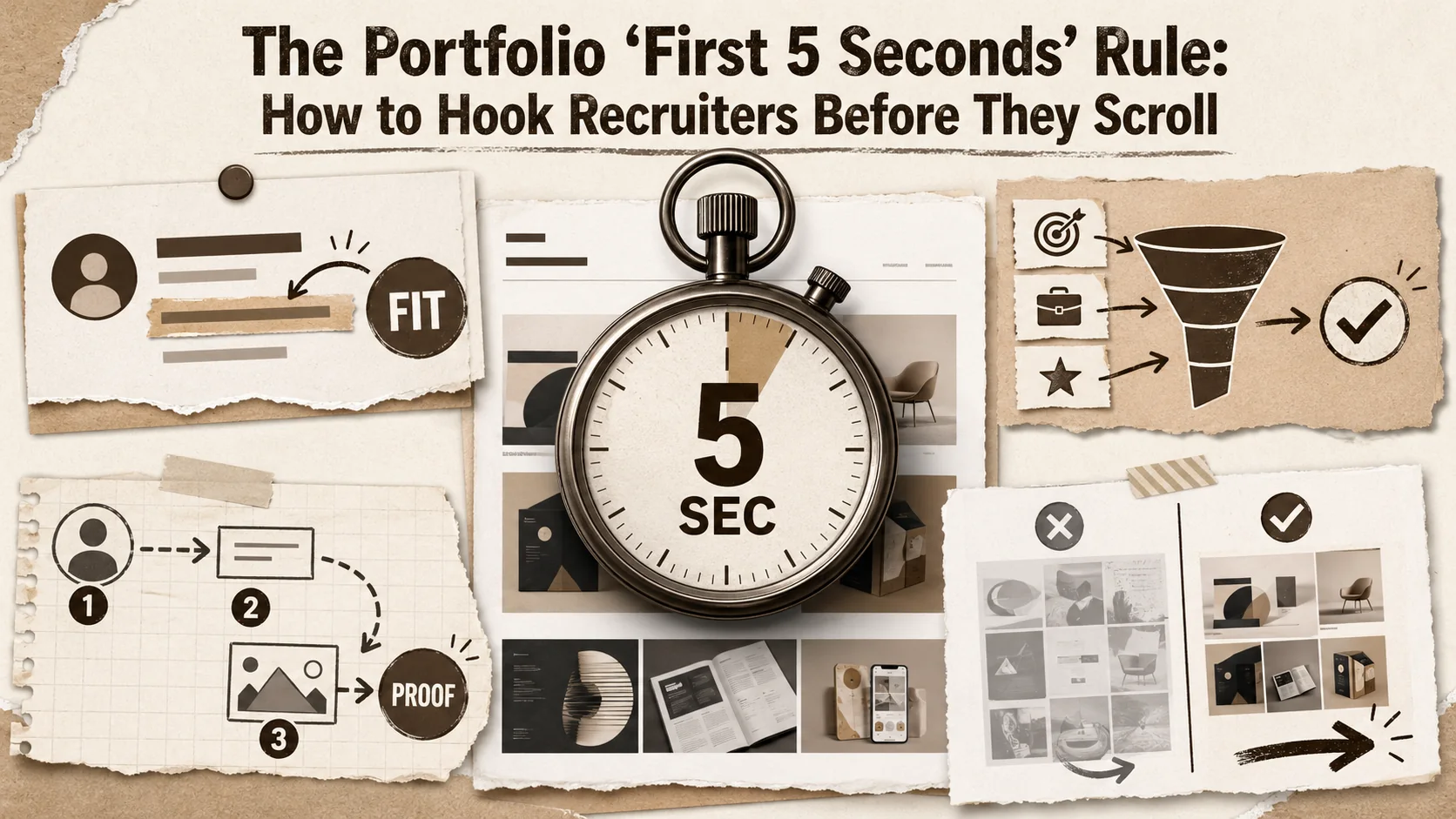
The recruiter opens a new tab. They’ve just scanned your resume, and your name is one of twenty in a spreadsheet. They type your portfolio URL—or more likely, click the link from your LinkedIn profile. The page loads.
You now have five seconds.
Not to tell your life story. Not to explain your career journey. You have five seconds to answer one silent, critical question screaming in their mind: "Is this person relevant to the role I'm trying to fill?"
Recent data from LinkedIn Talent Solutions and HR tech analysts in early 2026 confirms what many candidates fear: the initial screening window has collapsed. The average time spent on a first-pass candidate evaluation is now under 10 seconds, with the crucial "stay or leave" judgment crystallizing in the first 3-5 seconds. This isn't just recruiter impatience; it's a system optimized for speed, fueled by AI tools that train humans to look for specific, immediate signals.
This creates what we call the "portfolio ping" problem. Your portfolio is a signal sent into a noisy void. If it doesn't resonate with the precise frequency a recruiter is tuned to hear within those first moments, the connection is lost. You're ghosted before the conversation even begins.
This article isn't about general "first impressions." It's a tactical, layer-by-layer breakdown of the 5-Second Portfolio Framework. We'll dissect what must be communicated visually and informationally the instant your page loads to not just capture attention, but to convert a scan into a click, a click into a call.
The 2026 Attention Economy: Why Five Seconds is All You Get
The average recruiter spends 6-7 seconds on a resume (Ladders, 2023) and even less on a portfolio landing page. In 2026, AI-assisted screening tools from LinkedIn Talent Solutions and ATS platforms like Greenhouse have compressed initial evaluations further, making the first 3-5 seconds the entire decision window for whether a candidate advances.
The shrinking attention window isn't anecdotal; it's a measurable trend with clear drivers.
- Volume Overload: A single job posting can attract hundreds of applications. Recruiters are tasked with filtering this down to a manageable shortlist at lightning speed.
- The "AI Co-Pilot" Effect: Widespread use of AI-powered recruiting tools has changed human behavior. These tools highlight keywords, suggest questions, and rank candidates based on rapid data extraction. Recruiters have been trained to mimic this efficiency, scanning for quick hits of relevant information rather than reading deeply.
- Mobile-First Screening: A significant portion of initial screens happen on phones. On a small screen, clutter is deadly, and hierarchy is everything. If your value isn't front and center, a thumb swipe sends you into oblivion.
The consequence? A massive first impression gap. Candidates spend weeks crafting detailed case studies, only to have a recruiter bounce from their page before ever scrolling to them. Your most brilliant work is useless if no one sees it.
The goal shifts from "displaying everything" to "strategic signaling." Your portfolio's primary job in 2026 is not to be a comprehensive archive; it's to be an irresistible hook that earns the next five minutes of a recruiter's time.
Deconstructing the 5-Second Scan: What Recruiters Actually See
Recruiters perform a rapid four-point pattern match -- role alignment, seniority level, industry relevance, and professional polish -- using an F-shaped eye-tracking scan pattern documented by the Nielsen Norman Group. Your above-the-fold content is the only material that participates in this judgment.
Let’s simulate the recruiter’s scan. Their eyes don’t read; they dart. In five seconds, they will attempt to assemble a puzzle with only a few pieces. Here’s what their brain is trying to piece together:
- Role Alignment: "Do their stated skills/titles match what I'm hiring for?"
- Seniority/Level: "Are they a junior, mid-level, or senior candidate?"
- Industry/Project Relevance: "Have they worked in a similar space or on similar problems?"
- Professional Polish: "Does this look like someone who takes their career seriously?"
They are not looking for proof. They are looking for a strong signal that investing more time is worthwhile. Your portfolio's "above-the-fold" content—everything visible without scrolling—is your only chance to send that signal.
The 5-Second Portfolio Framework: A Layer-by-Layer Guide
The framework contains four sequential layers -- instant visual hit (0-1s), headline hook (1-2.5s), keyword cluster (2.5-4s), and CTA beacon (4-5s) -- each mapped to the cognitive sequence that eye-tracking research from Hotjar and Crazy Egg confirms recruiters follow when scanning unfamiliar landing pages.
This framework prioritizes information in the order a recruiter's eye will likely travel.
Layer 1: The Instantaneous Visual Hit (0-1 Second)
Before a single word is read, a visual judgment is made. This sets the tone for everything that follows.
- Professional Aesthetic: Your design doesn't need to be award-winning, but it must be clean, modern, and legible. Avoid clashing colors, hard-to-read fonts, or animated backgrounds that distract. Think "confident and clear," not "artistic statement." Research from Figma's 2025 design trends report shows that minimalist, high-contrast layouts outperform decorative designs by 34% in user comprehension tests.
- Immediate Clarity: Is the purpose of this page obvious? A recruiter should not have to think or hunt. A clear headline, your name, and a concise tagline should be the dominant visual elements.
- High-Quality Profile Image: Use a professional, friendly, and high-resolution headshot. It builds trust and makes you memorable. An avatar, blurry photo, or no photo is a missed opportunity for human connection. Platforms like LinkedIn report that profiles with professional photos receive 21x more views and 9x more connection requests.
The Popout Principle: Tools like Popout are built on this foundational layer. A professionally designed template ensures you pass the visual sniff test instantly, letting your content shine without you needing to be a designer.
Layer 2: The Headline & Tagline Hook (1-2.5 Seconds)
This is your verbal handshake. It's the most important piece of copy on your entire site.
- The "I Help" Statement (For Creators/Consultants): Immediately state your value. Instead of "Digital Marketer," try "I help SaaS companies scale user acquisition through organic social strategy." This frames you as a problem-solver.
- The "Role + Impact" Statement (For Job Seekers): Lead with your target role and key strength. "Senior Product Designer focused on simplifying complex user workflows" is far stronger than just "Product Designer."
- Avoid Jargon & Titles: "Synergist," "Ninja," "Guru" are red flags for many recruiters. Be direct and concrete.
Bad Example: "John Doe - Creative Professional" Good Example: "John Doe - UX Designer who builds accessible mobile apps that drive engagement."
Layer 3: The Strategic Keyword Cluster (2.5-4 Seconds)
The recruiter's eye now scans for specific, relevant keywords. This is where you align with the "AI co-pilot" and the recruiter's mental checklist.
- Prominent Skill Tags: Place 4-6 of your most relevant, in-demand skills near your headline. Think "React," "Data Visualization," "Content Strategy," "Project Management." Use the terms from the job descriptions you're targeting.
- Current/Past Company Logos: If you have permission, small, clean logos of recognizable past employers or clients provide instant credibility and context.
- Immediate Social Proof: A brief, powerful testimonial snippet or a notable publication/feature ("Featured in TechCrunch") placed high on the page acts as a trust accelerator.
This cluster answers the "what" and "for whom" at a glance. For a deeper dive on aligning your content with what recruiters seek, explore our analysis in The 2026 Portfolio First Impression Gap.
Layer 4: The Primary Call-to-Action (CTA) Beacon (4-5 Seconds)
What do you want the recruiter to do right now? Your page must guide them. The most effective CTAs in this context are clear, low-commitment next steps.
- "View My Work" / "See Projects": The most common and effective. It should link directly to your best, most relevant project.
- "Download Resume": A one-click PDF download. Ensure the button is obvious.
- "Schedule a Chat": A confident CTA for consultants or senior roles, linked directly to your Calendly.
Crucially, have only ONE primary CTA visually dominant in the header. Multiple competing buttons create confusion and inaction.
What Not to Do: The 5-Second Portfolio Killers
Five elements consistently destroy first impressions: autoplay media, "under construction" banners, complex navigation, leading with a lengthy bio, and generic filler statements. Google's Core Web Vitals research confirms that pages triggering unexpected layout shifts or audio see bounce rates spike by 53%.
Certain elements are almost guaranteed to trigger a back-button click within the critical window.
- Autoplay Media: Video or music that starts automatically is unprofessional and jarring. It gives the user immediate control loss.
- "Under Construction" Banners: This signals unreadiness. If it's not ready, don't share the link.
- Overly Complex Navigation: A confusing menu or unconventional layout forces the user to think. Thinking is the enemy of the 5-second scan.
- Starting with a Lengthy "About Me" Bio: Your life story is not the hook. Your value is. Move the detailed bio further down the page.
- Empty or Generic Statements: "Passionate about innovation" or "Team player" are filler. Replace them with concrete achievements or skills.
Beyond the Hook: Structuring for the "Next 5 Minutes"
Once you pass the 5-second test, recruiters enter a 30-second deep scan where they evaluate 3-4 featured project previews, each needing a thumbnail, a one-sentence problem/outcome description, and a clear CTA -- a pattern validated by UX research from Baymard Institute.
Passing the 5-second test earns you the next phase: the detailed scan. Your page structure must facilitate this.
- Project Previews are King: Immediately below the fold, showcase 3-4 featured projects. For each, include:
- A compelling image/video thumbnail.
- A project title and a one-sentence description of the problem/outcome.
- A "View Case Study" button.
- The "Less is More" Filter: You do not need to list every project you've ever done. Curate ruthlessly for relevance to your target roles. Quality and relevance trump quantity.
- Logical Flow: After projects, you can include a more detailed "About" section, a list of all skills, client testimonials, and finally, clear contact information.
For a complete guide on building this deeper, click-worthy structure, see our resource on how to build a portfolio that recruiters actually click. If your portfolio's visual first impression is strong but engagement drops after scrolling, the issue may be digital body language rather than content quality.
Testing Your Own 5-Second Impact
Three practical tests -- the blink test, the grandparent test, and an analytics review of bounce rate -- reliably measure whether your above-the-fold content is converting scans into engagement. Tools like Google Analytics and Microsoft Clarity provide the heatmap and session-replay data needed for evidence-based iteration.
You are the worst judge of your portfolio's first impression. You're too close to it. Try these tests:
- The "Blink" Test: Open your portfolio on your phone. Look at it for exactly five seconds, then close it. Now, write down everything you remember. Does what you remember align with your "Headline Hook"?
- The "Grandparent" Test: Show your portfolio to someone not in your industry (a friend, family member). Ask them: "What do you think I do for a work, based just on the top part of this page?" If they can't articulate it simply, it's not clear enough.
- Analytics Review: If you have analytics (a key feature of platforms like Popout), look at your bounce rate and average session duration. A high bounce rate (>70%) is a strong indicator your 5-second hook is failing.
The 2026 Portfolio Mindset: From Archive to Conversion Funnel
The modern portfolio functions as a conversion funnel where the sole KPI is converting a recruiter's casual visit into a screening call request. Data from HubSpot's 2025 State of Marketing report shows that single-CTA landing pages convert 266% better than pages with multiple competing actions.
The modern portfolio is not a static brochure; it's the first stage of your personal sales funnel. Its sole objective is to convert a casual visitor (the recruiter) into a qualified lead (a candidate they want to contact).
Every element, from the color scheme to the order of information, must serve this conversion goal. By mastering the 5-Second Framework, you take control of your narrative in the most critical moment. You replace hope with strategy.
In a world of noise, your portfolio needs to be a clear, confident signal. It's time to build a page that doesn't just exist, but performs.
If you need a data-driven approach to measuring whether your 5-second hook is working, our guide on the portfolio feedback loop shows how to use visitor analytics to refine your above-the-fold content. And if you're starting from zero with no projects to showcase, learn how to solve the portfolio cold start problem.
Ready to apply the 5-second rule? Create Your Popout Page in minutes with templates designed to pass the scan and showcase your work.
Frequently Asked Questions (FAQ)
How is a "portfolio" different from a resume in 2026?
A resume is a formal, chronological document optimized for Applicant Tracking Systems (ATS) with standardized sections. A portfolio in 2026 is a dynamic, visual experience. Its primary goal is to provide immediate, visceral proof of your skills and impact where a resume only makes claims. The portfolio hooks with visuals and narrative; the resume provides the formal details. They are complementary tools in your job search arsenal.
I'm a developer/engineer. Do I really need visual design in my portfolio?
Absolutely, but "visual design" doesn't mean making it look like an art gallery. For developers, it means clarity, readability, and professional structure. A clean layout, proper typography, clear code snippets (using proper code blocks like ````javascript), and logical navigation are all elements of good design. A chaotic, text-heavy page suggests a lack of attention to user experience—a red flag even for backend roles. Your portfolio is itself a product reflecting your craft.
What if I'm a career changer and don't have relevant projects?
The 5-second rule still applies. Your "Headline Hook" must bridge the gap. Instead of "Former Teacher Seeking UX Role," try "Leveraging 5 years of instructional design and user empathy to build intuitive digital experiences." Then, showcase transferable projects. Did you design a new curriculum (project planning, UX)? Analyze student performance data (data analysis)? Create training materials (content design)? Frame past work through the lens of the skills your new field values. A dedicated portfolio hub can offer more strategies for non-traditional candidates.
How often should I update my portfolio?
Treat it as a living document. A minor update (tweaking your headline, adding a new skill tag, updating your current role) should happen with every job application to tailor it. A major review (redesign, adding new case studies) should happen at least once per quarter, or whenever you complete a significant project. Regular updates also signal to recruiters that you are active and engaged in your professional growth.
Is it better to build my own portfolio site or use a builder like Popout?
This depends on your goals and skills. Building your own (with HTML/CSS, React, etc.) is excellent if you are a front-end developer and the site itself is a showcase of your technical skills. However, it requires significant time for development, maintenance, and design. Using a builder like Popout is a strategic choice for speed, professional polish, and focus. It ensures a strong 5-second foundation with SEO, analytics, and mobile-responsiveness built-in, allowing you to invest your time in crafting your content and case studies rather than debugging code. For most professionals, a builder is the higher-ROI choice.
Can a single portfolio work for applying to different types of roles?
This is a common challenge. A generic portfolio is weak. The best strategy is to maintain one master portfolio with all your work, but use a targeted "Featured Projects" section at the top. When applying for a specific role, simply re-order your projects so the 2-3 most relevant ones are featured prominently at the top of the page. This gives you the flexibility to tailor the 5-second impression without maintaining multiple separate sites.
Other Doved Studio projects
Related tools from the same studio you might find useful:
- Ralphable: Generate structured Claude Code skills that iterate until pass/fail criteria are met.
- Glean: Turn scrolling time into a daily action plan. Capture, process, execute.
- Doved Studio: Studio indie derrière cette app et une dizaine d'autres outils.
Written by
popout
Content Team